engiggler is more than just a mouse jiggler, it includes intelligent time scheduling, screenshot documentation, and automatic PDF journal exports.
 Key Features
Mouse Movement (Jiggling)
- Simulates subtle, timed mouse movements
- Adjustable interval and movement size
- Optional rectangular motion pattern
- Can be fully disabled in VM mode
Key Press Simulation
- Simulate periodic key presses: Space, F12, F15, or Shift
- Ideal for virtual environments and remote desktops
- Toggle keys individually via tray menu
VM Mode Support
- Keyboard-only mode for use in remote desktop or virtual machines
- Optional focus-setting for VM window
- Select target window by title or from open windows
Browser Auto-Refresh
- Automatically refresh all open browser windows (Chrome, Edge, Firefox) at user-defined intervals
- Instantly refresh any specific browser window or all browsers at once
- Simple on/off toggle via system tray
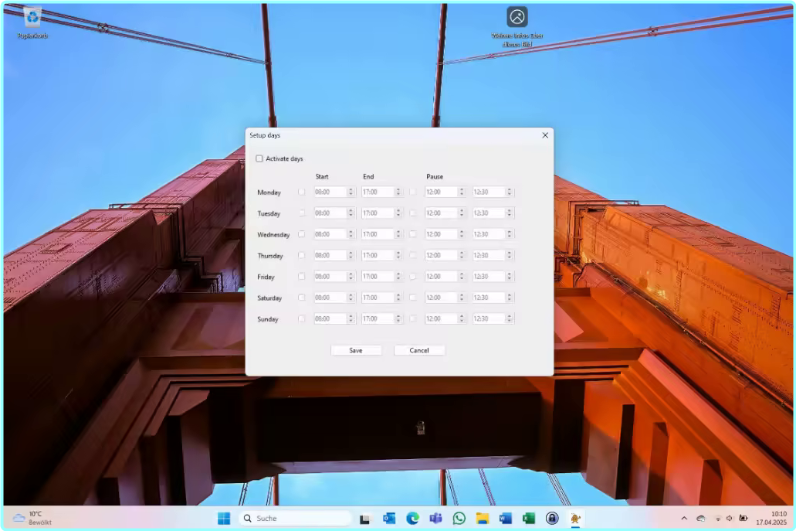
Work Schedule
- Configure working hours per weekday
- Optional break times
- All logic runs only during active time slots (if enabled)
Idle-Based Activation
- Jiggler activates only if user is inactive for X minutes (configurable)
- Idle detection toggleable via tray menu
App-Aware Pausing
- Automatically suspends jiggling and logging while apps like Zoom, Teams, or PowerPoint are active
- Manage app blocklist in settings
Screenshot & Journal System
- Take screenshots automatically at fixed intervals (e.g. every 10 minutes)
- Choose between
- One screenshot of all monitors
- Separate screenshots per monitor
- Optionally add a comment for each screenshot
- Export full journal as PDF with
- Timestamp
- Screenshot preview
- Associated comments
- Schedule daily automatic PDF journal creation (e.g. at 18:00)
- All screenshots saved locally in organized folders
System Integration
- Resides silently in the system tray
- No window clutter or pop-ups
- Autostart option on system boot
- Configurable via context menu and dialogs
- All settings saved locally in config.json
Activity Logging & AI Mode
- Logs active/idle status to CSV file
- Can learn and suggest ideal working hours based on usage patterns
- Logging and auto-learning fully toggleable
- Export logs or clear them directly via tray menu
Privacy & Compatibility
- Fully local – no internet access or data collection
- Lightweight, efficient, and resource-friendly
- Works on Windows 10 / 11 (x64), no admin rights required
- Ideal for IT admins, developers, presenters, and remote workers
Whats New
Updates: official site does not provide any info about changes in this version
 ️ Engenious Engiggler 1.7.0 (x64) Multilingual – (49 MB)
ClickNUpload Link(s)
Code:Copy to clipboard
https://clicknupload.click/3py7fcy61537
RapidGator Link(s)
Code:Copy to clipboard
Freedl.ink Link(s)
Code:Copy to clipboard
https://frdl.io/ive5c2x41y0n/Engenious.Engiggler.1.7.0.X64.Multilingual.rar