Disable Windows Defender 3.5 – (4 MB)

Disable Windows Defender 3.5โ€‹
File Size : 3.6 Mbโ€‹

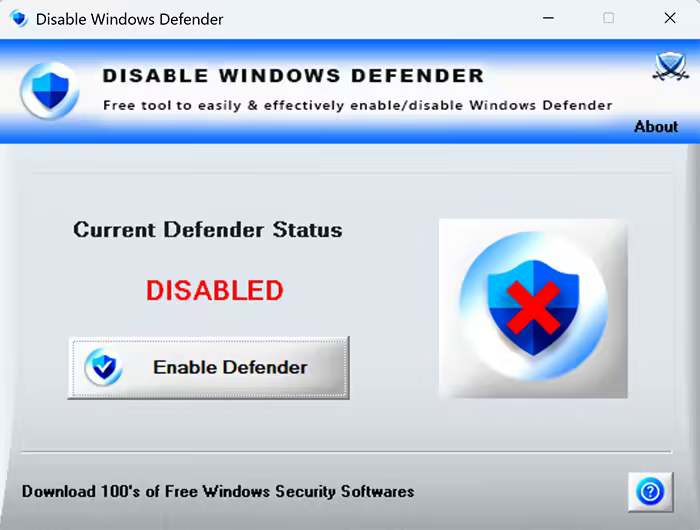
Disable Windows Defender is the free tool to easily & effectively enable/disable Windows Defender without restarting system

Often we need to disable Windows Defender to prevent it from deleting known file due to false positive error. Some times it may slow down your computer or just interrupt your work. In such cases, you can easily disable it and enable it later with a click of button.
We can also disable it (Realtime Monitoring) using Defender Settings panel but it gets enabled automatically after some time. This tool makes sure it is disabled 100%. It also disables all type of protections of Defender.
Disable Realtime Monitoring
Disable Behavior Monitoring
DisableI OAV Protection
Disable Script Scanning
Disable Block At First Seen
Disable Archive Scanning
Disable Email Scanning
Disable Removable Drive Scanning
DisableScanning Mapped Network Drives
DisableScanning Network Files
Disable MAPS Reporting (Cloud Protection)
Disable Submit Samples
With just click of button, all the above protections of Defender will be disabled or enabled back.
It also helps you to exclude specific file or folder from scanning by Windows Defender by just right clicking on it (see Screenshot 3). This is very useful if you don’t want to fully disable Defender but just want to exclude particular folder/file from deleted by Defender.
"Disable Windows Defender" works on both 32-bit & 64-bit platforms from Windows 10 to Windows 11

Features
Free Tool to disable/enable Windows Defender
100% effectively & successfully disable in one click
Disable all type of protections of Defender
Exclude file or folder from Defender by just right clicking on it
Simple tool with cool GUI interface
Displays current Defender status
No need to log off or restart the system
Works on both 32-bit & 64-bit systems from Windows 10 to Windows 11

โ‹†๐Ÿ•ท- – – – -โ˜ฝโ”€โ”€โ”€โ›ง โคโ–โคž โ›งโ”€โ”€โ”€โ˜พ – – – -๐Ÿ•ทโ‹†โ€‹

๏ธ Disable Windows Defender 3.5 – (4 MB)

RapidGator Link(s)
Code:Copy to clipboard

https://rapidgator.net/file/894e43f33f653a2090aa28158a7b6ce6/Disable.Windows.Defender.3.5.rar

Freedl.ink Link(s)
Code:Copy to clipboard

https://frdl.io/0dcgjak7ofrb/Disable.Windows.Defender.3.5.rar
Directory Opus 13.23 Multilingual

QUICK INFO: Windows x64 | File size: 27.92 MB

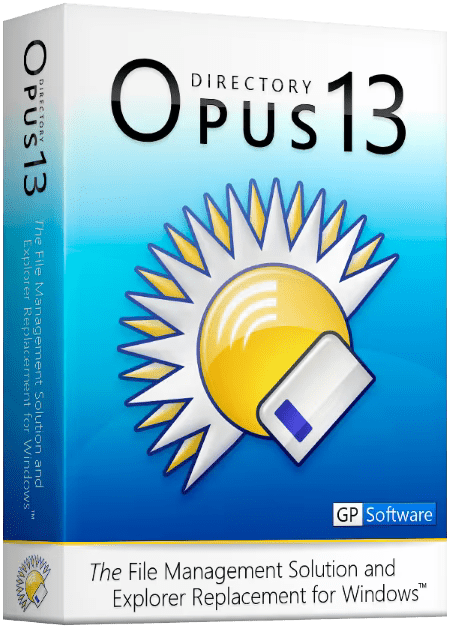
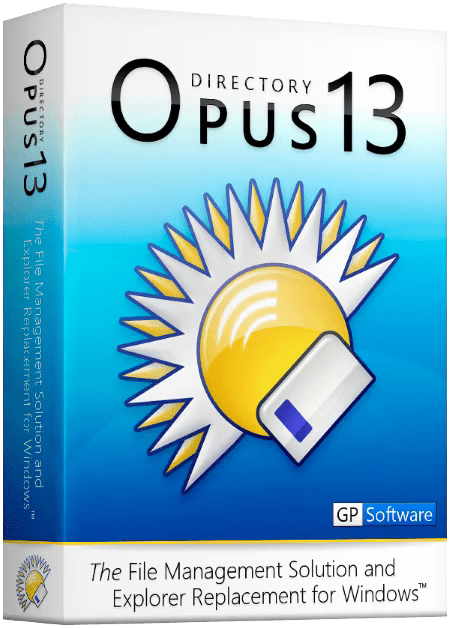
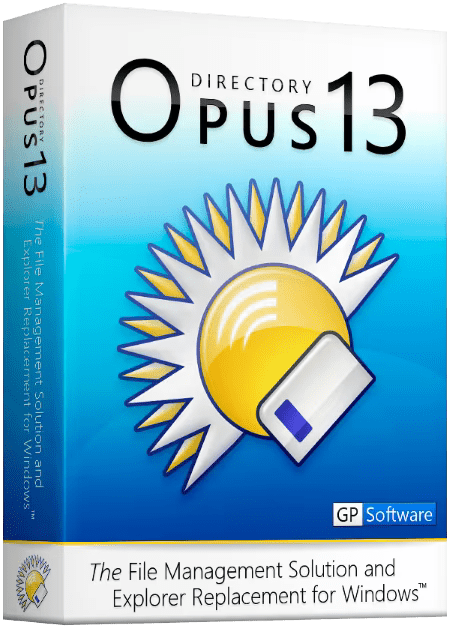
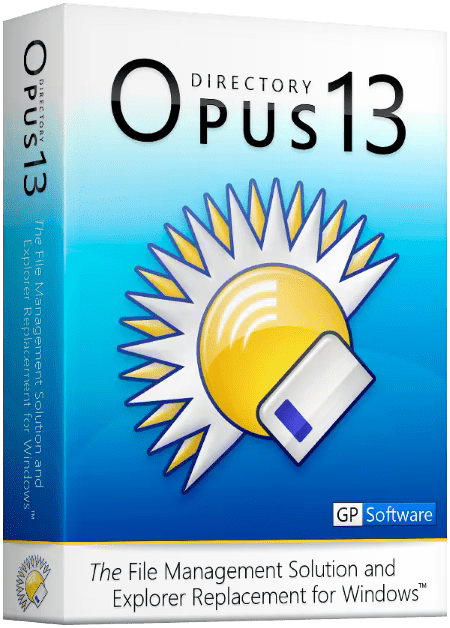
DESCRIPTION: Are you frustrated by the limitations of Windows Explorer? Directory Opus provides a complete Explorer Replacement with far more power and functionality than any other file manager available today.

Just some of the features include

  • Single or dual pane file display and folder trees
  • Tabbed interface let you keep multiple folders open and switch quickly between them
  • Unique Explorer Replacement mode provides a full replacement for Windows Explorer
  • Quickly filter, sort, group and search your folders
  • Color-code your files, assign status icons, star ratings, tags and descriptions
  • View images, documents and more. Image marking lets you sort your photos quickly and easily
  • Batch renaming including easy-to-use keyboard macros
  • View and edit file metadata
  • Support for FTP and archive formats like Zip, 7Zip and RAR
  • Built-in tools including synchronize and duplicate file finder
  • Calculate folder sizes and print or export folder listings
  • Queue multiple file copies for improved performance
  • Fully configurable user interface – colors, fonts, toolbars, keyboard hotkeys, and a full scripting interface let you tailor Opus exactly to suit your needs
  • Efficient, multi-threaded, modern design. Supports the latest 4K monitors.

What makes Opus unique?
Built for speed
Opus is written in native C++ multi-threaded code; compiled for the latest 64 bit CPUs, with high performance our number one design principle.
Fully configurable
Change the colors. Change the fonts. Change the toolbars and menus. Set up hotkeys. Opus adapts to how you want to use it.
Makes file management a breeze
Powerful searching, sorting, grouping, labelling and tagging features let you take control of your files like never before.
Endlessly extensible
Work with third-party tools as easily as with the built-in features. A full scripting interface, including scriptable dialogs, means your imagination is really the only limit.
Replace Windows Explorer and don’t look back
Our unique Explorer Replacement mode provides a full replacement for Windows Explorer.
Single or dual pane file display and folder trees
Tabbed interface let you keep multiple folders open and switch quickly between them
Integrated viewer, metadata editor and utility panel
Built-in tools including synchronize and duplicate file finder
Leverage indexed search engines like Windows Search and Everything

Code:Copy to clipboard

https://www.gpsoft.com.au/program/whatsnew.html

Windows Requirements: Windows 11, 10, 8, 7, Vista, and Server versions

โ‹†๐Ÿ•ท- – – – -โ˜ฝโ”€โ”€โ”€โ›ง โคโ–โคž โ›งโ”€โ”€โ”€โ˜พ – – – -๐Ÿ•ทโ‹†โ€‹

Directory Opus 13.23 Multilingual (28 MB)

RapidGator
Code:Copy to clipboard

https://rapidgator.net/file/00449ae4d07b248a35b4545394670ec4/Directory.Opus.13.23.Multilingual.rar

Freedl.ink
Code:Copy to clipboard

https://frdl.io/dev1nxgf14wc/Directory.Opus.13.23.Multilingual.rar

Directory Opus 13.22.12 Beta Multilingual

QUICK INFO: Windows x64 | File size: 29.16 MB

DESCRIPTION: Are you frustrated by the limitations of Windows Explorer? Directory Opus provides a complete Explorer Replacement with far more power and functionality than any other file manager available today.

Just some of the features include

  • Single or dual pane file display and folder trees
  • Tabbed interface let you keep multiple folders open and switch quickly between them
  • Unique Explorer Replacement mode provides a full replacement for Windows Explorer
  • Quickly filter, sort, group and search your folders
  • Color-code your files, assign status icons, star ratings, tags and descriptions
  • View images, documents and more. Image marking lets you sort your photos quickly and easily
  • Batch renaming including easy-to-use keyboard macros
  • View and edit file metadata
  • Support for FTP and archive formats like Zip, 7Zip and RAR
  • Built-in tools including synchronize and duplicate file finder
  • Calculate folder sizes and print or export folder listings
  • Queue multiple file copies for improved performance
  • Fully configurable user interface – colors, fonts, toolbars, keyboard hotkeys, and a full scripting interface let you tailor Opus exactly to suit your needs
  • Efficient, multi-threaded, modern design. Supports the latest 4K monitors.

What makes Opus unique?
Built for speed
Opus is written in native C++ multi-threaded code; compiled for the latest 64 bit CPUs, with high performance our number one design principle.
Fully configurable
Change the colors. Change the fonts. Change the toolbars and menus. Set up hotkeys. Opus adapts to how you want to use it.
Makes file management a breeze
Powerful searching, sorting, grouping, labelling and tagging features let you take control of your files like never before.
Endlessly extensible
Work with third-party tools as easily as with the built-in features. A full scripting interface, including scriptable dialogs, means your imagination is really the only limit.
Replace Windows Explorer and don’t look back
Our unique Explorer Replacement mode provides a full replacement for Windows Explorer.
Single or dual pane file display and folder trees
Tabbed interface let you keep multiple folders open and switch quickly between them
Integrated viewer, metadata editor and utility panel
Built-in tools including synchronize and duplicate file finder
Leverage indexed search engines like Windows Search and Everything

Code:Copy to clipboard

https://www.gpsoft.com.au/program/whatsnew.html

Windows Requirements: Windows 11, 10, 8, 7, Vista, and Server versions

โ‹†๐Ÿ•ท- – – – -โ˜ฝโ”€โ”€โ”€โ›ง โคโ–โคž โ›งโ”€โ”€โ”€โ˜พ – – – -๐Ÿ•ทโ‹†โ€‹

Directory Opus 13.22.12 Beta Multilingual (29 MB)

RapidGator
Code:Copy to clipboard

https://rapidgator.net/file/5fcc41753e891f1449bf6cb69f3bb6bd/Directory.Opus.13.22.12.Beta.Multilingual.rar

Freedl.ink
Code:Copy to clipboard

https://frdl.io/rl4pglj6cvuo/Directory.Opus.13.22.12.Beta.Multilingual.rar

Directory Opus 13.22.11 Beta (x64) Multilingual

QUICK INFO: File size: 29.4 MB

DESCRIPTION: Are you frustrated by the limitations of Windows Explorer? Directory Opus provides a complete Explorer Replacement with far more power and functionality than any other file manager available today.

Just some of the features include

  • Single or dual pane file display and folder trees
  • Tabbed interface let you keep multiple folders open and switch quickly between them
  • Unique Explorer Replacement mode provides a full replacement for Windows Explorer
  • Quickly filter, sort, group and search your folders
  • Color-code your files, assign status icons, star ratings, tags and descriptions
  • View images, documents and more. Image marking lets you sort your photos quickly and easily
  • Batch renaming including easy-to-use keyboard macros
  • View and edit file metadata
  • Support for FTP and archive formats like Zip, 7Zip and RAR
  • Built-in tools including synchronize and duplicate file finder
  • Calculate folder sizes and print or export folder listings
  • Queue multiple file copies for improved performance
  • Fully configurable user interface – colors, fonts, toolbars, keyboard hotkeys, and a full scripting interface let you tailor Opus exactly to suit your needs
  • Efficient, multi-threaded, modern design. Supports the latest 4K monitors. Available in both 32 and 64 bit versions.

What makes Opus unique?

Built for speed
Opus is written in native C++ multi-threaded code; compiled for the latest 64 bit CPUs, with high performance our number one design principle.

Fully configurable
Change the colors. Change the fonts. Change the toolbars and menus. Set up hotkeys. Opus adapts to how you want to use it.

Makes file management a breeze
Powerful searching, sorting, grouping, labelling and tagging features let you take control of your files like never before.

Endlessly extensible
Work with third-party tools as easily as with the built-in features. A full scripting interface, including scriptable dialogs, means your imagination is really the only limit.

Replace Windows Explorer and don’t look back
Our unique Explorer Replacement mode provides a full replacement for Windows Explorer.
Single or dual pane file display and folder trees
Tabbed interface let you keep multiple folders open and switch quickly between them
Integrated viewer, metadata editor and utility panel
Built-in tools including synchronize and duplicate file finder
Leverage indexed search engines like Windows Search and Everything

Code:Copy to clipboard

https://docs.dopus.com/doku.php?id=release_history

โ‹†๐Ÿ•ท- – – – -โ˜ฝโ”€โ”€โ”€โ›ง โคโ–โคž โ›งโ”€โ”€โ”€โ˜พ – – – -๐Ÿ•ทโ‹†โ€‹

Directory Opus 13.22.11 Beta (x64) Multilingual (30 MB)

RapidGator
Code:Copy to clipboard

https://rapidgator.net/file/add31e43f9aa2ecd3edd4b85b7f761c5/Directory.Opus.13.22.11.Beta.X64.Multilingual.rar

Freedl.ink
Code:Copy to clipboard

https://frdl.io/vhmiufcnh223/Directory.Opus.13.22.11.Beta.X64.Multilingual.rar

Directory Opus 13.22.10 Beta (x64) Multilingual

QUICK INFO: File size: 29.4 MB

DESCRIPTION: Are you frustrated by the limitations of Windows Explorer? Directory Opus provides a complete Explorer Replacement with far more power and functionality than any other file manager available today.

Just some of the features include

  • Single or dual pane file display and folder trees
  • Tabbed interface let you keep multiple folders open and switch quickly between them
  • Unique Explorer Replacement mode provides a full replacement for Windows Explorer
  • Quickly filter, sort, group and search your folders
  • Color-code your files, assign status icons, star ratings, tags and descriptions
  • View images, documents and more. Image marking lets you sort your photos quickly and easily
  • Batch renaming including easy-to-use keyboard macros
  • View and edit file metadata
  • Support for FTP and archive formats like Zip, 7Zip and RAR
  • Built-in tools including synchronize and duplicate file finder
  • Calculate folder sizes and print or export folder listings
  • Queue multiple file copies for improved performance
  • Fully configurable user interface – colors, fonts, toolbars, keyboard hotkeys, and a full scripting interface let you tailor Opus exactly to suit your needs
  • Efficient, multi-threaded, modern design. Supports the latest 4K monitors. Available in both 32 and 64 bit versions.

What makes Opus unique?

Built for speed
Opus is written in native C++ multi-threaded code; compiled for the latest 64 bit CPUs, with high performance our number one design principle.

Fully configurable
Change the colors. Change the fonts. Change the toolbars and menus. Set up hotkeys. Opus adapts to how you want to use it.

Makes file management a breeze
Powerful searching, sorting, grouping, labelling and tagging features let you take control of your files like never before.

Endlessly extensible
Work with third-party tools as easily as with the built-in features. A full scripting interface, including scriptable dialogs, means your imagination is really the only limit.

Replace Windows Explorer and don’t look back
Our unique Explorer Replacement mode provides a full replacement for Windows Explorer.
Single or dual pane file display and folder trees
Tabbed interface let you keep multiple folders open and switch quickly between them
Integrated viewer, metadata editor and utility panel
Built-in tools including synchronize and duplicate file finder
Leverage indexed search engines like Windows Search and Everything

Code:Copy to clipboard

https://docs.dopus.com/doku.php?id=release_history

โ‹†๐Ÿ•ท- – – – -โ˜ฝโ”€โ”€โ”€โ›ง โคโ–โคž โ›งโ”€โ”€โ”€โ˜พ – – – -๐Ÿ•ทโ‹†โ€‹

Directory Opus 13.22.10 Beta (x64) Multilingual (30 MB)

RapidGator
Code:Copy to clipboard

https://rapidgator.net/file/2dead0ddf528556136184a6e9997cfc0/Directory.Opus.13.22.10.Beta.X64.Multilingual.rar

Freedl.ink
Code:Copy to clipboard

https://frdl.io/2f6ltrib8rik/Directory.Opus.13.22.10.Beta.X64.Multilingual.rar

Directory Opus 13.22.9 Beta (x64) Multilingual

QUICK INFO: File size: 29.4 MB

DESCRIPTION: Are you frustrated by the limitations of Windows Explorer? Directory Opus provides a complete Explorer Replacement with far more power and functionality than any other file manager available today.

Just some of the features include

  • Single or dual pane file display and folder trees
  • Tabbed interface let you keep multiple folders open and switch quickly between them
  • Unique Explorer Replacement mode provides a full replacement for Windows Explorer
  • Quickly filter, sort, group and search your folders
  • Color-code your files, assign status icons, star ratings, tags and descriptions
  • View images, documents and more. Image marking lets you sort your photos quickly and easily
  • Batch renaming including easy-to-use keyboard macros
  • View and edit file metadata
  • Support for FTP and archive formats like Zip, 7Zip and RAR
  • Built-in tools including synchronize and duplicate file finder
  • Calculate folder sizes and print or export folder listings
  • Queue multiple file copies for improved performance
  • Fully configurable user interface – colors, fonts, toolbars, keyboard hotkeys, and a full scripting interface let you tailor Opus exactly to suit your needs
  • Efficient, multi-threaded, modern design. Supports the latest 4K monitors. Available in both 32 and 64 bit versions.

What makes Opus unique?

Built for speed
Opus is written in native C++ multi-threaded code; compiled for the latest 64 bit CPUs, with high performance our number one design principle.

Fully configurable
Change the colors. Change the fonts. Change the toolbars and menus. Set up hotkeys. Opus adapts to how you want to use it.

Makes file management a breeze
Powerful searching, sorting, grouping, labelling and tagging features let you take control of your files like never before.

Endlessly extensible
Work with third-party tools as easily as with the built-in features. A full scripting interface, including scriptable dialogs, means your imagination is really the only limit.

Replace Windows Explorer and don’t look back
Our unique Explorer Replacement mode provides a full replacement for Windows Explorer.
Single or dual pane file display and folder trees
Tabbed interface let you keep multiple folders open and switch quickly between them
Integrated viewer, metadata editor and utility panel
Built-in tools including synchronize and duplicate file finder
Leverage indexed search engines like Windows Search and Everything

Code:Copy to clipboard

https://docs.dopus.com/doku.php?id=release_history

โ‹†๐Ÿ•ท- – – – -โ˜ฝโ”€โ”€โ”€โ›ง โคโ–โคž โ›งโ”€โ”€โ”€โ˜พ – – – -๐Ÿ•ทโ‹†โ€‹

Directory Opus 13.22.9 Beta (x64) Multilingual (30 MB)

RapidGator
Code:Copy to clipboard

https://rapidgator.net/file/3bf5c3b470ff7b2ff3f8cf0f2b28b05d/Directory.Opus.13.22.9.Beta.X64.Multilingual.rar

Freedl.ink
Code:Copy to clipboard

https://frdl.io/iqo1e1ml9buz/Directory.Opus.13.22.9.Beta.X64.Multilingual.rar

Directory Opus 13.22.8 Beta (x64) Multilingual

QUICK INFO: File size: 29.4 MB

DESCRIPTION: Are you frustrated by the limitations of Windows Explorer? Directory Opus provides a complete Explorer Replacement with far more power and functionality than any other file manager available today.

Just some of the features include

  • Single or dual pane file display and folder trees
  • Tabbed interface let you keep multiple folders open and switch quickly between them
  • Unique Explorer Replacement mode provides a full replacement for Windows Explorer
  • Quickly filter, sort, group and search your folders
  • Color-code your files, assign status icons, star ratings, tags and descriptions
  • View images, documents and more. Image marking lets you sort your photos quickly and easily
  • Batch renaming including easy-to-use keyboard macros
  • View and edit file metadata
  • Support for FTP and archive formats like Zip, 7Zip and RAR
  • Built-in tools including synchronize and duplicate file finder
  • Calculate folder sizes and print or export folder listings
  • Queue multiple file copies for improved performance
  • Fully configurable user interface – colors, fonts, toolbars, keyboard hotkeys, and a full scripting interface let you tailor Opus exactly to suit your needs
  • Efficient, multi-threaded, modern design. Supports the latest 4K monitors. Available in both 32 and 64 bit versions.

What makes Opus unique?

Built for speed
Opus is written in native C++ multi-threaded code; compiled for the latest 64 bit CPUs, with high performance our number one design principle.

Fully configurable
Change the colors. Change the fonts. Change the toolbars and menus. Set up hotkeys. Opus adapts to how you want to use it.

Makes file management a breeze
Powerful searching, sorting, grouping, labelling and tagging features let you take control of your files like never before.

Endlessly extensible
Work with third-party tools as easily as with the built-in features. A full scripting interface, including scriptable dialogs, means your imagination is really the only limit.

Replace Windows Explorer and don’t look back
Our unique Explorer Replacement mode provides a full replacement for Windows Explorer.
Single or dual pane file display and folder trees
Tabbed interface let you keep multiple folders open and switch quickly between them
Integrated viewer, metadata editor and utility panel
Built-in tools including synchronize and duplicate file finder
Leverage indexed search engines like Windows Search and Everything

Code:Copy to clipboard

https://docs.dopus.com/doku.php?id=release_history

โ‹†๐Ÿ•ท- – – – -โ˜ฝโ”€โ”€โ”€โ›ง โคโ–โคž โ›งโ”€โ”€โ”€โ˜พ – – – -๐Ÿ•ทโ‹†โ€‹

Directory Opus 13.22.8 Beta (x64) Multilingual (30 MB)

RapidGator
Code:Copy to clipboard

https://rapidgator.net/file/8d4c325d5b8bbfd69d41e72c580b15b7/Directory.Opus.13.22.8.Beta.X64.Multilingual.rar

Freedl.ink
Code:Copy to clipboard

https://frdl.io/vci48g370z8u/Directory.Opus.13.22.8.Beta.X64.Multilingual.rar

Directory Opus 13.22.7 Beta (x64) Multilingual

QUICK INFO: File size: 29.4 MB

DESCRIPTION: Are you frustrated by the limitations of Windows Explorer? Directory Opus provides a complete Explorer Replacement with far more power and functionality than any other file manager available today.

Just some of the features include

  • Single or dual pane file display and folder trees
  • Tabbed interface let you keep multiple folders open and switch quickly between them
  • Unique Explorer Replacement mode provides a full replacement for Windows Explorer
  • Quickly filter, sort, group and search your folders
  • Color-code your files, assign status icons, star ratings, tags and descriptions
  • View images, documents and more. Image marking lets you sort your photos quickly and easily
  • Batch renaming including easy-to-use keyboard macros
  • View and edit file metadata
  • Support for FTP and archive formats like Zip, 7Zip and RAR
  • Built-in tools including synchronize and duplicate file finder
  • Calculate folder sizes and print or export folder listings
  • Queue multiple file copies for improved performance
  • Fully configurable user interface – colors, fonts, toolbars, keyboard hotkeys, and a full scripting interface let you tailor Opus exactly to suit your needs
  • Efficient, multi-threaded, modern design. Supports the latest 4K monitors. Available in both 32 and 64 bit versions.

What makes Opus unique?
Built for speed
Opus is written in native C++ multi-threaded code; compiled for the latest 64 bit CPUs, with high performance our number one design principle.

Fully configurable
Change the colors. Change the fonts. Change the toolbars and menus. Set up hotkeys. Opus adapts to how you want to use it.

Makes file management a breeze
Powerful searching, sorting, grouping, labelling and tagging features let you take control of your files like never before.

Endlessly extensible
Work with third-party tools as easily as with the built-in features. A full scripting interface, including scriptable dialogs, means your imagination is really the only limit.

Replace Windows Explorer and don’t look back
Our unique Explorer Replacement mode provides a full replacement for Windows Explorer.
Single or dual pane file display and folder trees
Tabbed interface let you keep multiple folders open and switch quickly between them
Integrated viewer, metadata editor and utility panel
Built-in tools including synchronize and duplicate file finder
Leverage indexed search engines like Windows Search and Everything

Code:Copy to clipboard

https://docs.dopus.com/doku.php?id=release_history

โ‹†๐Ÿ•ท- – – – -โ˜ฝโ”€โ”€โ”€โ›ง โคโ–โคž โ›งโ”€โ”€โ”€โ˜พ – – – -๐Ÿ•ทโ‹†โ€‹

Directory Opus 13.22.7 Beta (x64) Multilingual (30 MB)

RapidGator
Code:Copy to clipboard

https://rapidgator.net/file/1a3d56b54f6cf64d57f66a1539dd8c59/Directory.Opus.13.22.7.Beta.X64.Multilingual.rar

Freedl.ink
Code:Copy to clipboard

https://frdl.io/lpuxrsbxjjmo/Directory.Opus.13.22.7.Beta.X64.Multilingual.rar

Gods Not Dead In God We Trust 2024 2160p WEB H265-Aboriginalliberalwombatofhurricane

God’s Not Dead: In God We Trust (2024) 3.4 (1,331 Votes)
Runtime: 1h 36m

Genre: Drama

Cast: Dean Cain, Ray Wise, Samaire Armstrong

Plot: Amid political and spiritual turmoil, Reverend David Hill steps up to run for Congress. Opponent Peter Kane, aims to erase religion from policy, and the fight becomes a beacon of hope for people seeki

Gods Not Dead In God We Trust 2024 2160p Web H265-Aboriginalliberalwombatofhurricane

Information

Code:Copy to clipboard


https://www.imdb.com/title/tt32356994/

Code:Copy to clipboard


Plot: In a time of profound political, civil, and spiritual turmoil, Reverend David Hill grapples with the crucial question: Does God still have a place in politics? Compelled to enter a congressional race after the sudden death of a favored incumbent, David faces off against state senator Peter Kane, a formidable opponent determined to push religion out of the public square and cause greater divide.

Genre: Drama

Language: English

Director: Vance Null

Actors: David A.R. White, Isaiah Washington, Ray Wise, Dean Cain, Cory Oliver, Brad Heller, Scott Baio, Charlene Tilton, Mike Huckabee, Samaire Armstrong, Vincent De Paul, Paul Lauden, Caroline Avery Granger, Paul Kwo, Kevin Downes

Code:Copy to clipboard


General: Gods Not Dead In God We Trust 2024 2160p Web H265-Aboriginalliberalwombatofhurricane.mkv
Format: Matroska at 14956 Kbps
Length: 10.65 GB for 1h 37min 42s

Video: HEVC at 14956 Kbps
Aspect: 3840x2080 at 23.976 fps

Audio: E-AC-3 at 640 Kbps
Info: 6 channels, 640 Kbps
Audio language: English

Download links

Code:Copy to clipboard


https://rapidgator.net/file/b2de667e8a0cf816f25621ee7abf5228/Gods.Not.Dead.In.God.We.Trust.2024.2160p.Web.H265-Aboriginalliberalwombatofhurricane.part1.rar
https://rapidgator.net/file/dd817bcccc37c867d53047c1cfbdb5a3/Gods.Not.Dead.In.God.We.Trust.2024.2160p.Web.H265-Aboriginalliberalwombatofhurricane.part2.rar
https://rapidgator.net/file/b42111e417abe209d029d1800f0b5f65/Gods.Not.Dead.In.God.We.Trust.2024.2160p.Web.H265-Aboriginalliberalwombatofhurricane.part3.rar
https://rapidgator.net/file/b6e56d73a7e2ad127ee6dcad40f0d2eb/Gods.Not.Dead.In.God.We.Trust.2024.2160p.Web.H265-Aboriginalliberalwombatofhurricane.part4.rar
https://rapidgator.net/file/8e7b65164f430a7f83fc8bdcaaf52193/Gods.Not.Dead.In.God.We.Trust.2024.2160p.Web.H265-Aboriginalliberalwombatofhurricane.part5.rar
https://rapidgator.net/file/1d7ac55d8a1cb99ef43f5d08cead4418/Gods.Not.Dead.In.God.We.Trust.2024.2160p.Web.H265-Aboriginalliberalwombatofhurricane.part6.rar

https://fikper.com/E2PjMk5kO7/Gods.Not.Dead.In.God.We.Trust.2024.2160p.Web.H265-Aboriginalliberalwombatofhurricane.part1.rar.html
https://fikper.com/O3ow3VQQGD/Gods.Not.Dead.In.God.We.Trust.2024.2160p.Web.H265-Aboriginalliberalwombatofhurricane.part2.rar.html
https://fikper.com/BqdTrrjt9v/Gods.Not.Dead.In.God.We.Trust.2024.2160p.Web.H265-Aboriginalliberalwombatofhurricane.part3.rar.html
https://fikper.com/WDYF7BVDSe/Gods.Not.Dead.In.God.We.Trust.2024.2160p.Web.H265-Aboriginalliberalwombatofhurricane.part4.rar.html
https://fikper.com/7ZlbXG3Uio/Gods.Not.Dead.In.God.We.Trust.2024.2160p.Web.H265-Aboriginalliberalwombatofhurricane.part5.rar.html
https://fikper.com/pmlM66Ii84/Gods.Not.Dead.In.God.We.Trust.2024.2160p.Web.H265-Aboriginalliberalwombatofhurricane.part6.rar.html

https://clicknupload.click/a41xxv20z91t/Gods.Not.Dead.In.God.We.Trust.2024.2160p.Web.H265-Aboriginalliberalwombatofhurricane.part1.rar
https://clicknupload.click/nis9fhovr2jc/Gods.Not.Dead.In.God.We.Trust.2024.2160p.Web.H265-Aboriginalliberalwombatofhurricane.part2.rar
https://clicknupload.click/kxmgs1kxao70/Gods.Not.Dead.In.God.We.Trust.2024.2160p.Web.H265-Aboriginalliberalwombatofhurricane.part3.rar
https://clicknupload.click/4sf7g3qw1qq8/Gods.Not.Dead.In.God.We.Trust.2024.2160p.Web.H265-Aboriginalliberalwombatofhurricane.part4.rar
https://clicknupload.click/rriy49lpq75l/Gods.Not.Dead.In.God.We.Trust.2024.2160p.Web.H265-Aboriginalliberalwombatofhurricane.part5.rar
https://clicknupload.click/2zc79vqbc75i/Gods.Not.Dead.In.God.We.Trust.2024.2160p.Web.H265-Aboriginalliberalwombatofhurricane.part6.rar

Directory Opus 13.22.4 Beta (x64) Multilingual

QUICK INFO: File size: 29.4 MB

DESCRIPTION: Are you frustrated by the limitations of Windows Explorer? Directory Opus provides a complete Explorer Replacement with far more power and functionality than any other file manager available today.

Just some of the features include

  • Single or dual pane file display and folder trees
  • Tabbed interface let you keep multiple folders open and switch quickly between them
  • Unique Explorer Replacement mode provides a full replacement for Windows Explorer
  • Quickly filter, sort, group and search your folders
  • Color-code your files, assign status icons, star ratings, tags and descriptions
  • View images, documents and more. Image marking lets you sort your photos quickly and easily
  • Batch renaming including easy-to-use keyboard macros
  • View and edit file metadata
  • Support for FTP and archive formats like Zip, 7Zip and RAR
  • Built-in tools including synchronize and duplicate file finder
  • Calculate folder sizes and print or export folder listings
  • Queue multiple file copies for improved performance
  • Fully configurable user interface – colors, fonts, toolbars, keyboard hotkeys, and a full scripting interface let you tailor Opus exactly to suit your needs
  • Efficient, multi-threaded, modern design. Supports the latest 4K monitors. Available in both 32 and 64 bit versions.

What makes Opus unique?

Built for speed
Opus is written in native C++ multi-threaded code; compiled for the latest 64 bit CPUs, with high performance our number one design principle.

Fully configurable
Change the colors. Change the fonts. Change the toolbars and menus. Set up hotkeys. Opus adapts to how you want to use it.

Makes file management a breeze
Powerful searching, sorting, grouping, labelling and tagging features let you take control of your files like never before.

Endlessly extensible
Work with third-party tools as easily as with the built-in features. A full scripting interface, including scriptable dialogs, means your imagination is really the only limit.

Replace Windows Explorer and don’t look back
Our unique Explorer Replacement mode provides a full replacement for Windows Explorer.
Single or dual pane file display and folder trees
Tabbed interface let you keep multiple folders open and switch quickly between them
Integrated viewer, metadata editor and utility panel
Built-in tools including synchronize and duplicate file finder
Leverage indexed search engines like Windows Search and Everything

Code:Copy to clipboard

https://docs.dopus.com/doku.php?id=release_history

โ‹†๐Ÿ•ท- – – – -โ˜ฝโ”€โ”€โ”€โ›ง โคโ–โคž โ›งโ”€โ”€โ”€โ˜พ – – – -๐Ÿ•ทโ‹†โ€‹

Directory Opus 13.22.4 Beta (x64) Multilingual (30 MB)
DDownload
Code:Copy to clipboard

https://ddownload.com/polocw5ifw3r/Directory.Opus.13.22.4.Beta.X64.Multilingual.rar

RapidGator
Code:Copy to clipboard

https://rapidgator.net/file/d92ffeaa223bd65f7946c4196e70ddd8/Directory.Opus.13.22.4.Beta.X64.Multilingual.rar

Freedl.ink
Code:Copy to clipboard

https://frdl.io/i0anx15590yw/Directory.Opus.13.22.4.Beta.X64.Multilingual.rar