170+ Essential QA Automation Interview Questions & Tips


4.16 GB | 5min 34s | mp4 | 1280X720 | 16:9
Genre:eLearning |Language:English
Files Included :
1 -Introduction and How Interview Questions Are Designed.mp4 (14.58 MB)
1 -What interview questions will be covered in this session.mp4 (26.47 MB)
2 -Explain Differences Between XPath and CSS Selector.mp4 (24.65 MB)
3 -How can alerts be managed in Selenium WebDriver.mp4 (19.73 MB)
4 -How do we utilize the CSS selector through the nth element.mp4 (20.45 MB)
5 -How to Execute Tests in Chrome’s Headless Mode.mp4 (15.25 MB)
6 -How to manage alerts and popups originating from Windows in Selenium.mp4 (34.96 MB)
7 -How to Overcome StaleElementReferenceException in Selenium.mp4 (24.71 MB)
8 -What are Listeners in Selenium.mp4 (20.2 MB)
9 -What are the Challenges with Selenium Automation.mp4 (39.65 MB)
10 -What are the Different Types of Frameworks.mp4 (31.04 MB)
11 -What benefits does Selenium bring to the field of automation testing.mp4 (32.63 MB)
12 -What is a Framework.mp4 (22.42 MB)
13 -What is soft and hard assertion in selenium.mp4 (27.2 MB)
14 -What is the difference between WebDriver findElement vs WebElement findElement.mp4 (24.02 MB)
15 -What is the differences between Page Object Model and Page Factory.mp4 (31.38 MB)
16 -What types of exceptions have you encountered while using Selenium WebDriver.mp4 (33.22 MB)
17 -When to Use Hard and Soft Assertions.mp4 (10.39 MB)
18 -When to Use Selenium Grid.mp4 (23.06 MB)
19 -Which locators does Selenium support.mp4 (24.85 MB)
1 -How do you validate if an element is visible or hidden on a web page.mp4 (21.67 MB)
2 -What are the methods to handle Java Alerts in Selenium.mp4 (20.22 MB)
3 -What is the difference between relative and absolute XPath.mp4 (16.12 MB)
4 -Can you provide a sample XPath syntax to handle a parent from a child object.mp4 (8.05 MB)
5 -How can we verify if we have successfully navigated to a child window.mp4 (25.91 MB)
6 -How can you determine if a checkbox is selected in Selenium using Java.mp4 (28.84 MB)
7 -How can you enter text in caps lock.mp4 (23.4 MB)
8 -How can you get the count of links on a web page using Selenium.mp4 (19.5 MB)
9 -How can you get the count of similar objects listed on a web page.mp4 (24.21 MB)
10 -How do you perform a mouseover on a web element.mp4 (24.22 MB)
11 -Write the syntax for XPath and CSS if ID and tag are given.mp4 (16.73 MB)
12 -How do you use Contains regular expression in XPath.mp4 (18.74 MB)
13 -How do you use regular expressions in CSS.mp4 (20.75 MB)
14 -How to handle child windows.mp4 (23.26 MB)
15 -How to handle HTTPS certification in Chromes.mp4 (25.06 MB)
16 -In how many ways can we handle frames in the application using WebDriver methods.mp4 (27.98 MB)
17 -What are the different types of locators present in WebDriver.mp4 (35.94 MB)
18 -What are the key factors to consider when selecting a locator for elements.mp4 (15.82 MB)
19 -What is implicit wait.mp4 (24.2 MB)
20 -What is the class available in Selenium to handle dropdowns.mp4 (36.22 MB)
21 -What is the difference between implicit and explicit wait.mp4 (42.18 MB)
22 -What is the difference between the get and navigate methods in Selenium.mp4 (18.54 MB)
23 -What is the difference between the quit and close methods in WebDriver.mp4 (14.7 MB)
24 -What is the significance of the desired capabilities mechanism in Selenium.mp4 (8.75 MB)
25 -Which driver is required to run tests in Chrome.mp4 (21.61 MB)
26 -Which driver is required to run tests in Firefox.mp4 (6.83 MB)
27 -Which two functions are commonly used to implement explicit waits in Selenium We.mp4 (19.34 MB)
28 -Write the syntax for XPath and CSS if ID and tag are given.mp4 (16.73 MB)
29 -How do you take screenshots with Selenium WebDriver Just explain with the code.mp4 (10.7 MB)
1 -How can multiple data parameterizations be managed within an Automation Framewor.mp4 (36.2 MB)
2 -How do you handle single data characterization in TestNG.mp4 (28.97 MB)
3 -What is TestNG mov.mp4 (26.19 MB)
4 -What are the main file components of an Automation framework built for Selenium.mp4 (29.22 MB)
5 -How to selectively execute test cases within a test suite.mp4 (33.79 MB)
6 -What are the advantages of using TestNG over JUnit.mp4 (40.54 MB)
7 -How to include and exclude test methods from your test suite execution.mp4 (29.42 MB)
8 -How to set priority for execution in Automation Framework in TestNG.mp4 (19.56 MB)
9 -How does TestNG generate reports.mp4 (40.56 MB)
10 -What are the annotations in TestNG Name some of the annotation.mp4 (34.56 MB)
11 -What is Invocation Count in TestNG.mp4 (7.7 MB)
12 -How do you integrate TestNG with Selenium WebDriver.mp4 (14.4 MB)
13 -What are the different strategies for organizing locators in an automation.mp4 (18.84 MB)
14 -How to achieve parallel execution in TestNG.mp4 (48.01 MB)
15 -What is timeOut in TestNG.mp4 (20.81 MB)
16 -How can you execute specific tests from a set of test cases in Automation.mp4 (32.29 MB)
17 -Can you explain how you would execute preconditions for a specific scenario with.mp4 (25.62 MB)
1 -What purpose does the glue serve in the Cucumber Options tag.mp4 (16.83 MB)
2 -What is Scenario Outline in Cucumber.mp4 (38.91 MB)
3 -Illustrate the benefits of Cucumber.mp4 (30.32 MB)
4 -What is BDD in software testing.mp4 (23.57 MB)
5 -Can you explain how you would execute preconditions.mp4 (30.23 MB)
6 -How can I integrate TestNG with Cucumber to capture screenshots of failed tests.mp4 (16.51 MB)
7 -How to set priority for execution in Cucumber Automation Framework.mp4 (18.89 MB)
8 -How to include and exclude test methods from your test suite execution using Cuc.mp4 (19.53 MB)
9 -How to execute test cases within a test suite in Cucumber.mp4 (36.51 MB)
10 -How does a Cucumber-based Automation Framework handle multiple data parameteriza.mp4 (29.53 MB)
11 -How do you handle single data parameterization in Cucumber.mp4 (62.3 MB)
12 -What are the main file components of an Automation framework built for Selenium.mp4 (46.34 MB)
1 -Is it permissible to employ a POST request in lieu of put for resource creation.mp4 (15.43 MB)
2 -Is it possible to utilize a get request rather than put for resource creation.mp4 (16.91 MB)
3 -What is the Protocol Used by RESTful Web Services.mp4 (13.11 MB)
4 -What are are the differences between API testing and UI testing.mp4 (30.92 MB)
5 -What are the differences between API testing and UI testing.mp4 (30.92 MB)
6 -What are the essential elements of an HTTP message sent by a client.mp4 (24.02 MB)
7 -What is Query Parameters.mp4 (10.67 MB)
8 -What is Path Parameters.mp4 (9.87 MB)
9 -What exactly needs to verify in API testing.mp4 (34.95 MB)
10 -What is a Rest API.mp4 (26.25 MB)
11 -What makes API testing the most suitable form for automation testing.mp4 (33.3 MB)
12 -Could you list of several authentication techniques utilized in APIs.mp4 (26.92 MB)
13 -Which HTTP Methods are typically used.mp4 (15.01 MB)
14 -How do PUT and POST methods differ from each other.mp4 (13.58 MB)
15 -What is a post method.mp4 (6.69 MB)
16 -What is a PUT method.mp4 (7.68 MB)
17 -what are some of the biggest challenges associated with testing API.mp4 (27.48 MB)
18 -Could you provide a list of several common JSON parsing techniques.mp4 (23.48 MB)
19 -How can we distinguish between path and query parameters in an API request.mp4 (9.47 MB)
20 -How do you transmit attachments to an API using Rest Assured for testing.mp4 (10.6 MB)
21 -How to define API details in Rest Assured Automation.mp4 (21.12 MB)
22 -What is Rest Assured.mp4 (23.4 MB)
23 -What is JSON Serialization & Deserialization in Rest Assured.mp4 (17.62 MB)
24 -What is your comprehension of the payload in a RESTful web service.mp4 (19.62 MB)
1 -Which types of strings are used in database columns in MySQL.mp4 (25.71 MB)
2 -When should the LIKE operator be used in SQL.mp4 (32.44 MB)
3 -What is the purpose of the default table in databases.mp4 (20.19 MB)
4 -What is the distinction between NOW() and CURRENT DATE() functions.mp4 (23.18 MB)
5 -What is the difference between the WHERE and HAVING clauses in SQL.mp4 (18.93 MB)
6 -What is the difference between the CHAR and VARCHAR data types.mp4 (23.22 MB)
7 -What is the difference between a primary key and a foreign key.mp4 (24.65 MB)
8 -what is the BLOB data type.mp4 (21.69 MB)
9 -What is String Function List some common String Functions.mp4 (25.71 MB)
10 -What is Date Functions List some common Date Functions.mp4 (23.8 MB)
11 -What is a view.mp4 (6.27 MB)
12 -What do DDL, DML, and DCL stand for.mp4 (14.92 MB)
13 -What are the commonly used SQL functions.mp4 (36.79 MB)
14 -What are SQL constraints and how are they used.mp4 (16.84 MB)
15 -What are joins and how does GROUP BY work.mp4 (38.53 MB)
16 -List some common aggregate functions.mp4 (13.95 MB)
17 -How can you retrieve data from tables in a sorted order.mp4 (19.63 MB)
18 -How can you retrieve a specific number of records from a table.mp4 (12.5 MB)
19 -How can you rename an existing table using an SQL statement.mp4 (14.58 MB)
20 -How can you filter duplicate data when retrieving records from a table.mp4 (18.17 MB)
21 -How can you drop a view.mp4 (8 MB)
22 -How can you create a view in MySQL.mp4 (13.9 MB)
23 -Explain the types of SQL Constraints.mp4 (17.24 MB)
24 -Can you explain the Usage of SQL Constraints.mp4 (16.67 MB)
1 -After running the code below, how many objects will be created in memory.mp4 (21.59 MB)
2 -How do StringBuffer and StringBuilder differ from each other.mp4 (24.57 MB)
3 -Can a class extend multiple interfaces in Java.mp4 (15.45 MB)
4 -What is a constructor in Java.mp4 (15.09 MB)
5 -In Java, what are the functions and significance of the this and super keywo.mp4 (11.2 MB)
6 -What is the default constructor in Java mov.mp4 (18.62 MB)
7 -What is the difference between static and non-static methods in Java.mp4 (20.81 MB)
8 -What is the difference between stack and heap memory in Java.mp4 (25.46 MB)
9 -What is the difference between static and non-static variables in Java.mp4 (20.81 MB)
10 -What are the Differences between Abstract Class and Interface.mp4 (28.45 MB)
11 -What is the difference between method overloading and method overriding in Java.mp4 (33.29 MB)
12 -What are the Differences Between Array and ArrayList.mp4 (31.62 MB)
13 -What is serialization in Java.mp4 (20.54 MB)
14 -What are the Differences between final, finally, and finalize.mp4 (26.52 MB)
15 -What are the Differences between HashMap and Hashtable.mp4 (30.22 MB)
16 -What is the difference between checked and unchecked exceptions in Java.mp4 (42.66 MB)
17 -What is the difference between equals() and == in Java.mp4 (21.95 MB)
18 -What is the purpose of static methods and variables in Java.mp4 (22.84 MB)
19 -What is the difference between StringBuffer and StringBuilder in Java.mp4 (36.86 MB)
20 -What is the difference between throw and throws in Java.mp4 (11.57 MB)
21 -What is the difference between static and non-static methods in Java.mp4 (24.37 MB)
1 -What’s the most interesting bug you’ve found recently.mp4 (24.67 MB)
2 -What’s the first thing you do when an application throws a weird error.mp4 (31.68 MB)
3 -What’s the difference between retesting and regression testing.mp4 (36.89 MB)
4 -What is the difference between smoke testing and sanity testing.mp4 (31.76 MB)
5 -What drawbacks have you encountered with Agile methodology.mp4 (30.33 MB)
6 -What does a test plan mean to you.mp4 (43.69 MB)
7 -What are your daily tasks as an automation tester.mp4 (37.54 MB)
8 -What are some key challenges you face during software testing.mp4 (60.39 MB)
9 -In an Agile environment, how do you handle doubts or questions about your projec.mp4 (44.75 MB)
10 -If a small section of code is updated, how would you go about testing it.mp4 (44.49 MB)
11 -How would you react if a project you’re working on suddenly has a change in its.mp4 (41.09 MB)
12 -How would you explain the difference between functional and non-functional testi.mp4 (31.7 MB)
13 -How do you select which test cases to include in a regression test suite.mp4 (37.61 MB)
14 -How do you resolve technical disagreements with a fellow QA team member.mp4 (28.65 MB)
15 -How do you know when you’ve created enough test cases to thoroughly test a produ.mp4 (46.98 MB)
16 -How do you differentiate between ad-hoc testing and exploratory testing.mp4 (5.19 MB)
17 -How do you determine if a test case is not suitable for automation.mp4 (26.9 MB)
18 -How do you approach delivering a high-priority release in a short timeframe.mp4 (46.75 MB)
19 -Have you ever written test cases without any documentation How did you manage.mp4 (39.39 MB)
20 -Could you describe the different levels of testing.mp4 (38.07 MB)
21 -Can you share one of your biggest challenges while doing regression testing.mp4 (39.47 MB)
22 -Can you give an example of a bug that is high priority but low severity.mp4 (9.27 MB)
23 -As a tester, how do you identify a dummy login page that looks like your actual.mp4 (40.92 MB)
1 -Interview Question Submission Form.mp4 (15.2 MB)]
Screenshot

100 Days Of Code – (2023) Web Development Bootcamp


100 Days Of Code – 2023 Web Development Bootcamp
Last updated 11/2022
MP4 | Video: h264, 1280×720 | Audio: AAC, 44.1 KHz
Language: English | Size: 33.28 GB | Duration: 79h 18m​

Learn web development from A to Z in 100 days (or at your own pace) – from "basic" to "advanced", it’s all included!

What you’ll learn
How the web works and how to get started as a web developer
Learn web development in 100 days (optional – you can also pick a different pace)
Build websites, web apps and web services (and understand what these "things" are)
Build frontend user interfaces with HTML, CSS & JavaScript
Build backend processes with NodeJS, Express & SQL + NoSQL databases
Add advanced features like user authentication, file upload or database queries to websites
Requirements
NO prior web development or programming knowledge is required! We’ll start from scratch!
You only need a computer or Mac to get started!
Description
Join the most comprehensive web development bootcamp on Udemy!This course will teach you web development and turn you into a web developer in 100 days – or allow you to refresh key essentials and expand your existing knowledge!Becoming a web developer is a great choice because web development opens up many career paths and web development skills are required in pretty much every business that exists today – and of course this will only increase in the future!It’s not just about websites – it’s also about "behind the scenes" services used by mobile apps like Uber or AirBnB. It’s about rich web apps like Google Docs as well as browser games. And of course also about regular websites like Facebook, online blogs, online shops like Amazon and much, much more!Hence it’s no wonder, that web developers are in high demand! And, besides great job perspectives, as a web developer, you can of course also easily build your own digital business!This Course Is For You!This course will teach you web development from the ground up and thanks to the "100 Days Of Code Challenge" which is incorporated into this course (though it’s optional to commit to it!), you can become a web developer in 100 days with help of this course!No prior web development knowledge is required at all to get started with this course. We will explore all important basics, all fundamentals and all key concepts together, step by step.But this course is also for advanced students who already do have web development knowledge! It’s a deep-dive course and hence you will be able to expand your existing knowledge by diving deeper into key fundamentals like HTML, CSS or NodeJS and also by exploring advanced concepts like handling payments, building REST APIs or website security.Since it’s a huge course, the course is built in a modular way. This means, that you can take it step by step, lecture by lecture but you can also jump right into the course sections that are most interesting to you. Of course, we recommend the "step-by-step" approach for beginners – simply because all the lectures and sections build up on each other. But as a more experienced developer, you can of course skip basics that aren’t interesting to you!The 100 Days Of Code ChallengeWe built this course with the "100 Days Of Code Challenge" in mind – a challenge (not invented by us) that aims to keep you motivated to code for at least 1 hour per day for 100 days.Since this is a huge course (with around 80 hours of content!) it can be very overwhelming. And we know that many students never finish a course.That’s a pitty, because this course is packed with content, exercises, quizzes, assignments and demo projects! We build a browser-game, a blog, a travel website, an online shop and much, much more. Therefore, we provide clear guidance on how you can take this course from A to Z within 100 days by spending 1 to 2 hours per day watching videos and learning. As part of the course, you get access to a companion website that provides a clear structure and you also find annotations right in the course curriculum. Of course taking this "100 Days" challenge is totally optional though! You can take the course at your own pace as well and skip any content you’re not interested in!Try It Risk-FreeThis course comes with a 30 day money-back guarantee. If you find out that it’s not for you, you can get your money back, no questions asked!What You Will LearnThis is a huge course, packed with content and it’s the web development bootcamp we would have loved to have when we learned web development.Here’s a summary of the key concepts we’ll explore as part of this course:How the web worksCore technologies: HTML, CSS & JavaScriptUnderstand how HTML documents are structured and how HTML elements are used correctlyLearn core CSS concepts like the box model, flexbox, positioning, units and much moreExplore advanced CSS concepts like building responsive websites, layouts, custom CSS properties, CSS grid & moreLearn browser-side JavaScript from the ground upUnderstand what the "DOM" is and how you can manipulate it via JavaScriptExplore browser / user events and how to handle them with JavaScriptBuild tons of projects (e.g. a Tic-Tac-Toe browser game) to practice and fully understand all these technologiesDive into backend development with NodeJS & ExpressJSLearn what NodeJS is and how it worksBuild basic backend-driven websites with advanced concepts like dynamic routing or dynamic templatesLearn how to work with databases – SQL & NoSQL (and what that is)Practice how to use SQL / NoSQL with NodeJS & ExpressDive into advanced concepts like authentication, website security, coding patterns, file uploads, user input validation and so much more!Again: Build plenty of projects (e.g. a complete online shop, from the ground up!) to practice all advanced concepts as wellLearn how to use third-party packages and services (e.g. Stripe for payments) in your websitesMove on to more specialized, advanced concepts like building REST APIsExplore frontend JavaScript frameworks like Vue.js to build even more powerful web user interfacesAnd so much more – simply check out the full curriculum to get a complete list!We’d love to start this journey with you, so let’s get started!Max & Manuel

Overview

Section 1: Introduction [Day 1]

Lecture 1 Welcome to This Course! [Day 1]

Lecture 2 What Is "Web Development" & How Does The Web Work? [Day 1]

Lecture 3 The Three Key Programming Languages [Day 1]

Lecture 4 How The Web Works: A Deep Dive [Day 1]

Lecture 5 What About The "www"? [Day 1]

Lecture 6 The 100 Days of Code Challenge! [Day 1]

Lecture 7 How To Get The Most Out Of This Course [Day 1]

Lecture 8 Stuck in the Course? We Got you Covered! [Day 1]

Lecture 9 Join Our Learning Community!

Lecture 10 How To Use The Attached Code [Day 1]

Section 2: Building a First Website: HTML & CSS Basics [Days 1 – 5]

Lecture 11 Module Introduction [Day 1]

Lecture 12 How to Create a Website [Day 1]

Lecture 13 Creating our First HTML Page [Day 1]

Lecture 14 Setting Up a Development Environment [Day 2]

Lecture 15 Why Visual Studio Code? [Day 2]

Lecture 16 Understanding HTML Elements [Day 2]

Lecture 17 Which HTML Elements Exist? [Day 2]

Lecture 18 Adding Another HTML Element [Day 2]

Lecture 19 Exploring HTML Attributes [Day 2]

Lecture 20 Getting Started with CSS (Day 2)

Lecture 21 More CSS Styling [Day 2]

Lecture 22 Working with Colors [Day 3]

Lecture 23 Formatting our Code [Day 3]

Lecture 24 Working with the Browser Developer Tools [Day 3]

Lecture 25 Adding a Link [Day 3]

Lecture 26 You can Nest HTML Elements! [Day 3]

Lecture 27 Using Global CSS Styles [Day 3]

Lecture 28 CSS Code Formatting [Day 3]

Lecture 29 The HTML Document Skeleton & Metadata [Day 3]

Lecture 30 Visual Studio Code Shortcuts & Tricks [Day 3]

Lecture 31 Code Comments [Day 3]

Lecture 32 First Summary [Day 3]

Lecture 33 Styling the Anchor Element Also with Pseudo Hover [Day 4]

Lecture 34 Why it’s Called Cascading Style Sheets [Day 4]

Lecture 35 Storing CSS Code in External Files [Day 4]

Lecture 36 The Void Element Syntax [Day 4]

Lecture 37 Multiple Files & Requests [Day 4]

Lecture 38 Selecting Single Elements with the ID Selector [Day 4]

Lecture 39 Working with "font-size" and "px" [Day 4]

Lecture 40 Using Other Fonts from Google Fonts [Day 4]

Lecture 41 Understanding How HTML & CSS Handle Text & Whitespace [Day 5]

Lecture 42 Adding an Image [Day 5]

Lecture 43 Styling the Image & Using the Body Tag [Day 5]

Lecture 44 Styling the Overall Page Background [Day 5]

Lecture 45 Adding a Second HTML File [Day 5]

Lecture 46 A Word About File Name Conventions [Day 5]

Lecture 47 Using a Shared CSS File [Day 5]

Lecture 48 Organizing Source Files in Folders [Day 5]

Lecture 49 Summary [Day 5]

Section 3: Diving Deeper Into HTML & CSS [Days 6 – 8]

Lecture 50 Module Introduction [Day 6]

Lecture 51 Using the Live Server Extension [Day 6]

Lecture 52 The Development Server & The Local Website Address [Day 6]

Lecture 53 Understanding Lists [Day 6]

Lecture 54 Creating Lists [Day 6]

Lecture 55 Understanding Parents, Children, Containers & More [Day 6]

Lecture 56 Understanding Cascading, Inheritance & Specificity [Day 6]

Lecture 57 Styling the Full Week Page [Day 6]

Lecture 58 Introducing the CSS Box Model [Day 7]

Lecture 59 Using the CSS Box Model [Day 7]

Lecture 60 Creating HTML Layouts [Day 7]

Lecture 61 Theory: Selectors & Combinators [Day 7]

Lecture 62 Using Selectors & Combinators [Day 7]

Lecture 63 Understanding Classes [Day 7]

Lecture 64 Block vs Inline Elements [Day 7]

Lecture 65 Styling Differences Between Block & Inline Elements [Day 8]

Lecture 66 Understanding Margin Collapsing [Day 8]

Lecture 67 The "box-shadow" Property [Day 8]

Lecture 68 Your Challenge! [Day 8]

Lecture 69 Creating the HTML Layout [Day 8]

Lecture 70 Styling the Main Section [Day 8]

Lecture 71 Styling Images & Working with Negative Margins [Day 8]

Lecture 72 Finishing Touches [Day 8]

Lecture 73 Module Summary [Day 8]

Lecture 74 A List Of All CSS Selectors [Day 8]

Section 4: HTML & CSS – Practice & Summary [Days 9 – 10]

Lecture 75 Module Introduction [Day 9]

Lecture 76 Your Task! [Day 9]

Lecture 77 Creating the Core Structure [Day 9]

Lecture 78 Adding the Header Content [Day 9]

Lecture 79 Adding Header Styling [Day 9]

Lecture 80 Spacing & the CSS Box Model [Day 9]

Lecture 81 Adding the Main Content [Day 9]

Lecture 82 Styling the Main Content [Day 10]

Lecture 83 Styling List Items & Links [Day 10]

Lecture 84 Adding the Footer [Day 10]

Lecture 85 Introducing New HTML Elements [Day 10]

Lecture 86 Organizing our Files [Day 10]

Lecture 87 Module Summary [Day 10]

Section 5: Serving A Website (Hosting & Deployment) [Day 11]

Lecture 88 Module Introduction [Day 11]

Lecture 89 What is "Hosting" & "Deployment"? [Day 11]

Lecture 90 Hosting a First Static Website (Example Deployment on Netlify) [Day 11]

Lecture 91 More Information On Netlify & HTTPS [Day 11]

Lecture 92 Adding a Favicon [Day 11]

Lecture 93 Relative vs Absolute Paths [Day 11]

Lecture 94 Share Your Website! [Day 11]

Section 6: Introducing Version Control with Git & GitHub [Days 11 – 14]

Lecture 95 Module Introduction [Day 11]

Lecture 96 What are Git & GitHub? [Day 11]

Lecture 97 Command Line Interface (CLI) vs Graphical User Interface (GUI) [Day 11]

Lecture 98 Optional: MacOS Terminal (z Shell) Crash Course [Day 11]

Lecture 99 Optional: Windows Command Prompt (cmd) Crash Course [Day 12]

Lecture 100 Git: MacOS Installation [Day 12]

Lecture 101 Git: Windows Installation [Day 12]

Lecture 102 Understanding the Git Basics [Day 12]

Lecture 103 Initializing the Repository & Creating our First Commit [Day 12]

Lecture 104 Activating the "Code Lense" in Visual Studio Code [Day 13]

Lecture 105 Understanding Branches, Merging & Fixing Merge Conflicts [Day 13]

Lecture 106 Deleting Branches & Commits, Reverting Staged & Unstaged Changes [Day 13]

Lecture 107 Onwards to GitHub – What & Why? [Day 13]

Lecture 108 Creating a GitHub Account & a Remote Repository [Day 13]

Lecture 109 Please Read: Windows Users Only

Lecture 110 Understanding the Personal Access Token & "git clone" [Day 14]

Lecture 111 Collaborating on Projects – Collaborators & Organizations [Day 14]

Lecture 112 Contributing to Projects – Forks & Pull Requests [Day 14]

Lecture 113 Wrap Up [Day 14]

Section 7: Understanding HTML & CSS Layouts & Positioning [Days 15 – 20]

Lecture 114 Module Introduction [Day 15]

Lecture 115 Project Overview – What we Will Build [Day 15]

Lecture 116 Project Setup [Day 15]

Lecture 117 Creating the Landing Page Structure [Day 15]

Lecture 118 Adding the Page Logo [Day 15]

Lecture 119 Adding the Page Navigation [Day 15]

Lecture 120 Introducing CSS Flexbox [Day 15]

Lecture 121 Aligning Flex Items [Day 15]

Lecture 122 Your Flexbox Challenge! [Day 16]

Lecture 123 Adding Flexbox to our Project [Day 16]

Lecture 124 Adding a Background Image [Day 16]

Lecture 125 Creating a Container for the Hero-Content [Day 16]

Lecture 126 Positioning Elements [Day 16]

Lecture 127 Styling the Hero Content [Day 16]

Lecture 128 Understanding Fixed & Absolute Positioning [Day 16]

Lecture 129 Working with % Units & Creating a Top Navigation Bar [Day 17]

Lecture 130 Finishing the Header [Day 17]

Lecture 131 Introducing the "Highlights" Section [Day 17]

Lecture 132 Creating the HTML Code [Day 17]

Lecture 133 Building the Flex Container [Day 17]

Lecture 134 Flex Item Layout [Day 17]

Lecture 135 Styling Images with "object-fit" [Day 17]

Lecture 136 Styling Text [Day 17]

Lecture 137 Please Read: Adding "justify-content" [Day 17]

Lecture 138 Understanding Parent – Child Margin Collapsing [Day 18]

Lecture 139 Working with CSS Functions – Linear Gradients [Day 18]

Lecture 140 The Next Step [Day 18]

Lecture 141 Creating a Footer Section [Day 18]

Lecture 142 Styling the Footer [Day 18]

Lecture 143 Places Page – Overview & Preparations [Day 18]

Lecture 144 Creating the Card Content [Day 18]

Lecture 145 Using "position: static" [Day 18]

Lecture 146 Creating the Card Look [Day 19]

Lecture 147 Understanding "overflow" & Your Challenge! [Day 19]

Lecture 148 Solving the Challenge [Day 19]

Lecture 149 Creating all Cards [Day 19]

Lecture 150 The CSS Grid – Theory [Day 19]

Lecture 151 Understanding the "nth-type" Selector & "grid-template-columns" [Day 19]

Lecture 152 Your Grid Challenge [Day 20]

Lecture 153 Working with Unicode UTF-8 [Day 20]

Lecture 154 Finishing Touches [Day 20]

Lecture 155 Module Summary [Day 20]

Lecture 156 Optional: Diving Deeper Into "position", Flexbox & the Grid [Day 20]

Section 8: Understanding Responsive Web Design [Days 20 – 24]

Lecture 157 Module Introduction [Day 20]

Lecture 158 Project Overview [Day 20]

Lecture 159 Please Read: Optional Lectures [Day 20]

Lecture 160 Optional: Your Challenge – Creating the HTML Structure [Day 20]

Lecture 161 Optional: Challenge Solution – The HTML Structure [Day 20]

Lecture 162 Optional: Styling the Header [Day 21]

Lecture 163 Optional: Styling the "main" Section [Day 21]

Lecture 164 What is Responsive Design? [Day 21]

Lecture 165 The Problem with Pixels [Day 21]

Lecture 166 Introducing "em" & "rem" [Day 21]

Lecture 167 Applying "em" & "rem" for the Font Size [Day 22]

Lecture 168 Deep Dive: "em" vs "rem" vs "%" [Day 22]

Lecture 169 Updating the Project Units [Day 22]

Lecture 170 Comparing Desktop & Mobile First Design [Day 22]

Lecture 171 Understanding Media Queries [Day 22]

Lecture 172 Adding Media Queries to the Project [Day 23]

Lecture 173 Your Media Queries Challenge! [Day 23]

Lecture 174 Side Drawer & Hamburger Icon – Theory [Day 23]

Lecture 175 Creating the Hamburger Button [Day 23]

Lecture 176 Creating the Side Drawer [Day 23]

Lecture 177 Understanding HTML Fragments [Day 23]

Lecture 178 Understanding the Target Selector [Day 24]

Lecture 179 Finishing the Side Drawer [Day 24]

Lecture 180 Introducing the "z-index" Property [Day 24]

Lecture 181 Module Summary [Day 24]

Section 9: Creating Beautiful Websites [Days 24 – 25]

Lecture 182 Module Introduction [Day 24]

Lecture 183 Three Things to Keep in Mind [Day 24]

Lecture 184 Introducing the Module Project [Day 24]

Lecture 185 Sizing & Spacing [Day 24]

Lecture 186 Choosing the Right Font [Day 24]

Lecture 187 Understanding The Importance of Grey, Primary & Accent Colors [Day 24]

Lecture 188 Introducing CSS Variables / CSS Custom Properties [Day 25]

Lecture 189 CSS Variables in Action [Day 25]

Lecture 190 Comparing "root" vs "html" vs "*" Selectors [Day 25]

Lecture 191 Understanding CSS Transformations [Day 25]

Lecture 192 Adding CSS Transitions [Day 25]

Lecture 193 Working with SVGs [Day 25]

Section 10: Adding Forms To Websites [Days 26 – 29]

Lecture 194 Module Introduction [Day 26]

Lecture 195 What & Why [Day 26]

Lecture 196 Important Form HTML Elements [Day 26]

Lecture 197 Our First Input Element [Day 26]

Lecture 198 Adding a Button [Day 26]

Lecture 199 The Form Element, Form Submission & Different Types of Requests [Day 26]

Lecture 200 Styling the Form Element [Day 27]

Lecture 201 Adding Labels [Day 27]

Lecture 202 More Detailed Forms Styling [Day 27]

Lecture 203 Understanding Different Input Types [Day 27]

Lecture 204 Understanding Email, Numbers, Password & Date Types [Day 27]

Lecture 205 Working with Radio Buttons [Day 27]

Lecture 206 Using Checkboxes [Day 28]

Lecture 207 The Textarea Element For Longer Text [Day 28]

Lecture 208 Adding a Dropdown [Day 28]

Lecture 209 Forms & Semantics (Structuring Forms) [Day 28]

Lecture 210 More on Form Buttons [Day 28]

Lecture 211 Validation Attributes [Day 28]

Lecture 212 More Input & Form Attributes [Day 28]

Lecture 213 Your Challenge! [Day 29]

Lecture 214 Challenge: Base Page Structure & Styling [Day 29]

Lecture 215 Challenge: First Set of Input Elements [Day 29]

Lecture 216 Challenge: Adding Remaining Elements [Day 29]

Lecture 217 Challenge: Submission & Validation [Day 29]

Lecture 218 Challenge: Styling [Day 29]

Section 11: Understanding the JavaScript Basics [Days 29 – 33]

Lecture 219 Module Introduction [Day 29]

Lecture 220 What is JavaScript & Why would we use it? [Day 29]

Lecture 221 What You Will Learn In this Module [Day 29]

Lecture 222 Introducing Values & Variables [Day 29]

Lecture 223 Adding the "script" HTML Element [Day 30]

Lecture 224 Working with Values & Basic JavaScript Commands [Day 30]

Lecture 225 Introducing Variables ("Data Containers") [Day 30]

Lecture 226 A Closer Look At The JavaScript Syntax [Day 30]

Lecture 227 A Second Variable & Practice Time! [Day 30]

Lecture 228 Outsourcing JavaScript Code Into External Files [Day 30]

Lecture 229 Introducing Arrays (Managing Lists Of Data) [Day 30]

Lecture 230 Introducing Objects (Grouping Related Data) [Day 30]

Lecture 231 Splitting Code Across Multiple Lines [Day 31]

Lecture 232 Accessing Object Properties [Day 31]

Lecture 233 Performing Operations [Day 31]

Lecture 234 Onwards To Custom Commands! [Day 31]

Lecture 235 Introducing Functions [Day 31]

Lecture 236 Functions & Variables [Day 31]

Lecture 237 Returning Values In Functions [Day 31]

Lecture 238 Passing Data Into Functions With Parameters [Day 31]

Lecture 239 Functions – A Summary [Day 31]

Lecture 240 Time To Practice: The Problem [Day 32]

Lecture 241 Time To Practice: The Solution [Day 32]

Lecture 242 Introducing Methods [Day 32]

Lecture 243 Making Our Developer Life Easier (Logging with console.log()) [Day 32]

Lecture 244 Math Operations & Working With Different Kinds Of Values [Day 32]

Lecture 245 The Modulus Operator [Day 32]

Lecture 246 Math Operations & Math Rules [Day 32]

Lecture 247 Performing String (Text) Operations [Day 32]

Lecture 248 JavaScript Operators, Shorthand Operators & Value Types [Day 32]

Lecture 249 String Operations & String Methods [Day 32]

Lecture 250 Basic Array Operations [Day 33]

Lecture 251 Splitting JavaScript Code Across Multiple Files [Day 33]

Lecture 252 Module Summary [Day 33]

Section 12: Advanced JavaScript: Working with the DOM [Days 33 – 37]

Lecture 253 Module Introduction [Day 33]

Lecture 254 Our Starting Setup [Day 33]

Lecture 255 The Global "window" & "document" Objects [Day 33]

Lecture 256 What Is "The DOM"? [Day 33]

Lecture 257 Exploring The DOM [Day 33]

Lecture 258 Drilling Into The DOM To Select & Change HTML Elements [Day 33]

Lecture 259 Loading Our Script Correctly [Day 33]

Lecture 260 The DOM Tree & DOM Traversal [Day 33]

Lecture 261 Drilling Into The DOM & Exploring Text Nodes [Day 34]

Lecture 262 DOM Drilling Limitations [Day 34]

Lecture 263 Searching The DOM For Elements [Day 34]

Lecture 264 Querying Elements [Day 34]

Lecture 265 Common Query Methods [Day 34]

Lecture 266 Time to Practice: The Problem [Day 34]

Lecture 267 Time to Practice: The Solution [Day 34]

Lecture 268 Next Steps [Day 34]

Lecture 269 Inserting New HTML Elements via JavaScript [Day 34]

Lecture 270 Deleting DOM Elements [Day 35]

Lecture 271 Moving Existing Elements Around [Day 35]

Lecture 272 Working with "innerHTML" [Day 35]

Lecture 273 Introducing Events [Day 35]

Lecture 274 Adding a First "click" Event Listener [Day 35]

Lecture 275 Listening To User Input Events [Day 35]

Lecture 276 The "event" Object [Day 35]

Lecture 277 A More Realistic Demo & Example [Day 36]

Lecture 278 Introducing "Constant Variables" ("Constants") [Day 36]

Lecture 279 Changing Element Styles With JavaScript [Day 36]

Lecture 280 Managing CSS Classes With JavaScript [Day 36]

Lecture 281 Module Summary [Day 36]

Lecture 282 Time to Practice: The Problem [Day 37]

Lecture 283 Time to Practice: The Solution [Day 37]

Section 13: Advanced JavaScript: Control Structures [Days 37 – 39]

Lecture 284 Module Introduction [Day 37]

Lecture 285 Getting Started with "Control Structures" [Day 37]

Lecture 286 Introducing Boolean Values ("Booleans") & Comparison Operators [Day 37]

Lecture 287 Booleans & Comparison Operators In Action [Day 37]

Lecture 288 Using Booleans In "if" Statements (Conditional Code Execution) [Day 37]

Lecture 289 A Real Example [Day 38]

Lecture 290 Alternatives with "else" and "else if" [Day 38]

Lecture 291 More on Boolean Values [Day 38]

Lecture 292 "Truthy" & "Falsy" Values [Day 38]

Lecture 293 Introducing Loops (Repeated Code Execution) [Day 38]

Lecture 294 The Regular "for" Loop [Day 38]

Lecture 295 The "for-of" Loop (for Arrays) [Day 38]

Lecture 296 Using the Regular "for" Loop with Arrays [Day 38]

Lecture 297 The "for-in" Loop (for Objects) [Day 38]

Lecture 298 The "while" Loop [Day 38]

Lecture 299 Practice Time: Setup & The "for" Loop [Day 39]

Lecture 300 Practice Time: The "for-of" Loop [Day 39]

Lecture 301 Practice Time: The "for-in" Loop [Day 39]

Lecture 302 Practice Time: The "while" Loop [Day 39]

Lecture 303 Module Summary [Day 39]

Section 14: Milestone Project: Building a Tic-Tac-Toe Game [Days 40 – 44]

Lecture 304 Module Introduction [Day 40]

Lecture 305 Planning The Project [Day 40]

Lecture 306 Creating The HTML Structure [Day 40]

Lecture 307 Adding Base Page Styles [Day 40]

Lecture 308 Adding Styling For The Game Configuration Area [Day 41]

Lecture 309 Styling The Game Board [Day 41]

Lecture 310 Adding JavaScript, Script Files & First Event Listeners [Day 41]

Lecture 311 Showing & Hiding The Configuration Modal (Overlay) [Day 41]

Lecture 312 Handling Form Submission With JavaScript [Day 42]

Lecture 313 Validating User Input With JavaScript [Day 42]

Lecture 314 Storing & Managing Submitted Data [Day 42]

Lecture 315 Adding Logic For Starting A Game [Day 43]

Lecture 316 Managing Game Rounds (Turns) & Field Selection [Day 43]

Lecture 317 Tracking Selected Fields On The Game Board [Day 43]

Lecture 318 Checking For A Winner Or Draw [Day 44]

Lecture 319 Ending The Game & Adding Restart Logic [Day 44]

Lecture 320 Module Summary [Day 44]

Section 15: Working with Third-Party Packages [Days 45 – 46]

Lecture 321 Module Introduction [Day 45]

Lecture 322 What & Why? [Day 45]

Lecture 323 Third-Party Code vs Custom Code ("Your Own Code") [Day 45]

Lecture 324 First Example: Adding Bootstrap For Some Default Styling [Day 45]

Lecture 325 Adding & Using the Bootstrap CSS Package [Day 45]

Lecture 326 Adding a JavaScript Package [Day 45]

Lecture 327 Adding an Image Carousel / Gallery with a Third-Party Package [Day 45]

Lecture 328 Combining Third-Party Packages With Custom Code [Day 45]

Lecture 329 More Bootstrap Examples [Day 45]

Lecture 330 Exercise Solution & First Summary [Day 45]

Lecture 331 Another Example: Preparing a Parallax Page [Day 45]

Lecture 332 Adding A Parallax Effect Package [Day 46]

Lecture 333 Viewing Third-Party Source Code & Module Summary [Day 46]

Section 16: Onwards To Backend Development [Day 46]

Lecture 334 Module Introduction [Day 46]

Lecture 335 What is "The Backend" & Why Do We Need Server-side Code? [Day 46]

Lecture 336 Dynamic Websites vs Static Websites [Day 46]

Lecture 337 Frontend vs Backend vs Fullstack Development [Day 46]

Lecture 338 Choosing a Backend (Server-side) Programming Language [Day 46]

Section 17: NodeJS Introduction – Getting Started With Backend Development [Day 47]

Lecture 339 Module Introduction [Day 47]

Lecture 340 Installing NodeJS [Day 47]

Lecture 341 Executing NodeJS Code [Day 47]

Lecture 342 Creating a Custom NodeJS Server [Day 47]

Lecture 343 Handling Requests & Creating Custom Responses [Day 47]

Lecture 344 Doing More Server-side Work [Day 47]

Lecture 345 Summary [Day 47]

Section 18: Enhancing NodeJS with ExpressJS [Days 48 – 49]

Lecture 346 Module Introduction [Day 48]

Lecture 347 Installing Express with "npm" [Day 48]

Lecture 348 Creating a Server with Express & Handling Requests + Responses [Day 48]

Lecture 349 Parsing User Data With Express [Day 48]

Lecture 350 Storing Data in (Server-side) Files [Day 48]

Lecture 351 More About The "JSON" Format [Day 49]

Lecture 352 Reading File Data & Returning Dynamic Responses (Dynamic HTML Code) [Day 49]

Lecture 353 Enhancing the Developer Workflow with "nodemon" [Day 49]

Lecture 354 Summary [Day 49]

Section 19: More Express: Static & Dynamic Content with Templates (EJS) [Days 49 – 51]

Lecture 355 Module Introduction [Day 49]

Lecture 356 Creating a Starting Project & What Needs To Change [Day 49]

Lecture 357 Setting Up A Basic Express App (incl. Practice) [Day 49]

Lecture 358 Serving HTML Files With Node & Express [Day 49]

Lecture 359 Serving Static Files (CSS & JavaScript) [Day 50]

Lecture 360 Parsing Form Data & Redirecting Requests [Day 50]

Lecture 361 Adding the EJS Template Engine [Day 50]

Lecture 362 Rendering Dynamic Content With Templates [Day 50]

Lecture 363 Outputting Repeated Content With EJS & Loops [Day 50]

Lecture 364 Rendering Conditional Content [Day 50]

Lecture 365 Including Partial Content [Day 51]

Lecture 366 EJS & IDE Support [Day 51]

Lecture 367 Module Summary [Day 51]

Section 20: Handling Dynamic Routes (URLs), Errors & Manag. Bigger Express Projects [51-53]

Lecture 368 Module Introduction [Day 51]

Lecture 369 Introducing Dynamic Routes [Day 51]

Lecture 370 Managing Data with Unique IDs [Day 51]

Lecture 371 Loading & Displaying Detail Data [Day 52]

Lecture 372 Showing a 404 Page For "Not Found" Cases [Day 52]

Lecture 373 More 404 Page Usage (Non-Existent Routes) [Day 52]

Lecture 374 Handling Server-Side Errors (500 Status Code) [Day 52]

Lecture 375 Working With Status Codes [Day 52]

Lecture 376 Code Refactoring & Adding More Functions [Day 52]

Lecture 377 Importing & Exporting Code In NodeJS [Day 53]

Lecture 378 Using The Express Router To Split The Route Configuration [Day 53]

Lecture 379 Introducing Query Parameters (& Hidden Form Fields) [Day 53]

Lecture 380 Query Parameters vs Route Parameters [Day 53]

Lecture 381 Module Summary [Day 53]

Section 21: Exploring More Advanced JavaScript Concepts [Days 54 – 56]

Lecture 382 Module Introduction [Day 54]

Lecture 383 Functions & Default Parameters [Day 54]

Lecture 384 Rest Parameters & The Spread Operator [Day 54]

Lecture 385 Functions Are Objects! [Day 54]

Lecture 386 Working with Template Literals [Day 54]

Lecture 387 Primitive vs Reference Values [Day 54]

Lecture 388 Custom Error Handling With try / catch [Day 55]

Lecture 389 Error Data & Throwing Custom Errors [Day 55]

Lecture 390 Variable Scoping & Shadowing [Day 55]

Lecture 391 Introducing Classes As Object Blueprints [Day 55]

Lecture 392 Classes & Methods (and "this") [Day 55]

Lecture 393 Destructuring Objects & Arrays [Day 55]

Lecture 394 Diving Into Asynchronous Code & Callback Functions [Day 56]

Lecture 395 Introducing Promises [Day 56]

Lecture 396 Asynchronous Code & Error Handling [Day 56]

Lecture 397 Improving Code With async / await [Day 56]

Lecture 398 Module Summary [Day 56]

Section 22: Onwards To Databases [Days 56 – 57]

Lecture 399 Module Introduction [Day 56]

Lecture 400 Why Databases? And What Are Databases In The First Place? [Day 56]

Lecture 401 A Quick Introduction To SQL Databases (RDBMS) [Day 57]

Lecture 402 A Quick Introduction To NoSQL Databases [Day 57]

Lecture 403 SQL vs NoSQL Databases [Day 57]

Section 23: SQL Databases – Introduction & Core Concepts [Days 57 – 59]

Lecture 404 Module Introduction [Day 57]

Lecture 405 What & Why? [Day 57]

Lecture 406 RDBMS Options [Day 57]

Lecture 407 Installing MySQL & Setup Steps [Day 57]

Lecture 408 Database Server vs Databases vs Tables [Day 57]

Lecture 409 Writing Our First SQL Code & Creating a Database [Day 57]

Lecture 410 Creating a Table & Table Structure [Day 58]

Lecture 411 Inserting Data Into A Table [Day 58]

Lecture 412 Reading Data From A Table (incl. Filtering) [Day 58]

Lecture 413 Updating & Deleting Data [Day 58]

Lecture 414 Designing A More Complex Database [Day 58]

Lecture 415 Adding A New Table [Day 58]

Lecture 416 Implementing A More Complex Design With Relations [Day 59]

Lecture 417 Inserting Related Data [Day 59]

Lecture 418 Practice: Inserting Related Data [Day 59]

Lecture 419 Querying & Joining Related Data [Day 59]

Lecture 420 Practice: Joining Data [Day 59]

Lecture 421 Module Summary & More On Relationships [Day 59]

Section 24: Using MySQL In NodeJS & Express Websites [Days 60 – 62]

Lecture 422 Module Introduction [Day 60]

Lecture 423 Why Should Database-Accessing Code Run On The Backend? [Day 60]

Lecture 424 What We’ll Build In This Section [Day 60]

Lecture 425 Planning Our Database Structure [Day 60]

Lecture 426 Database Initialization [Day 60]

Lecture 427 Project Setup [Day 60]

Lecture 428 Creating Our First Routes [Day 60]

Lecture 429 Connecting To The Database & Querying Data [Day 61]

Lecture 430 Inserting Data With Placeholders (Injecting Dynamic Data) [Day 61]

Lecture 431 Fetching & Displaying a List Of Blog Posts [Day 61]

Lecture 432 Fetching & Displaying a Single Blog Post [Day 62]

Lecture 433 Formatting & Transforming Fetched Data [Day 62]

Lecture 434 Preparing The "Update Post" Page [Day 62]

Lecture 435 Updating Posts [Day 62]

Lecture 436 Deleting Posts [Day 62]

Lecture 437 Module Summary [Day 62]

Section 25: NoSQL & MongoDB – An Introduction [Days 63 – 64]

Lecture 438 Module Introduction [Day 63]

Lecture 439 The Idea Behind NoSQL Database Systems [Day 63]

Lecture 440 Introducing MongoDB [Day 63]

Lecture 441 General Setup Instructions & Installing MongoDB on macOS [Day 63]

Lecture 442 Installing MongoDB on Windows [Day 63]

Lecture 443 Installing the MongoDB Shell [Day 63]

Lecture 444 Inserting Data with MongoDB [Day 63]

Lecture 445 Reading & Filtering Data [Day 64]

Lecture 446 Updating Documents In A MongoDB Database [Day 64]

Lecture 447 Deleting Documents With MongoDB [Day 64]

Lecture 448 Planning a Complete Database Design / Layout [Day 64]

Lecture 449 Implementing the Planned Design & Layout [Day 64]

Lecture 450 Practice Time & More Filtering Operators [Day 64]

Section 26: NodeJS & MongoDB (NoSQL) [Days 65 – 67]

Lecture 451 Module Introduction [Day 65]

Lecture 452 Planning the Database Structure & Layout [Day 65]

Lecture 453 Project & Database Initialization [Day 65]

Lecture 454 Connecting to MongoDB – Potential Error

Lecture 455 Connecting to MongoDB (from inside NodeJS) [Day 65]

Lecture 456 Fetching & Displaying A List Of Authors [Day 65]

Lecture 457 Inserting Documents (New Posts) [Day 65]

Lecture 458 Fetching & Displaying Documents [Day 66]

Lecture 459 MongoDB Projection & NodeJS

Lecture 460 Fetching a Single Document [Day 66]

Lecture 461 Transforming & Preparing Data [Day 66]

Lecture 462 Updating Documents [Day 66]

Lecture 463 Deleting Documents [Day 66]

Lecture 464 ExpressJS & Handling Asynchronous Code Errors [Day 67]

Section 27: Adding File Upload To A Website [Days 67 – 68]

Lecture 465 Module Introduction [Day 67]

Lecture 466 The Two Sides Of Uploading Files & Setting Up A Starting Project [Day 67]

Lecture 467 Adding A File Picker To A Form [Day 67]

Lecture 468 Parsing Incoming File Uploads With The "multer" Package [Day 67]

Lecture 469 How To Store Files On A Backend [Day 67]

Lecture 470 Configuring Multer In-Depth [Day 67]

Lecture 471 Storing File Data In A Database (And What NOT To Store) [Day 68]

Lecture 472 Serving Uploaded Files To Website Visitors [Day 68]

Lecture 473 Adding An Image Preview Feature [Day 68]

Lecture 474 Module Summary [Day 68]

Section 28: Ajax & Asynchronous JS-driven Http Requests [Days 68 – 70]

Lecture 475 Module Introduction [Day 68]

Lecture 476 What Is Ajax? And Why Would We Need It? [Day 68]

Lecture 477 What is "Ajax"? [Day 68]

Lecture 478 The Starting Project & A Problem [Day 69]

Lecture 479 Sending & Handling a GET Ajax Request [Day 69]

Lecture 480 Updating The DOM Based On The Response [Day 69]

Lecture 481 Preparing The POST Request Data [Day 69]

Lecture 482 Sending & Handling a POST Ajax Request [Day 69]

Lecture 483 Improving The User Experience (UX) [Day 70]

Lecture 484 Handling Errors (Server-side & Technical) [Day 70]

Lecture 485 We Now Have More HTTP Methods! [Day 70]

Lecture 486 Module Summary [Day 70]

Section 29: User Authentication & Working With Sessions [Days 70 – 73]

Lecture 487 Module Introduction [Day 70]

Lecture 488 What is "Authentication" & Why Would You Want To Add It To A Website? [Day 70]

Lecture 489 Our Starting Project [Day 70]

Lecture 490 Adding a Basic Signup Functionality [Day 70]

Lecture 491 Must-Do: Hashing Passwords [Day 71]

Lecture 492 Adding User Login Functionality [Day 71]

Lecture 493 Validating Signup Information [Day 71]

Lecture 494 Introducing Sessions & Cookies – The Stars Of Authentication [Day 71]

Lecture 495 Adding Sessions Support To Our Website [Day 71]

Lecture 496 Storing Authentication Data In Sessions [Day 72]

Lecture 497 Using Sessions & Cookies For Controlling Access [Day 72]

Lecture 498 Adding The Logout Functionality [Day 72]

Lecture 499 A Closer Look At Cookies [Day 72]

Lecture 500 Diving Deeper Into Sessions (Beyond Authentication) [Day 72]

Lecture 501 Authorization vs Authentication [Day 73]

Lecture 502 Practicing Sessions & Working With Sessions [Day 73]

Lecture 503 Writing Custom Middlewares & Using "res.locals" [Day 73]

Lecture 504 Module Summary [Day 73]

Section 30: Security [Days 74 – 75]

Lecture 505 Module Introduction [Day 74]

Lecture 506 Authentication vs Website Security [Day 74]

Lecture 507 Understanding CSRF Attacks [Day 74]

Lecture 508 Partial CSRF Protection With "Same-Site" Cookies [Day 74]

Lecture 509 Implementing A Better CSRF Protection [Day 74]

Lecture 510 csurf() Alternative

Lecture 511 Understanding XSS Attacks [Day 74]

Lecture 512 Protecting Against XSS Attacks [Day 74]

Lecture 513 Understanding SQL Injection Attacks [Day 75]

Lecture 514 Protecting Against SQL Injection Attacks [Day 75]

Lecture 515 A Word About NoSQL Injection [Day 75]

Lecture 516 Module Summary [Day 75]

Lecture 517 Avoid Exposing Your Server-side Code or Data Accidentally! [Day 75]

Section 31: Writing Good Code, Refactoring & The MVC Pattern [Days 75 – 78]

Lecture 518 Module Introduction [Day 75]

Lecture 519 Our Starting Project (Deep Dive) [Day 75]

Lecture 520 What’s Wrong With Our Code? [Day 75]

Lecture 521 Splitting Our Routes [Day 76]

Lecture 522 Extracting Configuration Settings [Day 76]

Lecture 523 Extracting Custom Middleware [Day 76]

Lecture 524 An Introduction To The MVC Pattern [Day 76]

Lecture 525 Creating Our First Model [Day 76]

Lecture 526 Adding Update & Delete Functionalities To The Model [Day 76]

Lecture 527 Adding Fetch Functionalities To The Model [Day 76]

Lecture 528 Adding A First Controller & Controller Actions [Day 77]

Lecture 529 Refactoring The Sessions & Input Validation Errors Functionality [Day 77]

Lecture 530 Refactoring The CSRF Token Handling [Day 77]

Lecture 531 Migrating The "Authentication" Functionality To MVC [Day 77]

Lecture 532 Improving Asynchronous Error Handling [Day 78]

Lecture 533 Protecting Routes With Custom Middleware [Day 78]

Section 32: Milestone Project: A Complete Online Shop (From A to Z!) [Days 78 – 92]

Lecture 534 Module Introduction [Day 78]

Lecture 535 Planning The Project [Day 78]

Lecture 536 Your Challenge! [Day 78]

Lecture 537 Course Project Setup [Day 78]

Lecture 538 Creating Folders, Files & A First Set Of Routes [Day 78]

Lecture 539 Adding EJS & First Views [Day 79]

Lecture 540 Populating & Rendering The First View [Day 79]

Lecture 541 Adding Base CSS Files & Static File Serving [Day 79]

Lecture 542 Adding CSS Variables & A Website Theme [Day 79]

Lecture 543 More Base CSS Styles For The Website [Day 80]

Lecture 544 Styling First Form Elements [Day 80]

Lecture 545 Adding A MongoDB Database Server & Connection [Day 80]

Lecture 546 Adding User Signup [Day 81]

Lecture 547 Security Time: Adding CSRF Protection [Day 81]

Lecture 548 Implementing Proper Error Handling With The Error Handling Middleware [Day 81]

Lecture 549 Introducing Sessions & Configuring Sessions [Day 81]

Lecture 550 Implementing Authentication & User Login [Day 82]

Lecture 551 Finishing Authentication & Checking The Auth Status (Custom Middleware) [Day 82]

Lecture 552 Adding Logout Functionality [Day 82]

Lecture 553 Handling Errors In Asynchronous Code [Day 82]

Lecture 554 Adding User Input Validation [Day 82]

Lecture 555 Flashing Errors & Input Data Onto Sessions [Day 83]

Lecture 556 Displaying Error Messages & Saving User Input [Day 83]

Lecture 557 Admin Authorization & Protected Navigation [Day 83]

Lecture 558 Setting Up Base Navigation Styles [Day 83]

Lecture 559 Building a Responsive Website [Day 84]

Lecture 560 Frontend JavaScript For Toggling The Mobile Menu [Day 84]

Lecture 561 Adding Product Admin Pages & Forms [Day 84]

Lecture 562 Adding The Image Upload Functionality [Day 85]

Lecture 563 More Data: Adding a Product Model & Storing Products In The Database [Day 85]

Lecture 564 Fetching & Outputting Product Items [Day 85]

Lecture 565 Styling Product Items [Day 86]

Lecture 566 Adding the "Product Details" (Single Product) Page [Day 86]

Lecture 567 Updating Products (As Administrator) [Day 86]

Lecture 568 Adding a "File Upload" Preview [Day 87]

Lecture 569 Making Products Deletable [Day 87]

Lecture 570 Using Ajax / Frontend JS Requests & Updating The DOM [Day 87]

Lecture 571 Various Fixes & Proper Route Protection [Day 88]

Lecture 572 Outputting Products For Customers [Day 88]

Lecture 573 Outputting Product Details [Day 88]

Lecture 574 Adding A Cart Model [Day 89]

Lecture 575 Working On The Shopping Cart Logic [Day 89]

Lecture 576 Adding Cart Items Via Ajax Requests [Day 89]

Lecture 577 Adding A Cart Page [Day 90]

Lecture 578 Styling The Cart Page [Day 90]

Lecture 579 Updating Cart Items (Changing Quantities) [Day 90]

Lecture 580 Updating Carts Via Ajax Requests (PATCH Requests) [Day 90]

Lecture 581 Updating The DOM After Cart Item Updates [Day 91]

Lecture 582 JavaScript & Floating Point Arithmetic [Day 91]

Lecture 583 Adding The Order Controller & A Basic Order Model [Day 91]

Lecture 584 Saving Orders In The Database [Day 91]

Lecture 585 Displaying Orders (For Customers & Administrators) [Day 92]

Lecture 586 Managing Orders As An Administrator [Day 92]

Lecture 587 Keeping Cart Items Updated [Day 92]

Lecture 588 Bugfixing & Polishing [Day 92]

Lecture 589 Module Summary [Day 92]

Section 33: Working With Services & APIs (e.g. Adding Stripe Payments) [Day 93]

Lecture 590 Module Introduction [Day 93]

Lecture 591 What Are "Services" & "APIs"? [Day 93]

Lecture 592 Why Would You Use Services & APIs? [Day 93]

Lecture 593 Introducing Stripe [Day 93]

Lecture 594 Creating A Stripe Account [Day 93]

Lecture 595 Setting Up A Stripe API Request [Day 93]

Lecture 596 Configuring The Stripe Request & Handling Payments [Day 93]

Lecture 597 Module Summary [Day 93]

Lecture 598 More Services: Social Login (Google, Facebook), Google Analytics & More [Day 93]

Section 34: Deploying (Publishing) Websites [Days 94 – 95]

Lecture 599 Module Introduction [Day 94]

Lecture 600 How Are Websites Made Available To The Public? [Day 94]

Lecture 601 Static vs Dynamic Websites [Day 94]

Lecture 602 Hosting Database Servers [Day 94]

Lecture 603 Deployment (Preparation) Steps [Day 94]

Lecture 604 The Example Projects [Day 94]

Lecture 605 Testing & Code Preparation (incl. Environment Variables) [Day 94]

Lecture 606 Evaluating Cross-Browser Support [Day 94]

Lecture 607 Search Engine Optimization (SEO) [Day 94]

Lecture 608 Adding a Favicon [Day 94]

Lecture 609 Improving Performance & Shrinking Assets (JS, Images) [Day 95]

Lecture 610 Deployment Example: Static Websites (Refresher) [Day 95]

Lecture 611 Deployment Example: Dynamic Website With Backend Code [Day 95]

Lecture 612 Deploying A MongoDB Database With Atlas [Day 95]

Lecture 613 Finishing Dynamic Website Deployment [Day 95]

Section 35: Web Services & Building Custom (REST) APIs [Days 95 – 97]

Lecture 614 Module Introduction [Day 95]

Lecture 615 APIs & Services: What & Why? [Day 95]

Lecture 616 JS Packages vs URL-based APIs: What We Will Build Here [Day 95]

Lecture 617 APIs vs "Traditional Websites" [Day 95]

Lecture 618 Introducing REST APIs [Day 96]

Lecture 619 Building A First Basic REST API [Day 96]

Lecture 620 Enhancing The API & Making It More Realistic [Day 96]

Lecture 621 A More Complex REST API: First Steps [Day 96]

Lecture 622 Finishing The First API Endpoints [Day 97]

Lecture 623 Testing APIs With Postman [Day 97]

Lecture 624 Adding PATCH & DELETE Routes / Endpoints [Day 97]

Lecture 625 Adding A Decoupled Frontend Website (SPA) [Day 97]

Lecture 626 Why Would You Use A Decoupled Frontend / SPA? [Day 97]

Lecture 627 Understanding CORS Errors [Day 97]

Lecture 628 Fixing CORS Errors & Connecting The Frontend SPA To The REST API [Day 97]

Section 36: Working With Frontend JavaScript Frameworks & Introducing Vue.js [Days 98 – 99]

Lecture 629 Module Introduction [Day 98]

Lecture 630 Why Would You Use Frontend JavaScript UI Frameworks? [Day 98]

Lecture 631 React vs Vue vs Angular: Which Framework Should You Use? [Day 98]

Lecture 632 Getting Started With Vue.js ("Vue") [Day 98]

Lecture 633 Listening To Events & Updating Data + the DOM [Day 98]

Lecture 634 Introducing "Two-Way-Binding" [Day 98]

Lecture 635 Outputting Lists Of Data [Day 99]

Lecture 636 Outputting Content Conditionally [Day 99]

Lecture 637 Updating Data [Day 99]

Lecture 638 Deleting Data [Day 99]

Lecture 639 Sending a POST Http Request [Day 99]

Lecture 640 Loading Data & Managing Loading States [Day 99]

Lecture 641 Loading Vue Differently [Day 99]

Lecture 642 Sending PATCH + DELETE Requests & Module Summary [Day 99]

Section 37: Course Summary & Where To Go Next [Day 100]

Lecture 643 Bonus: Possible Next Steps, Practice Opportunities & Project Ideas [Day 100]

Beginner & advanced web development students,Students who have absolutely no web development experience and want to become web developers,Experienced web developers who need a comprehensive reference or want to dive into more advanced topics as well as refresh the basics,All students that are interested in exploring the many course examples and exercises

RapidGator
Code:Copy to clipboard

https://rapidgator.net/file/3d6b90a379c1c05916de0ab87285a423/100.Days.Of.Code..Web.Development.Bootcamp.part01.rar
https://rapidgator.net/file/2d00f8fa4214a0bb57cfdbd2eeadf6b2/100.Days.Of.Code..Web.Development.Bootcamp.part02.rar
https://rapidgator.net/file/caec5ec575f0e1647e61d41ed94c86e4/100.Days.Of.Code..Web.Development.Bootcamp.part03.rar
https://rapidgator.net/file/dd3f79fc3f11b96f2a321f610d51c684/100.Days.Of.Code..Web.Development.Bootcamp.part04.rar
https://rapidgator.net/file/5593c13d0e88efc0b19f878742463aca/100.Days.Of.Code..Web.Development.Bootcamp.part05.rar
https://rapidgator.net/file/55a314c0ee85fdf62e9d642a8a023839/100.Days.Of.Code..Web.Development.Bootcamp.part06.rar
https://rapidgator.net/file/e1033a67cf7c05bbce622a73ee45178f/100.Days.Of.Code..Web.Development.Bootcamp.part07.rar
https://rapidgator.net/file/9b1fb1bbb4cfdc2cbde14565c60f1ab6/100.Days.Of.Code..Web.Development.Bootcamp.part08.rar
https://rapidgator.net/file/fdce4aa0e589d842804a0d60f0166e61/100.Days.Of.Code..Web.Development.Bootcamp.part09.rar
https://rapidgator.net/file/2cb8ce5ef0777848c1ffe91cca38a408/100.Days.Of.Code..Web.Development.Bootcamp.part10.rar
https://rapidgator.net/file/59a09b327e8c3a70c8ef62637dc0bef9/100.Days.Of.Code..Web.Development.Bootcamp.part11.rar
https://rapidgator.net/file/94026646871d1bec8a17440ccd47e124/100.Days.Of.Code..Web.Development.Bootcamp.part12.rar
https://rapidgator.net/file/5730bbda6f15ccaf0c8fae6bbbafdb4a/100.Days.Of.Code..Web.Development.Bootcamp.part13.rar
https://rapidgator.net/file/555bc75ec66db2ae34a98a0d212abc1d/100.Days.Of.Code..Web.Development.Bootcamp.part14.rar
https://rapidgator.net/file/09bf1b661c139e55a3bf60aeaa1fdcf5/100.Days.Of.Code..Web.Development.Bootcamp.part15.rar
https://rapidgator.net/file/e437a57a93e7280105284af506428591/100.Days.Of.Code..Web.Development.Bootcamp.part16.rar
https://rapidgator.net/file/c0de009c07e10a32694bd262eec57a8d/100.Days.Of.Code..Web.Development.Bootcamp.part17.rar
https://rapidgator.net/file/934e1a9e9f52a2398c9f94c5b6fcf5f5/100.Days.Of.Code..Web.Development.Bootcamp.part18.rar
https://rapidgator.net/file/71a7431a9d18d3c571ec8b7ee030ef91/100.Days.Of.Code..Web.Development.Bootcamp.part19.rar
https://rapidgator.net/file/28c950a575ae40d3816e3c9673db9be8/100.Days.Of.Code..Web.Development.Bootcamp.part20.rar
https://rapidgator.net/file/115421d46b24445016f5dd9c505ddfb9/100.Days.Of.Code..Web.Development.Bootcamp.part21.rar
https://rapidgator.net/file/90904b0614f66230978d40fafbd0f0fc/100.Days.Of.Code..Web.Development.Bootcamp.part22.rar
https://rapidgator.net/file/1134e008f82794b303fbe7fb43951119/100.Days.Of.Code..Web.Development.Bootcamp.part23.rar

DDownload
Code:Copy to clipboard

https://ddownload.com/8wzktp71yhvz/100.Days.Of.Code..Web.Development.Bootcamp.part01.rar
https://ddownload.com/ziw4bo9evyzt/100.Days.Of.Code..Web.Development.Bootcamp.part02.rar
https://ddownload.com/bnq7ihczgi7a/100.Days.Of.Code..Web.Development.Bootcamp.part03.rar
https://ddownload.com/n0pxb6thtz6x/100.Days.Of.Code..Web.Development.Bootcamp.part04.rar
https://ddownload.com/b031e5cs3mzn/100.Days.Of.Code..Web.Development.Bootcamp.part05.rar
https://ddownload.com/5kp6gdhda6xn/100.Days.Of.Code..Web.Development.Bootcamp.part06.rar
https://ddownload.com/6jehvzlmhuwm/100.Days.Of.Code..Web.Development.Bootcamp.part07.rar
https://ddownload.com/0nic6vxf84o4/100.Days.Of.Code..Web.Development.Bootcamp.part08.rar
https://ddownload.com/fg7ct71khn85/100.Days.Of.Code..Web.Development.Bootcamp.part09.rar
https://ddownload.com/v1psgxyb22wf/100.Days.Of.Code..Web.Development.Bootcamp.part10.rar
https://ddownload.com/ngc7hu5bnfck/100.Days.Of.Code..Web.Development.Bootcamp.part11.rar
https://ddownload.com/8gzos3mdx5bq/100.Days.Of.Code..Web.Development.Bootcamp.part12.rar
https://ddownload.com/o5mai0ewyx4x/100.Days.Of.Code..Web.Development.Bootcamp.part13.rar
https://ddownload.com/6h57uzlohnl6/100.Days.Of.Code..Web.Development.Bootcamp.part14.rar
https://ddownload.com/bf9o7n2pq96g/100.Days.Of.Code..Web.Development.Bootcamp.part15.rar
https://ddownload.com/h7q4v52g4cie/100.Days.Of.Code..Web.Development.Bootcamp.part16.rar
https://ddownload.com/1gh6kpfmq36u/100.Days.Of.Code..Web.Development.Bootcamp.part17.rar
https://ddownload.com/42k7dmo9c348/100.Days.Of.Code..Web.Development.Bootcamp.part18.rar
https://ddownload.com/kqgon990z17h/100.Days.Of.Code..Web.Development.Bootcamp.part19.rar
https://ddownload.com/9yy11vipcykd/100.Days.Of.Code..Web.Development.Bootcamp.part20.rar
https://ddownload.com/ro77l8on3w8d/100.Days.Of.Code..Web.Development.Bootcamp.part21.rar
https://ddownload.com/ntcdbjrtxiah/100.Days.Of.Code..Web.Development.Bootcamp.part22.rar
https://ddownload.com/zdq8cq7sadzx/100.Days.Of.Code..Web.Development.Bootcamp.part23.rar

<—====All Premium====—>
UsersDrive
Code:Copy to clipboard

https://usersdrive.com/fmxlufdm6xli/100.Days.Of.Code..Web.Development.Bootcamp.part01.rar
https://usersdrive.com/xs2s1jz4m7o9/100.Days.Of.Code..Web.Development.Bootcamp.part02.rar
https://usersdrive.com/iehxlqs392p5/100.Days.Of.Code..Web.Development.Bootcamp.part03.rar
https://usersdrive.com/6l8qfu19r4f1/100.Days.Of.Code..Web.Development.Bootcamp.part04.rar
https://usersdrive.com/mnoeavv0okod/100.Days.Of.Code..Web.Development.Bootcamp.part05.rar
https://usersdrive.com/uj92u7yf0gbe/100.Days.Of.Code..Web.Development.Bootcamp.part06.rar
https://usersdrive.com/a7a0u4w2wcvc/100.Days.Of.Code..Web.Development.Bootcamp.part07.rar
https://usersdrive.com/ghonf6xj5q8a/100.Days.Of.Code..Web.Development.Bootcamp.part08.rar
https://usersdrive.com/9s52p138n7ft/100.Days.Of.Code..Web.Development.Bootcamp.part09.rar
https://usersdrive.com/tvyul9hvedgy/100.Days.Of.Code..Web.Development.Bootcamp.part10.rar
https://usersdrive.com/84gg9gcaq2uy/100.Days.Of.Code..Web.Development.Bootcamp.part11.rar
https://usersdrive.com/a48cw7hc1dmk/100.Days.Of.Code..Web.Development.Bootcamp.part12.rar
https://usersdrive.com/lgfeyu0qsdgz/100.Days.Of.Code..Web.Development.Bootcamp.part13.rar
https://usersdrive.com/dvjcgkjxlzgq/100.Days.Of.Code..Web.Development.Bootcamp.part14.rar
https://usersdrive.com/urahzus2r8ou/100.Days.Of.Code..Web.Development.Bootcamp.part15.rar
https://usersdrive.com/3f5i5txf5ohj/100.Days.Of.Code..Web.Development.Bootcamp.part16.rar
https://usersdrive.com/qgwygrh0dke0/100.Days.Of.Code..Web.Development.Bootcamp.part17.rar
https://usersdrive.com/pw2t51uwith8/100.Days.Of.Code..Web.Development.Bootcamp.part18.rar
https://usersdrive.com/qpvs39fq2ruj/100.Days.Of.Code..Web.Development.Bootcamp.part19.rar
https://usersdrive.com/1yikmcg5bxju/100.Days.Of.Code..Web.Development.Bootcamp.part20.rar
https://usersdrive.com/4bpw0qe99046/100.Days.Of.Code..Web.Development.Bootcamp.part21.rar
https://usersdrive.com/waa7785ud28g/100.Days.Of.Code..Web.Development.Bootcamp.part22.rar
https://usersdrive.com/a5mrjtaotnlp/100.Days.Of.Code..Web.Development.Bootcamp.part23.rar

50 Projects In 50 Days – HTML, CSS & JavaScript

50 Projects In 50 Days – HTML, CSS & JavaScript

File INFO:
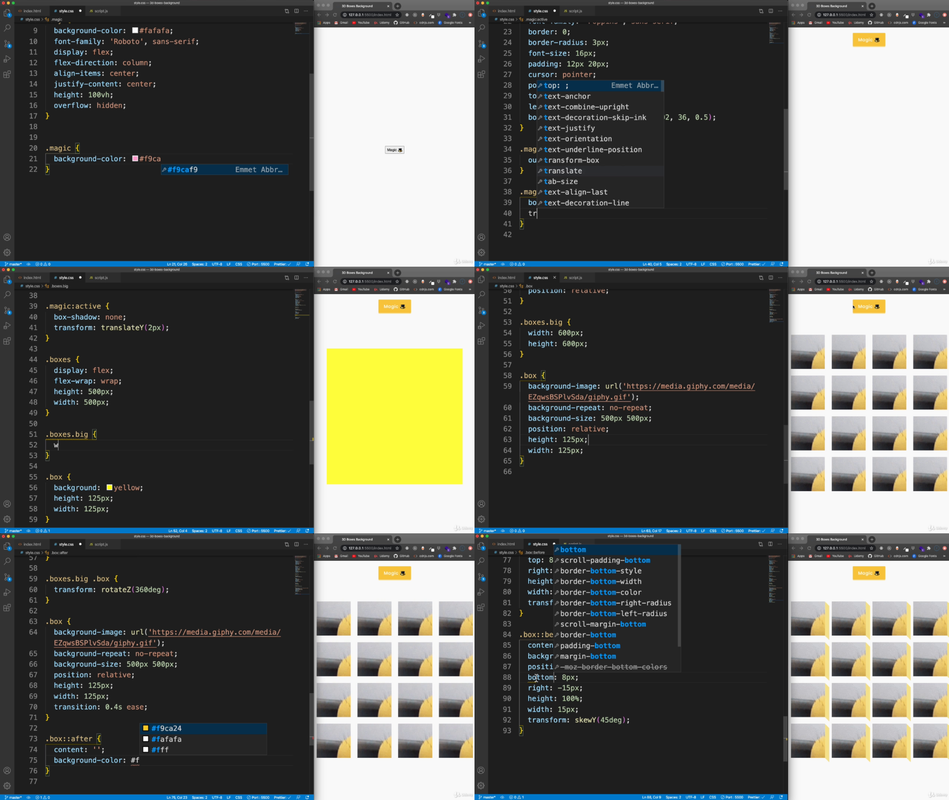
Name: 131 Creating The Button Boxes
Format:mp4
Size: 7.27 GB
Duration:00:15:56 Click to expand…

Code:Copy to clipboard

https://rapidgator.net/file/f07523b94eba2ed1a5985fa332c3a4d4/50.Projects.In.50.Days.-.HTML.CSS..JavaScript.part1.rar
https://rapidgator.net/file/5876a0dd19e355ca56f3fa33c16561e5/50.Projects.In.50.Days.-.HTML.CSS..JavaScript.part2.rar
https://rapidgator.net/file/edd9e8ec63b2d9a1ee37e6f81885472c/50.Projects.In.50.Days.-.HTML.CSS..JavaScript.part3.rar
https://rapidgator.net/file/5125a66931af8f00233beaa65049ea69/50.Projects.In.50.Days.-.HTML.CSS..JavaScript.part4.rar

Code:Copy to clipboard

https://drop.download/r1d79q61obm4/50.Projects.In.50.Days.-.HTML.CSS..JavaScript.part1.rar
https://drop.download/cav1pk7iej72/50.Projects.In.50.Days.-.HTML.CSS..JavaScript.part2.rar
https://drop.download/oxxy3isncclm/50.Projects.In.50.Days.-.HTML.CSS..JavaScript.part3.rar
https://drop.download/25rsknfd41gj/50.Projects.In.50.Days.-.HTML.CSS..JavaScript.part4.rar

– If you enjoy my posts, feel free to leave a "Thanks" in the comments.

45 Real World Java Development Projects Bootcamp Course 2022


45 Real World Java Development Projects Bootcamp Course 2022
Updated 06/2022
Genre: eLearning | MP4 | Video: h264, 1280×720 | Audio: AAC, 44.1 KHz
Language: English | Size: 36.4 GB | Duration: 397 lectures 75h 28m​

Java Programming Course: Learn Development Of JAVA Projects Using JSP,JDBC, Servlets, Swing, Spring Boot,Maven,Hibernate

What you’ll learn
Gain in-depth understanding of core & advanced features of Java
Master design principles, best practices and coding conventions for writing well-designed, professional Java code
Get real-world experience by developing an Java based Web application using technologies like JSP, Servlets
Master Object-Oriented Programming concepts by using a real-world application as a case study

Requirements
Knowledge Of JAVA

Description
What is Java?

Java is a cross-platform object-oriented programming language that was released by Sun Microsystems in the year 1995. Today, Java is needed to run various applications such as games, social media applications, audio and video applications, etc.

What is Java used for?

Before I go ahead with this, let me brief you about why you should choose Java. It is highly popular and has dominated this field from early 2000’s till the present 2022.

Some of the applications are listed below

Banking: To deal with transaction management.

Retail: Billing applications that you see in a store/restaurant are completely written in Java.

Information Technology: Java is designed to solve implementation dependencies.

Android: Applications are either written in Java or use Java API.

Financial services: It is used in server-side applications.

Stock market: To write algorithms as to which company they should invest in.

Big Data: Hadoop MapReduce framework is written using Java.

Scientific and Research Community: To deal with huge amount of data.

In This Course We Are Going To Work On 45 Java Projects

Project-1 : Electricity Billing System – Java Core, Swing, JDBC, MySQL

Project-2 : Hotel Management System – Java Core, Swing, JDBC, MySQL

Project-3 : Airlines Management System – Java Core, Swing, JDBC, MySQL

Project-4 : University Management System – Java Core, Swing, JDBC, MySQL

Project-5 : Travel and Tourism Management System – Java Core, Swing, JDBC, MySQL

Project-6 : Store Billing System – Java Core, Swing, JDBC, MySQL

Project-7 : Bank Management System – Java Core, Swing, JDBC, MySQL

Project-8 : Application World – Java Core, Swing, AWT

Project-9 : Payroll System – Java Core, Swing, JDBC, MySQL

Project-10 : Cab Booking System – Java Core, Swing, JDBC, MySQL

Project-11 : Simple Playlist Application In java – Java SE & OOPS

Project-12 : Simple Web Browser Application – Java SE, Maven & OpenJFX

Project-13 : Pentominoes Game In java – Java SE, Swing API

Project-14 : Number Puzzle Game In Java – Java SE, Swing API

Project-15 : Currency Converter API – Java SE, Maven, Swing

Project-16 : Bridge game in Java – Java SE, Swing & Java AWT

Project-17 : Rock Scissor Paper Game in java – Java SE, Maven, Swing

Project-18 : Dungeon: The Adventure Game In Java – Java SE & OOPS

Project-19 : Minesweeper Game in Java – Java SE, Swing API

Project-20 : Sokoban: A video puzzle game in Java – Java SE, Swing API

Project-21 : Create a School Payment Management System in JAVA-Core java

Project-22 : Build Your Own Notepad Clone using JAVA-Core java

Project-23 : Create a Game of Feeding the Snake using JAVA GUI-Core JAVA, JAVA Swing, JAVA AWT

Project-24 : Create a Music Playlist Library using JAVA-Core JAVA, JAVA Swing, JAVA AWT

Project-25 : Create an Interesting Game of Noughts and Crosses in JAVA-Core java

Project-26 : Create a Food Ordering System in JAVA-Core JAVA, JAVA Swing, JAVA AWT

Project-27 : Create a Download Manager in JAVA-Core JAVA, JAVA Swing, JAVA AWT

Project-28 : Create an ATM Machine Interface using JAVA-Core java

Project-29 : Create A Contact Repository Interface Using JAVA-Core JAVA, JAVA Swing, JAVA AWT

Project-30 : Build A Painting Canvas Tool Using JAVA Swing-Core java

Project-31 : Build An Interactive BST Visualizer Application In JAVA-Core JAVA, JAVA Swing, JAVA AWT

Project-32 : Build A File Browser Interface Using JAVA Swing-Core JAVA, JAVA Swing, JAVA AWT

Project-33 : Create A Time And Task Management System In Java -Core java

Project-34 : Email Administration System – Java core

Project-35 : Event Management System – Java servlet

Project-36 : Online Quiz system – JDBC, JSP

Project-37 : E library System – Java servlet, JDBC

Project-38 : TCP Chat Application – Java networking, java swing

Project-39 : Covid Information Tracker – Java spring boot, jdbc

Project-40 : Blog & Report System – Java, JSP, AJAX

Project-41 : Email System Web App – Java Servlet, JSP

Project-42 : Network Packet Tracer Using Java – Java Swing, Maven

Project-43 : Symmetric Encryption Cryptography in Java

Project-44 : Employee Management System – Java, Spring framework, Hibernate, Heroku development

Project-45 : Breakout Ball Game – Java, OOPs, Java AWT swing

Who this course is for
Beginners In JAVA


RapidGator
Code:Copy to clipboard

https://rapidgator.net/file/44e691594ff6c280faca980d1934caae/yxusj.45.Real.World.Java.Development.Projects.Bootcamp.Course.2025.part01.rar
https://rapidgator.net/file/acf944796572c1f90f75b8f67e248d5a/yxusj.45.Real.World.Java.Development.Projects.Bootcamp.Course.2025.part02.rar
https://rapidgator.net/file/a47e1988fb4a349b5f0a8a48c0e6910a/yxusj.45.Real.World.Java.Development.Projects.Bootcamp.Course.2025.part03.rar
https://rapidgator.net/file/3840559ce1a6613234d8948dfb066ac9/yxusj.45.Real.World.Java.Development.Projects.Bootcamp.Course.2025.part04.rar
https://rapidgator.net/file/121deaaedd9bf4d486f5805998d3032a/yxusj.45.Real.World.Java.Development.Projects.Bootcamp.Course.2025.part05.rar
https://rapidgator.net/file/60b5ee5377c26c77eeaf1d8fb08b1918/yxusj.45.Real.World.Java.Development.Projects.Bootcamp.Course.2025.part06.rar
https://rapidgator.net/file/aea44a1f8c960366cb6b51b27ace21a8/yxusj.45.Real.World.Java.Development.Projects.Bootcamp.Course.2025.part07.rar
https://rapidgator.net/file/dfa6066806794de8b5535512514e5a71/yxusj.45.Real.World.Java.Development.Projects.Bootcamp.Course.2025.part08.rar
https://rapidgator.net/file/745aaf1d9a89ea611037315944e92488/yxusj.45.Real.World.Java.Development.Projects.Bootcamp.Course.2025.part09.rar
https://rapidgator.net/file/64f9a6629c1350f92a9ae003375ac688/yxusj.45.Real.World.Java.Development.Projects.Bootcamp.Course.2025.part10.rar
https://rapidgator.net/file/04952416f942190e9bb14a9d72606f7e/yxusj.45.Real.World.Java.Development.Projects.Bootcamp.Course.2025.part11.rar
https://rapidgator.net/file/0d32a2d9569a0749a9f29b1c86c2fca8/yxusj.45.Real.World.Java.Development.Projects.Bootcamp.Course.2025.part12.rar
https://rapidgator.net/file/7aae9f809fb80ae8a351dcbee07b55e9/yxusj.45.Real.World.Java.Development.Projects.Bootcamp.Course.2025.part13.rar
https://rapidgator.net/file/4200a72f973e856c3d87b307d5a842f5/yxusj.45.Real.World.Java.Development.Projects.Bootcamp.Course.2025.part14.rar
https://rapidgator.net/file/d1a88e928d3eeabf1d697b76118dd07d/yxusj.45.Real.World.Java.Development.Projects.Bootcamp.Course.2025.part15.rar
https://rapidgator.net/file/5eee5717ba0d292ce0378d46ffa35a45/yxusj.45.Real.World.Java.Development.Projects.Bootcamp.Course.2025.part16.rar
https://rapidgator.net/file/f044ad66f7e3ac035acab8b7521d2643/yxusj.45.Real.World.Java.Development.Projects.Bootcamp.Course.2025.part17.rar
https://rapidgator.net/file/55b35057333cba97c6eb405fa541a2bc/yxusj.45.Real.World.Java.Development.Projects.Bootcamp.Course.2025.part18.rar
https://rapidgator.net/file/3cecae0ddeaee3ab0317a27543173d74/yxusj.45.Real.World.Java.Development.Projects.Bootcamp.Course.2025.part19.rar
https://rapidgator.net/file/703aa75f31bdc9ffe7fc7c664069e9d4/yxusj.45.Real.World.Java.Development.Projects.Bootcamp.Course.2025.part20.rar
https://rapidgator.net/file/a5691b1350a9b915f3716f98b884eee4/yxusj.45.Real.World.Java.Development.Projects.Bootcamp.Course.2025.part21.rar
https://rapidgator.net/file/ef0a0314c046cefba61ffdb18b72642b/yxusj.45.Real.World.Java.Development.Projects.Bootcamp.Course.2025.part22.rar
https://rapidgator.net/file/93790f5a5e27c7c4f43ba892c483df31/yxusj.45.Real.World.Java.Development.Projects.Bootcamp.Course.2025.part23.rar

<—====All Premium====—>
UsersDrive
Code:Copy to clipboard

https://usersdrive.com/fqic0hemzd0i/yxusj.45.Real.World.Java.Development.Projects.Bootcamp.Course.2025.part01.rar
https://usersdrive.com/2nq14wnmh1ca/yxusj.45.Real.World.Java.Development.Projects.Bootcamp.Course.2025.part02.rar
https://usersdrive.com/lb4rrced9wnx/yxusj.45.Real.World.Java.Development.Projects.Bootcamp.Course.2025.part03.rar
https://usersdrive.com/pgihalwhk1ba/yxusj.45.Real.World.Java.Development.Projects.Bootcamp.Course.2025.part04.rar
https://usersdrive.com/2g1cuh2qa1ho/yxusj.45.Real.World.Java.Development.Projects.Bootcamp.Course.2025.part05.rar
https://usersdrive.com/m0jql8zb06iu/yxusj.45.Real.World.Java.Development.Projects.Bootcamp.Course.2025.part06.rar
https://usersdrive.com/s7v0edv0v2zp/yxusj.45.Real.World.Java.Development.Projects.Bootcamp.Course.2025.part07.rar
https://usersdrive.com/6gkcrcmo0sik/yxusj.45.Real.World.Java.Development.Projects.Bootcamp.Course.2025.part08.rar
https://usersdrive.com/mpqpimonz5hk/yxusj.45.Real.World.Java.Development.Projects.Bootcamp.Course.2025.part09.rar
https://usersdrive.com/mz1dndhdmgqx/yxusj.45.Real.World.Java.Development.Projects.Bootcamp.Course.2025.part10.rar
https://usersdrive.com/tg6mqrkrpke1/yxusj.45.Real.World.Java.Development.Projects.Bootcamp.Course.2025.part11.rar
https://usersdrive.com/27h2bgc271ji/yxusj.45.Real.World.Java.Development.Projects.Bootcamp.Course.2025.part12.rar
https://usersdrive.com/jkb1gxqskk9u/yxusj.45.Real.World.Java.Development.Projects.Bootcamp.Course.2025.part13.rar
https://usersdrive.com/qj2ack0yvez7/yxusj.45.Real.World.Java.Development.Projects.Bootcamp.Course.2025.part14.rar
https://usersdrive.com/g315x9dk5vty/yxusj.45.Real.World.Java.Development.Projects.Bootcamp.Course.2025.part15.rar
https://usersdrive.com/9g9c7yvaa8ow/yxusj.45.Real.World.Java.Development.Projects.Bootcamp.Course.2025.part16.rar
https://usersdrive.com/i2espawqiwcr/yxusj.45.Real.World.Java.Development.Projects.Bootcamp.Course.2025.part17.rar
https://usersdrive.com/ba78299gf7dm/yxusj.45.Real.World.Java.Development.Projects.Bootcamp.Course.2025.part18.rar
https://usersdrive.com/52yiqaboe0i3/yxusj.45.Real.World.Java.Development.Projects.Bootcamp.Course.2025.part19.rar
https://usersdrive.com/zoagsqi3n7z8/yxusj.45.Real.World.Java.Development.Projects.Bootcamp.Course.2025.part20.rar
https://usersdrive.com/012ggdy0pned/yxusj.45.Real.World.Java.Development.Projects.Bootcamp.Course.2025.part21.rar
https://usersdrive.com/9kifg8resgem/yxusj.45.Real.World.Java.Development.Projects.Bootcamp.Course.2025.part22.rar
https://usersdrive.com/471geo9eatez/yxusj.45.Real.World.Java.Development.Projects.Bootcamp.Course.2025.part23.rar

15 Days Of Sql: The Complete Sql Masterclass 2022


15 Days Of Sql: The Complete Sql Masterclass 2022
Last updated 12/2022
MP4 | Video: h264, 1280×720 | Audio: AAC, 44.1 KHz
Language: English | Size: 5.67 GB | Duration: 14h 9m​

Master SQL in just 15 days from Basics to Pro by working daily on real-life projects

What you’ll learn

You will master SQL in just 15 Days in real-life projects

Master real-life challenges and projects

Use SQL professionally in your career

Understand SQL for data analysis

Write complex and advanced SQL queries

Create & manage your own databases

Work with 2 complex real-life databases throughout the course and learn everything you need to master SQL

You will learn joining tables, group by, functions, conditional expressions, stored procedures, grouping sets, transactions, indexes and much more!

Requirements

No prior experience is needed – I will teach you everything you need to know

Description

Learn SQL with the world’s best SQL course in just 15 days!1 hour per day, for just 15 days and you will be fluent in SQL!That’s the only course you need to completely master SQL.You will be guided step-by-step from beginner to absolute expert in SQL.Why is this the best course you can take?The most comprehensive course that teaches you everthing from beginner to expertMuch more challenges & hands-on coding exercises than other coursesMuch more real-life advanced topics that other courses don’t coverBy the end of this guided experience you will be so fluent in SQL to get a job and work professionally and with a lot of confidence with SQL!This is the most comprehensive & most modern course you can find on SQL.Here is why:Most comprehenisve course with 14 hours video lectures and most topicsMaster SQL by working on real-life challengesLearn PostgreSQL – the most modern SQL system & easy to transfer to all other SQL dialectsWe will set up two modern databases and learn everything with realistic data, so you can do everything hands-on!Learn from a real expert – crystal clear & straight-forwardUnderstand everything step by step from the absolute basics to the advanced topicsLearn the practical to upskill your career or find a job with SQLWe cover every single important topic you will need including the advanced topics other courses do not cover!Including.GROUP BYJOINsFunctionsUNIONsData manipulation & Data DefinitionViewsWindow functionsGrouping setsRollupsTransactionsSubqueriesQuery optimizationIndexes and much more!Plus, tons of practical challenges and 2 complete course projects and much more challenges than you can find anywhere else!This course will take you all the way from beginner to being able to upskill your career and make you ready to get a job with SQL!Check out the free video previews and enroll now!See you inside the course!

Overview

Section 1: Day 1 – Getting started with SQL!

Lecture 1 Why learning SQL?

Lecture 2 What is a database?

Lecture 3 Different dialects of SQL

Lecture 4 Installing PostgreSQL & pgAdmin (Windows)

Lecture 5 Installing PostgreSQL & pgAdmin (MacOS)

Lecture 6 Setting up the database

Lecture 7 Common problems: Set binary paths

Lecture 8 Common problems: Slow performance

Lecture 9 The Project

Lecture 10 SELECT

Lecture 11 Challenge: SELECT

Lecture 12 Solution: SELECT

Lecture 13 ORDER BY

Lecture 14 Challenge: ORDER BY

Lecture 15 Solution: ORDER BY

Lecture 16 SELECT DISTINCT

Lecture 17 Challenge: SELECT DISTINCT

Lecture 18 Solution: SELECT DISTINCT

Lecture 19 LIMIT

Lecture 20 COUNT()

Lecture 21 Today’s challenges

Lecture 22 Today’s summary

Section 2: Day 2 – Basics: Filtering

Lecture 23 WHERE

Lecture 24 Challenge: WHERE

Lecture 25 Solution: WHERE

Lecture 26 WHERE operators

Lecture 27 Challenge: WHERE operators

Lecture 28 Solution: WHERE operators

Lecture 29 WHERE with AND/OR

Lecture 30 Challenge: WHERE with AND/OR

Lecture 31 Solution: WHERE with AND/OR

Lecture 32 Quick note on time zones

Lecture 33 BETWEEN

Lecture 34 Challenge: BETWEEN

Lecture 35 Solution: BETWEEN

Lecture 36 IN

Lecture 37 Challenge: IN

Lecture 38 Solution: IN

Lecture 39 LIKE

Lecture 40 Challenge: LIKE

Lecture 41 Solution: LIKE

Lecture 42 Comments & Aliases

Lecture 43 Today’s summary

Lecture 44 Today’s challenges

Section 3: Day 3 – Basics: Grouping

Lecture 45 Today’s plan

Lecture 46 Aggregate functions

Lecture 47 Challenge: Aggregate function

Lecture 48 GROUP BY

Lecture 49 Challenge: GROUP BY

Lecture 50 Solution: GROUP BY

Lecture 51 GROUP BY multiple columns

Lecture 52 Challenge: GROUP BY multiple columns

Lecture 53 Solution: GROUP BY multiple columns

Lecture 54 HAVING

Lecture 55 Challenge: HAVING

Lecture 56 Solution: HAVING

Lecture 57 Introducing the second project

Lecture 58 Note for Mac users

Lecture 59 Problems & solutions of setting up the database

Lecture 60 Today’s summary

Section 4: Day 4 – Intermediate: Functions

Lecture 61 Today’s plan

Lecture 62 LENGTH, LOWER & UPPER

Lecture 63 Challenge: LENGTH, LOWER & UPPER

Lecture 64 Solution: LENGTH, LOWER & UPPER

Lecture 65 LEFT & RIGHT

Lecture 66 Challenge: LEFT & RIGHT

Lecture 67 Solution: LEFT & RIGHT

Lecture 68 Concatenate

Lecture 69 Challenge: Concatenate

Lecture 70 Solution: Concatenate

Lecture 71 POSITION

Lecture 72 Challenge: POSITION

Lecture 73 Solution: POSITION

Lecture 74 SUBSTRING

Lecture 75 Challenge: SUBSTRING

Lecture 76 Solution: SUBSTRING

Lecture 77 EXTRACT

Lecture 78 Challenge: EXTRACT

Lecture 79 Solution: EXTRACT

Lecture 80 TO_CHAR

Lecture 81 Challenge: TO_CHAR

Lecture 82 Solution: TO_CHAR

Lecture 83 Intervals & Timestamps

Lecture 84 Challenge: Intervals & Timestamps

Lecture 85 Solution: Intervals & Timestamps

Lecture 86 Today’s slides

Section 5: Day 5 – Intermediate: Conditional Expressions

Lecture 87 Mathematical functions and operators

Lecture 88 Challenge: Mathematical functions and operators

Lecture 89 Solution: Mathematical functions and operators

Lecture 90 CASE WHEN – Theory

Lecture 91 CASE WHEN – Hands-on

Lecture 92 3 Challenge: CASE WHEN

Lecture 93 Quick solutions

Lecture 94 Solution: CASE WHEN

Lecture 95 CASE WHEN & SUM

Lecture 96 COALESCE

Lecture 97 CAST

Lecture 98 Challenge: CAST & COALESCE

Lecture 99 Solution: CAST & COALESCE

Lecture 100 REPLACE

Lecture 101 Today’s slides

Section 6: Day 6 – Intermediate: Joins

Lecture 102 What are joins?

Lecture 103 INNER JOIN – Theory

Lecture 104 INNER JOIN – Practice

Lecture 105 Challenge: INNER JOIN

Lecture 106 Solution: INNER JOIN

Lecture 107 FULL OUTER JOIN

Lecture 108 JOIN & WHERE

Lecture 109 LEFT OUTER JOIN

Lecture 110 Challenge: LEFT OUTER JOIN

Lecture 111 Solution: LEFT OUTER JOIN

Lecture 112 RIGHT OUTER JOIN

Lecture 113 Challenge: Joins

Lecture 114 Solution: Joins

Lecture 115 Joins on multiple conditions

Lecture 116 Solution: Joins on multiple conditions

Lecture 117 Joining multiple tables

Lecture 118 Joining multiple tables – Practice

Lecture 119 Challenge: Joining multiple tables

Lecture 120 Solution: Joining multiple tables

Lecture 121 More challenges

Lecture 122 Solutions

Lecture 123 Today’s slides

Section 7: Day 7 – Advanced: UNION & Subqueries

Lecture 124 UNION

Lecture 125 UNION – Practice

Lecture 126 Subqueries in WHERE

Lecture 127 Challenge: Subqueries in WHERE

Lecture 128 Solution: Subqueries in WHERE

Lecture 129 More challenges: Subqueries in WHERE

Lecture 130 Solution: More challenges

Lecture 131 Subqueries in FROM

Lecture 132 Challenge: Subqueries in FROM

Lecture 133 Solution: Subqueries in FROM

Lecture 134 Subqueries in SELECT

Lecture 135 Challenge: Subqueries in SELECT

Lecture 136 Solution: Subqueries in SELECT

Lecture 137 Correlated Subqueries in WHERE

Lecture 138 Challenge: Correlated subqueries in WHERE

Lecture 139 Solution: Correlated subqueries in WHERE

Lecture 140 Correlated Subquery in SELECT

Lecture 141 More challenges: Correlated subqueres

Lecture 142 Solution: More challenges

Lecture 143 Today’s slides

Section 8: Day 8 – Advanced: Course project

Lecture 144 Project Introduction

Lecture 145 Challenges

Lecture 146 Solutions

Lecture 147 Solution 1

Lecture 148 Solution 2

Lecture 149 Solution 3

Lecture 150 Solution 4

Lecture 151 Solution 5

Lecture 152 Solution 6

Lecture 153 Solution 7

Lecture 154 Solution 8

Lecture 155 Solution 9

Lecture 156 Solution 10

Lecture 157 Solution 11

Lecture 158 Solution 12

Lecture 159 Solution 13

Lecture 160 Solution 14

Section 9: Day 9 – Advanced: Managing tables & databases

Lecture 161 Managing databases & tables

Lecture 162 CREATE DATABASE

Lecture 163 Data Types

Lecture 164 Constraints

Lecture 165 Primary Key & Foreign Key

Lecture 166 CREATE TABLE

Lecture 167 INSERT

Lecture 168 ALTER TABLE

Lecture 169 Challenge: ALTER TABLE

Lecture 170 Solution: ALTER TABLE

Lecture 171 TRUNCATE & DROP TABLE

Lecture 172 CHECK

Lecture 173 Challenge: CHECK

Lecture 174 Solution: CHECK

Lecture 175 Today’s slides

Section 10: Day 10 – Advanced: Views & Data Manipulation

Lecture 176 UPDATE

Lecture 177 Challenge: UPDATE

Lecture 178 Solution: UPDATE

Lecture 179 DELETE

Lecture 180 Challenge: DELETE

Lecture 181 Solution: DELETE

Lecture 182 CREATE TABLE AS

Lecture 183 Challenge: CREATE TABLE AS

Lecture 184 Solution: CREATE TABLE AS

Lecture 185 CREATE VIEW

Lecture 186 Challenge: CREATE VIEW

Lecture 187 Solution: CREATE VIEW

Lecture 188 CREATE MATERIALIZED VIEW

Lecture 189 Managing views

Lecture 190 Challenge: Managing views

Lecture 191 Solution: Managing views

Lecture 192 Import & Export

Lecture 193 Today’s slides

Section 11: Day 11 – Pro: Window Functions

Lecture 194 OVER() with PARTITION BY

Lecture 195 Challenge: OVER() with PARTITION BY

Lecture 196 Solution: OVER() with PARTITION BY

Lecture 197 OVER() with ORDER BY

Lecture 198 Challenge: OVER() with ORDER BY

Lecture 199 Solution: OVER() with ORDER BY

Lecture 200 RANK()

Lecture 201 Challenge: RANK()

Lecture 202 Solution: RANK()

Lecture 203 FIRST_VALUE()

Lecture 204 LEAD & LAG

Lecture 205 Challenge: LEAD & LAG

Lecture 206 Solution: LEAD & LAG

Lecture 207 Today’s slides

Section 12: Day 12 – Pro: Grouping sets, rollups, self-joins

Lecture 208 GROUPING SETS

Lecture 209 Challenge: GROUPING SETS

Lecture 210 Solution: GROUPING SETS

Lecture 211 Additional challenge

Lecture 212 Solution: Additional Challenge

Lecture 213 ROLLUP

Lecture 214 Challenge: ROLLUP

Lecture 215 Solution: ROLLUP

Lecture 216 CUBE

Lecture 217 Challenge: CUBE

Lecture 218 Solution: CUBE

Lecture 219 Self joins

Lecture 220 Challenge: Self joins

Lecture 221 Solution: Self joins

Lecture 222 CROSS JOIN

Lecture 223 NATURAL JOIN

Lecture 224 Today’s slides

Section 13: Day 13 – Pro: Course project

Lecture 225 Project introduction

Lecture 226 The challenges

Lecture 227 Solutions

Section 14: Day 14 – Pro: Stored procedures, transactions & user-defined functions

Lecture 228 User-defined functions

Lecture 229 User-defined functions – Example

Lecture 230 Challenge: User-defined functions

Lecture 231 Solution

Lecture 232 Transactions

Lecture 233 Challenge: Transactions

Lecture 234 Solution: Transactions

Lecture 235 Rollbacks

Lecture 236 Stored procedures

Lecture 237 Challenge: Stored procedures

Lecture 238 Solution: Stored procedure

Lecture 239 Today’s slides

Section 15: Day 15 – Pro: Indexes, Partitining & Query Optimization

Lecture 240 User management

Lecture 241 CREATE USER | ROLE

Lecture 242 GRANT & REVOKE privileges

Lecture 243 Privileges – Hands-on

Lecture 244 Challenge: Privileges

Lecture 245 Solution: Privileges

Lecture 246 What are indexes?

Lecture 247 B-Tree index

Lecture 248 Bitmap index

Lecture 249 Indexes – Guidelines

Lecture 250 Creating indexes

Lecture 251 Execution plan & query performance

Lecture 252 Today’s slides

Lecture 253 Bonus

Anyone interested in SQL or PostgreSQL,Anyone that is interested in data analysis, data science and data analytics,Anyone that wants to improve their IT skills in any profession

RapidGator
Code:Copy to clipboard

https://rapidgator.net/file/d290e13c10066fc84e63b4cef9991b72/Udemy..15.Days.of.SQL.The.Complete.SQL.Masterclass.2025.7.2025.part1.rar
https://rapidgator.net/file/37ec634bcb84b17947332e6a92d48ddf/Udemy..15.Days.of.SQL.The.Complete.SQL.Masterclass.2025.7.2025.part2.rar
https://rapidgator.net/file/fcc79504dfb737db079a6d168f116287/Udemy..15.Days.of.SQL.The.Complete.SQL.Masterclass.2025.7.2025.part3.rar
https://rapidgator.net/file/ebb9170dcdd10a3c8b05ce4c44578b11/Udemy..15.Days.of.SQL.The.Complete.SQL.Masterclass.2025.7.2025.part4.rar
https://rapidgator.net/file/99512955831a274870ebf36f198090c6/Udemy..15.Days.of.SQL.The.Complete.SQL.Masterclass.2025.7.2025.part5.rar
https://rapidgator.net/file/8a3a174fb0fbe176aee2deafb6d475cf/Udemy..15.Days.of.SQL.The.Complete.SQL.Masterclass.2025.7.2025.part6.rar
https://rapidgator.net/file/fee3898acd1bd9aa5dab3ca4da420cf5/Udemy..15.Days.of.SQL.The.Complete.SQL.Masterclass.2025.7.2025.part7.rar

UsersDrive
Code:Copy to clipboard

https://usersdrive.com/hjukgev1ue26/Udemy..15.Days.of.SQL.The.Complete.SQL.Masterclass.2025.7.2025.part1.rar
https://usersdrive.com/s71j7daoj0ha/Udemy..15.Days.of.SQL.The.Complete.SQL.Masterclass.2025.7.2025.part2.rar
https://usersdrive.com/b60i99hmde4v/Udemy..15.Days.of.SQL.The.Complete.SQL.Masterclass.2025.7.2025.part3.rar
https://usersdrive.com/s6r9pf0bxmnt/Udemy..15.Days.of.SQL.The.Complete.SQL.Masterclass.2025.7.2025.part4.rar
https://usersdrive.com/4kg3sihvle87/Udemy..15.Days.of.SQL.The.Complete.SQL.Masterclass.2025.7.2025.part5.rar
https://usersdrive.com/rrqes473k1f2/Udemy..15.Days.of.SQL.The.Complete.SQL.Masterclass.2025.7.2025.part6.rar
https://usersdrive.com/7v6mf2y0mnux/Udemy..15.Days.of.SQL.The.Complete.SQL.Masterclass.2025.7.2025.part7.rar

5G Architecture, Design, Protocols, Evolution, and Deployment


Released: 09/2025 Duration: 6h 30m | .MP4 1280×720, 30 fps(r) | AAC, 48000 Hz, 2ch | 1 MB Level: Intermediate | Genre: eLearning | Language: English​

Get a comprehensive overview of 5G technology, and discover its fundamental concepts, key service areas, technical capabilities, and architectural evolution from legacy telecom networks. Analyze the 5G radio access network (RAN) and core network (5GC), and explore 5G new radio (NR), transport architecture, and service-based core functions (AMF, SMF, UPF). The course examines 5G physical layer technologies, including spectrum allocation, frame structure, resource grid, modulation schemes, and scheduling mechanisms for optimal resource utilization. Learn how to design and evaluate 5G network performance, calculating coverage, throughput, and latency, while optimizing deployment strategies such as standalone vs. non-standalone, carrier aggregation, and dual connectivity. Additionally, learn to interpret 5G signaling procedures, including initial access, registration, call setup, QoS management, and network slicing, while comparing different deployment scenarios.


5 DevOps Project- GitLab, Kubernetes ,Docker, AWS, SonarQube


Last updated 10/2024 Created by Karan Gupta MP4 | Video: h264, 1280×720 | Audio: AAC, 44.1 KHz, 2 Ch Genre: eLearning | Language: English + subtitle | Duration: 75 Lectures ( 7h 26m ) | Size: 3.38 GB​

100% Practical |Auto-DevOps| Learn Runners(Docker, Shell) integration with AWS, Maven, Docker, Kubernetes, SonarQube

What you’ll learn:
Master GitLab from basics to advanced features
Set up and manage GitLab repositories efficiently
Implement effective branching and merging strategies
Configure and optimize GitLab CI/CD pipelines
Utilize GitLab’s Package Registry and Container Registry
Integrate GitLab with cloud services like AWS and Kubernetes (EKS)
Leverage GitLab’s Terraform integration for infrastructure as code
Implement automated testing and code quality checks with SonarQube
Use GitLab with Docker and DockerHub for containerized workflows
Integrate GitLab with Ansible for configuration management
Manage Terraform states within GitLab
Implement security best practices in GitLab workflows
Administer and optimize GitLab for performance and scalability

Requirements:
GitLab experience required – we’ll cover everything from the ground up
Willingness to learn and explore new concepts in software development and DevOps
Open mind and enthusiasm for learning modern development practices
Step-by-Step Guidance: Each topic is presented in a structured manner, with step-by-step guidance on installation, configuration, and usage of GitLab.
Hands-On Learning: Hands-on labs and exercises are provided throughout the course to reinforce learning and allow you to practice what you’ve learned in a real-world environment.

Description:
5 GitLab SPA Project: AutoDevOps, Java, NodeJS, PHP, Python – Hands-On PrepDive into the world of Single Page Applications (SPAs) with this comprehensive, hands-on course. Master GitLab’s AutoDevOps while working with multiple programming languages to create robust, efficient SPAs.Course Overviewevelop 5 unique SPA projects using Java, NodeJS, PHP, and PythonImplement GitLab’s AutoDevOps for streamlined development and deploymentGain practical experience with real-world scenarios and best practicesWhat You’ll Learn:Setting up GitLab CI/CD pipelines for SPA projectsLeveraging AutoDevOps features for automated testing and deploymentBuilding responsive and interactive SPAs using various technologiesOptimizing performance and security in SPA environmentsWho This Course is Forevelopers looking to expand their full-stack skillsDevOps engineers interested in GitLab AutoDevOpsStudents and professionals seeking hands-on experience with modern web technologiesJoin us for an immersive learning experience that will elevate your SPA development skills and DevOps practices!Benefits of Taking This Course:Comprehensive skill development: Gain expertise in GitLab’s full suite of tools and features, from basic version control to advanced DevOps practices.Enhanced career prospects: DevOps skills are in high demand, and GitLab proficiency can open doors to new job opportunities and career advancement.Improved workflow efficiency: Learn best practices for streamlining development processes, reducing time-to-market, and increasing productivity.Hands-on experience: Practice with real-world scenarios and integrate GitLab with popular tools and platforms used in modern software development.Better collaboration: Master GitLab’s features for team collaboration, project management, and communication.Security focus: Learn to implement secure DevOps practices, ensuring your projects meet industry standards for security and compliance.Scalable knowledge: Apply GitLab skills to projects of any size, from personal repositories to enterprise-level implementations.Continuous learning: Stay updated with the latest DevOps trends and technologies through GitLab’s evolving ecosystem.By the end of this course, you’ll have the skills and confidence to leverage GitLab’s powerful features in your development workflow, implement efficient CI/CD pipelines, and contribute to a modern DevOps environment.

Who this course is for:
DevOps enthusiasts who want to master GitLab’s extensive feature set
Complete beginners who want to start their journey in software development and DevOps
Students and recent graduates looking to build practical skills for their careers
Developers who want to improve their version control and collaboration skills
IT professionals seeking to transition into DevOps roles
DevOps enthusiasts who want to master GitLab’s extensive feature set
Everyone can pick up this course, at their own pace.

Welcome to – Check it Every Days
If you have any troubles with downloading, PM me

Happy Learning!!


2 5D Game Dev Beginner Friendly Course – Unreal Engine 5 6


11.74 GB | 1h 16min 47s | mp4 | 1280X720 | 16:9
Genre:eLearning |Language:English
Files Included :
1 Overview On What You Will Be Learning.mp4 (7.52 MB)
2 Introduction.mp4 (27.87 MB)
3 Planning Overview.mp4 (44.34 MB)
4 Planning The Main Menu.mp4 (54.65 MB)
5 Level Planning Part 1.mp4 (59.93 MB)
6 Level Planning Part 2.mp4 (119.38 MB)
7 Planning Recap.mp4 (5.67 MB)
8 Create New Project.mp4 (12.33 MB)
9 Create A Developer Level.mp4 (32.83 MB)
10 Create A Player Blueprint.mp4 (47.61 MB)
11 Creating A Player Blueprint Part 2.mp4 (4.59 MB)
12 Player Inputs Part 1.mp4 (1.18 MB)
13 Player Inputs Part 2.mp4 (139.77 MB)
14 Player Inputs Part 3.mp4 (28.27 MB)
15 Camera Changes And Character Movement Polish.mp4 (76.29 MB)
16 Creating Your First Platforms.mp4 (48.68 MB)
17 Next Level Trigger Part 1.mp4 (70.92 MB)
18 Next Level Trigger Part 2.mp4 (29 MB)
19 Making A Moving Platform Part 1.mp4 (106.95 MB)
20 Making A Moving Platform Part 2.mp4 (71.92 MB)
21 Making A Moving Platform 3.mp4 (164.81 MB)
22 Some Code Commenting.mp4 (9.93 MB)
23 Creating Player Health.mp4 (40.19 MB)
24 Creating A Simple Health Bar.mp4 (16.87 MB)
25 Adding A Health Bar To The Screen.mp4 (42.3 MB)
26 Pre-Fixing Some Bugs.mp4 (22.77 MB)
27 Adding A Player Death System.mp4 (32.3 MB)
28 A Simple Game Over Screen.mp4 (38.1 MB)
29 Adding A Transparent Background To Game Over Screen.mp4 (55.52 MB)
30 Blueprint Commenting And Organizing Code Before Moving Forward.mp4 (67.79 MB)
31 Making The User Interface Controllable.mp4 (12.94 MB)
32 Death Menu Interface Finalization.mp4 (53.45 MB)
33 Review Of The Work Done So Far And Looking Forward.mp4 (26.71 MB)
34 Simple Melee Enemy Player Detection And Movement.mp4 (57.58 MB)
35 Making The Enemy Do Area Damage To The Player.mp4 (120.84 MB)
36 Adding The Enemy To Our Developer Level.mp4 (2.68 MB)
37 Adding A Health To The Melee Enemy.mp4 (65.73 MB)
38 Adding An In Game Health Bar To The Melee Enemy.mp4 (15.32 MB)
39 Creating A Spawning Player Sword Attack.mp4 (149.66 MB)
40 De-spawning The Sword And Adding Damage.mp4 (78.08 MB)
41 Finding Mistakes In Blueprint Code And Testing For Fixes.mp4 (11.88 MB)
42 Creating A Moveable Block.mp4 (88.13 MB)
43 Level Design And Some Advice On Doing Good Game Development.mp4 (65.39 MB)
44 Basic Setup For Ranged Enemy.mp4 (79.46 MB)
45 Understanding Blueprint Child Classes.mp4 (89.14 MB)
46 Make The Ranged Enemy Spawn Projectiles.mp4 (77.05 MB)
47 Adding Damage To The Ranged Enemy Projectile.mp4 (16 MB)
48 Polishing Enemy Projectile Movement And Player Hit Detection.mp4 (130.72 MB)
49 Navigation Changes And Adding A Floor That Kills The Player.mp4 (110.97 MB)
50 Level Design And Development Organization Part 1.mp4 (93.24 MB)
51 Level Design And Organization Part 2.mp4 (198.08 MB)
52 Level Design And Organization Part 3.mp4 (59.72 MB)
53 Level Design And Organization Part 4.mp4 (140.95 MB)
54 Setting Up A Basic NPC.mp4 (154.94 MB)
55 Initial Setup For The Final Boss.mp4 (54.94 MB)
56 Simple Boss Health And Movement Setup.mp4 (27.89 MB)
57 Boss Attacks And Boss Phases Setup.mp4 (119.24 MB)
58 Pause Menu Part 1.mp4 (105.24 MB)
59 Pause Menu Part 2.mp4 (55.4 MB)
60 Main Menu Setup.mp4 (45.16 MB)
61 Positioning The Main Menu In Game.mp4 (55.13 MB)
62 Main Menu Code.mp4 (46.39 MB)
63 Activating Different Main Menu Panels.mp4 (108.83 MB)
64 Setting Up A Level Selection Menu.mp4 (128.53 MB)
65 Adding A Volume Slider To The Main Menu.mp4 (108.36 MB)
66 Adding Resolution Changing To Our Options Menu.mp4 (52.03 MB)
67 FullScreen, Borderless Windowed and Windowed Options in the Settings.mp4 (71 MB)
68 Packaging Your Game Part 1.mp4 (31.35 MB)
69 Packaging Your Game Part 2.mp4 (8.28 MB)
70 Packaging Your Game Part 3.mp4 (4.7 MB)
71 Packaging Your Game Part 4.mp4 (2.01 MB)
72 Packaging Your Game Part 5.mp4 (11.95 MB)
73 Packaging Your Game Part 6.mp4 (4.96 MB)
74 Testing Your Game Build.mp4 (32.12 MB)
75 Mega Code Review And Organistation Part 1.mp4 (358.42 MB)
76 Mega Code Review And Organisation Part 2.mp4 (117.64 MB)
77 Mega Code Review And Organization part 3.mp4 (76.68 MB)
78 Starting The Second Phase Of Development.mp4 (19.72 MB)
79 Adding Thematic Music To The Main Menu.mp4 (35.59 MB)
80 User Interface Changes Preparation.mp4 (5.8 MB)
81 User Interface Changes Part 1.mp4 (26.94 MB)
82 User Interface Changes Part 2.mp4 (3.06 MB)
83 User Interface Changes Part 3.mp4 (22.14 MB)
84 User Interface Changes Part 4.mp4 (41.75 MB)
85 User Interface Changes Part 5.mp4 (39.69 MB)
86 User Interface Changes Part 6.mp4 (94.29 MB)
87 User Interface Changes Part 7.mp4 (31.77 MB)
88 User Interface Changes Part 8.mp4 (128.49 MB)
89 User Interface Changes Part 9.mp4 (66.23 MB)
90 Changing your game EXE icon.mp4 (11.96 MB)
91 Creating A Save System Part 1.mp4 (157.71 MB)
92 Creating A Save System Part 2.mp4 (125.2 MB)
93 Adding A Continue Button.mp4 (128.01 MB)
94 Level Selection Based Off Game Save.mp4 (129.36 MB)
95 Don–‘t Crunch And Rest When You Need To.mp4 (70.07 MB)
96 Creating An Intro Movie Part 1.mp4 (43.9 MB)
97 Creating An Intro Movie Part 2.mp4 (25.67 MB)
98 Importing Environment Assets.mp4 (53.38 MB)
99 Adding 3D Environment To The Main Menu Part 1.mp4 (5.51 MB)
100 Adding 3D Environments To The Main Menu Part 2.mp4 (67.37 MB)
101 Adding 3D environments to the First Level.mp4 (164.63 MB)
102 Adjusting Collision Around 3D assets.mp4 (22.64 MB)
103 Adding An Idle Animation To The Player.mp4 (132.54 MB)
104 Setting Sprite Direction.mp4 (45.41 MB)
105 Adding A Running Animation.mp4 (57.89 MB)
106 Rebuilding Lighting Before Moving On.mp4 (1.8 MB)
107 Adding Footstep Sounds To The Player.mp4 (70.24 MB)
108 Adding In Ambient Ocean Sound.mp4 (36.17 MB)
109 Using A Better Sprite Material.mp4 (20.52 MB)
110 Adjusting The Jump Animation.mp4 (41.41 MB)
111 Adding A Jump Animation To The Player.mp4 (8.52 MB)
112 Unreal Engine Logic Bug Fixing.mp4 (43.17 MB)
113 Setting Up Good Logic For Player Animations.mp4 (125.39 MB)
114 Creating A Portal Effect For Our Level Transitions.mp4 (214.3 MB)
115 Adding A Portal Sound To Our Portal.mp4 (51.36 MB)
116 Redesigning Level 2 With 3D Assets Part 1.mp4 (127.82 MB)
117 Redesigning Level 2 With 3D Assets Part 2.mp4 (92.76 MB)
118 How to Add Sound To Traps In Your Game.mp4 (52.87 MB)
119 Redesign of Level 3 With 3D Assets Part 1.mp4 (37.85 MB)
120 Lessons On Lighting Part 1.mp4 (128.47 MB)
121 Lessons On Lighting Part 2.mp4 (7.99 MB)
122 Lessons On Lighting Part 3.mp4 (21.22 MB)
123 Adding A Sword Attack To The Player.mp4 (91.19 MB)
124 Setting Up A Reliable Sword Attack Animation Part 1.mp4 (156.89 MB)
125 Setting Up A Reliable Sword Attack Animation Part 2.mp4 (63.97 MB)
126 More Complex Melee Enemy AI Behaviour Using Blueprints.mp4 (130.27 MB)
127 Adding An Idle Sprite To The Melee Enemy.mp4 (66.15 MB)
128 Fixing Collision Bugs By Changing Collision Properties.mp4 (8.58 MB)
129 Fixing Sprite Rotation Bug By Changing Rotation Settings In Blueprints.mp4 (12.44 MB)
130 Adding An Idle Animation To The Melee Enemy.mp4 (51.99 MB)
131 Testing Multiple Methods Of Handling Enemy AI Movement Sprites.mp4 (226.72 MB)
132 Even More Animation Testing For Melee Enemy Sprites.mp4 (86.63 MB)
133 Adding An Attack Animation Part 1.mp4 (157.61 MB)
134 Adding An Attack Animation Part 2.mp4 (139.57 MB)
135 Hitbox Creation For Melee Enemy Attack.mp4 (77.27 MB)
136 Redesigning The Simple Obstacle Level.mp4 (7.97 MB)
137 A Short Timelapse Of Some Basic Level Design.mp4 (3.3 MB)
138 Improving Our Moveable Block.mp4 (80.48 MB)
139 More Level Design Tips.mp4 (41.49 MB)
140 No Commentary Work Demonstration.mp4 (239.87 MB)
141 A Basic Explanation Of How To Add Sound To Enemy Attacks.mp4 (18.03 MB)
142 More Basic Level Design Tips.mp4 (27.13 MB)
143 Setup For Preparing The Ranged Enemy For AI And Animation.mp4 (31.75 MB)
144 Rebalancing The Ranged Enemy To Be Fair And Fun.mp4 (168.11 MB)
145 Setting Up The Ranged Enemy For More Interaction.mp4 (36.13 MB)
146 Thinking Through The Decision Making For Ranged Enemy AI.mp4 (311.04 MB)
147 Adding Idle And Magic Ball Throw Animation To Ranged Enemy.mp4 (158.93 MB)
148 Adding Sprite Animations To Ranged Enemy And Projectile.mp4 (197.66 MB)
149 Level Design Changes For Ranged Enemy Placement.mp4 (191.97 MB)
150 Adding In A Basic Snow Effect.mp4 (149.04 MB)
151 Cutting Content And More Level Design Tips.mp4 (127.01 MB)
152 More Level Design And Enemy Placement.mp4 (96.65 MB)
153 Final Touches Of Level Design Before The Boss Level.mp4 (183.42 MB)
154 Preparations For Creating Final Boss AI.mp4 (53.89 MB)
155 Final Boss Part 1.mp4 (170.01 MB)
156 Final Boss Part 2.mp4 (44.76 MB)
157 Final Boss Part 3.mp4 (557.24 MB)
158 What To Do Moving Forward.mp4 (13.85 MB)]
Screenshot
RapidGator
Code:Copy to clipboard

https://rapidgator.net/file/29fbed89d48d4b54483b4ae2a8e866f1/
https://rapidgator.net/file/4147dacb5ecbacad10ad3f7e837b6e68/
https://rapidgator.net/file/9f039935c30581c92dbf7e5a7245070c/
https://rapidgator.net/file/4150a45e5296c8121515cc88b9578cc4/
https://rapidgator.net/file/7a19229a21705ebe67a396f505a75fbc/
https://rapidgator.net/file/27c83dd8b82515ff98ca2cfbaa5c15b1/
https://rapidgator.net/file/74ff4e72c7c399250428b278a599aaa1/
https://rapidgator.net/file/8e7098140f5add1caa4923f5df56ee46/
https://rapidgator.net/file/8b0e3ae676ec58fc0268fd715f9104d6/
https://rapidgator.net/file/318bb87f4be8722754ceb776f0274786/
https://rapidgator.net/file/b71c2aac6f4bf96afe260401e052a7c5/

<—====All Premium====—>
UsersDrive
Code:Copy to clipboard

https://usersdrive.com/aj6mowi8qcr9
https://usersdrive.com/c41m2emytm97
https://usersdrive.com/41rp4mkjuj3k
https://usersdrive.com/pz0bxyajye9o
https://usersdrive.com/6njhwwapy850
https://usersdrive.com/zsj5j2150rqq
https://usersdrive.com/eijqm0bgj16n
https://usersdrive.com/zqi2oic6aia2
https://usersdrive.com/y22ssh0ogrly
https://usersdrive.com/kmmo6g159z61
https://usersdrive.com/fk48nna140jn

.NET Microservices CQRS & Event Sourcing with Kafka


.NET Microservices CQRS & Event Sourcing with Kafka
Published 07/2022
MP4 | Video: h264, 1280×720 | Audio: AAC, 44.1 KHz, 2 Ch
Genre: eLearning | Language: English + srt | Duration: 91 lectures (8h 30m) | Size: 3.27 GB​

Learn how to create microservices in C# that are based on CQRS and Event Sourcing. Powered by .NET and Apache Kafka

What you’ll learn
CQRS
Event Sourcing
How to Create Microservices in C# with .NET
Creating DDD-Oriented Microservices
Using Apache Kafka as a Message Bus
Creating an Event Store with MongoDB
Optimistic Concurrency Control
Event Versioning
Using Microsoft SQL to Implement the Read Database
Replay the Event Store and Recreate the State of the Aggregate
Replay the Event Store and Recreate the Entire Read Database
Replay the Event Store and Recreate the Read Database in a Different Database Type – PostgreSQL
Implementing the Database-Per-Service Pattern
Entity Framework Core (MS SQL and PostgreSQL)
Dependency Injection
Docker

Requirements
Some experience with C# is essential

Description
In this course, you will learn how to create .NET microservices that comply with the CQRS and Event Sourcing patterns.

You will not use any CQRS framework, but you will write every line of code that is required to effectively create your own CQRS and Event Sourcing framework using C# and Apache Kafka. While this might sound a little daunting, you will be carefully guided step by step, and gain all the know-how and confidence to become an expert in CQRS and Event Sourcing.

By the end of this course, you will know how to

Handle commands and raise events.

Use the mediator pattern to implement command and query dispatchers.

Create and change the state of an aggregate with event messages.

Implement an event store / write database in MongoDB.

Create a read database in MySQL.

Apply event versioning.

Implement optimistic concurrency control.

Produce events to Apache Kafka.

Consume events from Apache Kafka to populate and alter records in the read database.

Replay the event store and recreate the state of the aggregate.

Separate read and write concerns.

Structure your code using Domain-Driven-Design best practices.

Replay the event store to recreate the entire read database.

Replay the event store to recreate the entire read database into a different database type – PostgreSQL.

The ultimate goal of this course is to take a deep-dive into the world of CQRS and Event Sourcing to enable you to create microservices that are super decoupled and extremely scalable.

Who this course is for
Software Engineers
Software Architects

RapidGator
Code:Copy to clipboard

https://rapidgator.net/file/ac21b809e56656e9e4606fa93d58bbfc/Udemy…NET.Microservices.CQRS..Event.Sourcing.with.Kafka.part1.rar
https://rapidgator.net/file/c8b38aa0a9495f5a626562dd622d75f7/Udemy…NET.Microservices.CQRS..Event.Sourcing.with.Kafka.part2.rar
https://rapidgator.net/file/d12699bf4bc62325a5f3089a787c5420/Udemy…NET.Microservices.CQRS..Event.Sourcing.with.Kafka.part3.rar

DDownload
Code:Copy to clipboard

https://ddownload.com/l9m4vjypxhs5/Udemy…NET.Microservices.CQRS..Event.Sourcing.with.Kafka.part1.rar
https://ddownload.com/l2z02wzlybyw/Udemy…NET.Microservices.CQRS..Event.Sourcing.with.Kafka.part2.rar
https://ddownload.com/ewi1bm2lmfa7/Udemy…NET.Microservices.CQRS..Event.Sourcing.with.Kafka.part3.rar

UsersDrive
Code:Copy to clipboard

https://usersdrive.com/b65vu8o68fdm/Udemy…NET.Microservices.CQRS..Event.Sourcing.with.Kafka.part1.rar
https://usersdrive.com/blah6xdztx7p/Udemy…NET.Microservices.CQRS..Event.Sourcing.with.Kafka.part2.rar
https://usersdrive.com/2xz3gt0rpmvo/Udemy…NET.Microservices.CQRS..Event.Sourcing.with.Kafka.part3.rar