Adobe Substance 3D Painter v11.1.2 Multilingual PreActivated by m0nkrus

Year of release : 2026
Version : 11.1.2.5115
Platform : Windows x64
Interface language : En / Chinese / Spanish / Italian / Korean / German / Portuguese / French / Japanese
Medicine : Cured

System requirements:
64-bit version of Microsoft Windows 10/11 (version 21H2 or later) ; 64-bit version of Microsoft Windows 10/11
Intel Core i5 or AMD Ryzen 5 processor (Intel Core i7 or AMD Ryzen 7 processor recommended)
16 GB RAM (32 GB recommended)
Nvidia Geforce GTX 2060, Quadro RTX 4000, AMD Radeon RX 5700 XT, or AMD Radeon Pro W5700 with 8GB of VRAM (NVIDIA GeForce RTX 3080, NVIDIA Quadro RTX A4000, AMD Radeon RX 6800 XT, or AMD Radeon Pro W7700 with 16GB recommended)
30 GB of free SSD space (50 GB recommended)

Description:
Adobe Substance 3D Painter is a powerful application for painting 3D textures on models in real time. The program offers the tools you need to easily texturize 3D objects using your natural hand gestures, from advanced brushes to smart materials that automatically adapt to your model. Adobe Substance 3D Painter is widely used in game and film production, as well as in the design, apparel, and architecture industries. It’s a 3D texturing application that’s essential for creative professionals worldwide.
Benefits of the latest version of Adobe Substance 3D Painter
– Powerful coloring mechanism
Paint with dynamic brushes, projection tools, or particles. Painter also supports Adobe Photoshop brush styles.

– Intelligent materials and intelligent masks
Add realistic details, from a thin layer of dust to signs of severe wear.

– Improved material creation
Reproduce real-world material behavior, such as subsurface scattering, specularity, anisotropy, and translucency. Preserve these properties when exporting.

– Easy export
Easily export to any game engine or rendering program. Create custom export styles tailored to any channel or workflow.

– Automatic UV
Automatic UVs ensure imported models don’t require special preparation for texture generation. Spread UVs across multiple tiles to maintain high resolution.

– VFX support
Painter supports multi-tile painting (UDIM), Alembic, camera import, Python scripting, and is compatible with the VFX Reference Platform.

List of changes made

  • The assembly is based on the standalone Adobe installer version 6.8.0.821, which is not available to the general public.
  • The Adobe Desktop Common module, which was required to be installed by the original installer, has been removed from the installer except for the bare minimum.
  • The Adobe Creative Cloud module, which was required to be installed by the original installer, has been completely removed from the installer.
  • The installer provides a choice of installation path, as well as the ability to launch the program immediately after installation is complete.
  • Unlocked the ability to install the program on earlier versions of Windows 10.
  • The main module of Adobe Substance 3D Painter has been updated to version 11.1.2.5115.
  • The Adobe Genuine Service spyware module will be removed if it was previously installed with other Adobe programs.
  • Adobe CrashReport Window and Crashpad Handler spyware modules are disabled.

The program has already been disinfected. You can use it immediately after installation.

FAQ
Question: I can’t click the "Continue" button because the window contents don’t fit within the window itself, and the button is out of sight. What should I do?
Answer: This happens occasionally on poorly configured operating systems. There’s a TAB key on your keyboard. Use it to navigate to the desired menu item.

Question: The installation was not completed due to an unknown error. What should I do?
Answer: Please review Code:Copy to clipboard

https://helpx.adobe.com/ru/creative-cloud/kb/troubleshoot-download-install-logs.html

the error code breakdown . I also recommend reviewing the installation log. It’s located at C:\Program Files (x86)\Common Files\Adobe\Installers\Install.log. You may find more detailed information about the problem and how to resolve it there.

Question: If I select German during installation, for example, the program still installs in En? What should I do?
Answer: This program was brought to Adobe from outside the company and is not yet fully integrated with the Adobe installer. Specifically, you can’t manually select the interface language for the installed application. The language is automatically selected based on the operating system language (if the system language is not supported, En is selected). However, you can change the program’s interface language in the settings menu immediately after installation.

Question: What about medications for this version of the program?
Answer: The build was patched using the work of uncia & CGP Co. A number of files were patched, which I then integrated into the installer. You don’t need to do anything to patch it! Just in case, the original files are saved with the *.bak extension. If you want to get the original, unpatched product, simply remove this extension from these files and replace the existing patched files with them.

Question: What about disabling spy modules?
Answer: The Adobe CrashReport Window (AdobeCrashReportWindow.exe) and Crashpad Handler (crashpad_handler.exe) spyware modules have been disabled. Their initialization files are saved with the *.bak extension, just in case. If you ever want to restore their functionality, simply remove this extension from these files. The crack included in this build also removes Adobe Genuine Service if this module was previously installed with other Adobe programs (this module is not installed with this build).

Question: When opening the program, I get the error "Adobe Creative Cloud, needed to resolve the problem, is missing or damaged…". What should I do?
Answer: You have some leftovers from previous installations of Adobe Creative Cloud components. These need to be removed. To do this, use the Code:Copy to clipboard

https://swupmf.adobe.com/webfeed/CleanerTool/win/AdobeCreativeCloudCleanerTool.exe

Adobe Creative Cloud Cleaner Tool . Select "All" as the component to remove, then "Adobe Creative Cloud Desktop." Then, reinstall the offending program. This cleanup and reinstallation will not damage any previously installed programs.

Question: Is there a 3D material library for Substance 3D programs?
Answer: Yes, there are. And more than one! The official Adobe library is located Code:Copy to clipboard

https://substance3d.adobe.com/community-assets

.

β‹†πŸ•·- – – – -β˜½β”€β”€β”€β›§ β€β–β€ž β›§β”€β”€β”€β˜Ύ – – – -πŸ•·β‹†β€‹

️ Adobe Substance 3D Painter v11.1.2 Multilingual PreActivated by m0nkrus

RapidGator Link(s)
Code:Copy to clipboard

https://rapidgator.net/file/b47e2053b7eca0e063f08224f57843fe/Adobe.Substance.3D.Painter.v11.1.2.Multilingual.part1.rar
https://rapidgator.net/file/8d48e3ec74c4f94fae5f8abd2e1fd356/Adobe.Substance.3D.Painter.v11.1.2.Multilingual.part2.rar

Freedl.ink Link(s)
Code:Copy to clipboard

https://frdl.io/cg8g9qxmr9ut/Adobe.Substance.3D.Painter.v11.1.2.Multilingual.part1.rar
https://frdl.io/ardyq2gnnpai/Adobe.Substance.3D.Painter.v11.1.2.Multilingual.part2.rar

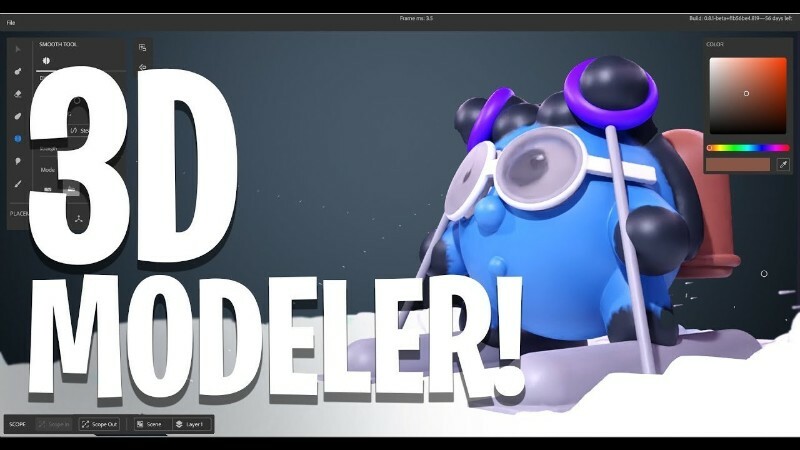
Adobe Substance 3D Modeler v1.22.5 Multilingual PreActivated by m0nkrus

Year of release : 2026
Version : 1.22.5.1223
Platform : Windows x64
Interface language : En / Spanish / Italian / Chinese / Korean / German / Portuguese / French / Japanese
Medicine : Cured

System requirements:
64-bit version of Microsoft Windows 10/11 (version 22H2 or later) ; 64-bit version of Microsoft Windows 10/11
Intel Core i5 or AMD Ryzen 5 processor (Intel Core i7 or AMD Ryzen 7 processor recommended)
16 GB RAM (32 GB recommended)
Nvidia GeForce RTX 2060 Super, NVIDIA Quadro RTX 4000, AMD Radeon RX 5700 XT, or AMD Radeon Pro W5700 with 8GB of VRAM (Nvidia GeForce RTX 3080, NVIDIA Quadro RTX A4000, AMD Radeon RX 6800 XT, or AMD Radeon Pro W7700 with 16GB recommended)
30 Π“Π‘ свободного пространства Π½Π° SSD (рСкомСндуСтся 50 Π“Π‘)

Description:
Adobe Substance 3D Modeler is visual 3D modeling software designed for 3D experts, visual effects developers, and graphic designers alike. Adobe Substance 3D Modeler utilizes spatial data from the physical world, allowing you to create models just like in a real workshop. Regardless of your preferences and current conditions, Adobe Substance 3D Modeler adapts to your needs.

Use natural, fluid gestures throughout your creative process. Switch between working on your desktop and in VR. Adobe Substance 3D Modeler helps you at every stage of your project: from concept art, sketches, and prototypes to blocking out game levels, creating detailed characters and props, or constructing an entire scene. Its intuitive approach to 3D modeling frees you from technical limitations and allows you to focus on creativity. With Adobe Substance 3D Modeler’s features , you can work productively on your projects.
Benefits of Adobe Substance 3D Modeler
– Work in "multi-surfaces"
Substance 3D Modeler allows you to quickly switch between VR and PC based on your project needs, the nature of the task, and your preferred work style.

– Assembly tools
Use tools like symmetry, repetition controls, and linked copy options to effectively create and edit complex structures.

– Natural sculpting
Create your own creations and add fine details using a variety of tools and natural basic elements.

– Modeling of solid surfaces
Assemble and shape basic elements to create complex models such as buildings or vehicles.
Close
List of changes made

  • The assembly is based on the standalone Adobe installer version 6.8.0.821, which is not available to the general public.
  • The Adobe Desktop Common module, which was required to be installed by the original installer, has been removed from the installer except for the bare minimum.
  • The Adobe Creative Cloud module, which was required to be installed by the original installer, has been completely removed from the installer.
  • The installer provides a choice of installation path and program interface language, as well as the ability to launch the program immediately after installation is complete.
  • Unlocked the ability to install the program on earlier versions of Windows 10.
  • The Adobe Substance 3D Modeler core module has been updated to version 1.22.5.1223.
  • The Adobe Genuine Service spyware module will be removed if it was previously installed with other Adobe programs.
  • Adobe CrashReport Window and Crashpad Handler spyware modules are disabled.

The program has already been disinfected. You can use it immediately after installation.

FAQ
Question: I can’t click the "Continue" button because the window contents don’t fit within the window itself, and the button is out of sight. What should I do?
Answer: This happens occasionally on poorly configured operating systems. There’s a TAB key on your keyboard. Use it to navigate to the desired menu item.

Question: The installation was not completed due to an unknown error. What should I do?
Answer: Please review Code:Copy to clipboard

https://helpx.adobe.com/ru/creative-cloud/kb/troubleshoot-download-install-logs.html

the error code breakdown . I also recommend reviewing the installation log. It’s located at C:\Program Files (x86)\Common Files\Adobe\Installers\Install.log. You may find more detailed information about the problem and how to resolve it there.

Question: If I select German during installation, for example, the program still installs in En? What should I do?
Answer: This program was brought to Adobe from outside the company and is not yet fully integrated with the Adobe installer. Specifically, you can’t manually select the interface language for the installed application. The language is automatically selected based on the operating system language (if the system language is not supported, En is selected). However, you can change the program’s interface language in the settings menu immediately after installation.

Question: What about medications for this version of the program?
Answer: The build was patched using the work of uncia & CGP Co. A number of files were patched, which I then integrated into the installer. You don’t need to do anything to patch it! Just in case, the original files are saved with the *.bak extension. If you want to get the original, unpatched product, simply remove this extension from these files and replace the existing patched files with them.

Question: What about disabling spy modules?
Answer: The Adobe CrashReport Window (AdobeCrashReportWindow.exe) and Crashpad Handler (crashpad_handler.exe) spyware modules have been disabled. Their initialization files are saved with the *.bak extension, just in case. If you ever want to restore their functionality, simply remove this extension from these files. The crack included in this build also removes Adobe Genuine Service if this module was previously installed with other Adobe programs (this module is not installed with this build).

Question: When opening the program, I get the error "Adobe Creative Cloud, needed to resolve the problem, is missing or damaged…". What should I do?
Answer: You have some leftovers from previous installations of Adobe Creative Cloud components. These need to be removed. To do this, use the Code:Copy to clipboard

https://swupmf.adobe.com/webfeed/CleanerTool/win/AdobeCreativeCloudCleanerTool.exe

Adobe Creative Cloud Cleaner Tool . Select "All" as the component to remove, then "Adobe Creative Cloud Desktop." Then, reinstall the offending program. This cleanup and reinstallation will not damage any previously installed programs.

Question: Is there a 3D material library for Substance 3D programs?
Answer: Yes, there are. And more than one! The official Adobe library is located Code:Copy to clipboard

https://substance3d.adobe.com/community-assets

.

β‹†πŸ•·- – – – -β˜½β”€β”€β”€β›§ β€β–β€ž β›§β”€β”€β”€β˜Ύ – – – -πŸ•·β‹†β€‹

️ Adobe Substance 3D Modeler v1.22.5 Multilingual PreActivated by m0nkrus

RapidGator Link(s)
Code:Copy to clipboard

https://rapidgator.net/file/9ad80bc53f158a0f39900ff1d47346b9/Adobe.Substance.3D.Modeler.v1.22.5.Multilingual.rar

Freedl.ink Link(s)
Code:Copy to clipboard

https://frdl.io/saqxf2lwq1j3/Adobe.Substance.3D.Modeler.v1.22.5.Multilingual.rar

Adobe Substance 3D Modeler 1.22.6 (x64) Multilingual – (941 MB)

Adobe Substance 3D Modeler 1.22.6 (x64) Multilingual​
File Size: 940 MB​

Overview of Adobe Substance 3D Modeler
It is a 3D modeling and sculpting application that helps you create across both desktop and VR. Modeler aims to make working in 3D as intuitive as working with clay in real life. To help achieve this, with Modeler, you don’t have to worry about tweaking vertexes or managing UVs. Instead, you can focus on the creative process.

Features of Adobe Substance 3D Modeler

βœ”Multisurface support
βœ”Symmetry and repetition tools
βœ”Organic sculpting
βœ”Hard-surface sculpting

Technical Details and System Requirements

βœ”Supported OS: Windows 11 / Windows 10
βœ”Processor: Multicore Intel Series or above, Xeon or AMD equivalent
βœ”RAM: 4GB (8GB or more recommended)
βœ”Free Hard Disk Space: 8GB or more recommended

β‹†πŸ•·- – – – -β˜½β”€β”€β”€β›§ β€β–β€ž β›§β”€β”€β”€β˜Ύ – – – -πŸ•·β‹†β€‹

️ Adobe Substance 3D Modeler 1.22.6 (x64) Multilingual – (941 MB)

RapidGator Link(s)
Code:Copy to clipboard

https://rapidgator.net/file/8b5aa70185b2eb04494160da15b44ac2/Adobe.Substance.3D.Modeler.1.22.6.X64.Multilingual.rar

Freedl.ink Link(s)
Code:Copy to clipboard

https://frdl.io/mxz5ecb4trm0/Adobe.Substance.3D.Modeler.1.22.6.X64.Multilingual.rar

Adobe Substance 3D Designer v15.1.1 Multilingual PreActivated by m0nkrus

Year of release : 2026
Version : 15.1.1.10305
Platform : Windows x64
Interface language : En / Spanish / Italian / Chinese / Korean / German / Portuguese / French / Japanese
Medicine : Cured

System requirements:
64-bit version of Microsoft Windows 10/11 (version 21H2 or later) ; 64-bit version of Microsoft Windows 10/11
Intel Core i5 or AMD Ryzen 5 processor (Intel Core i7 or AMD Ryzen 7 processor recommended)
16 GB RAM (32 GB recommended)
Nvidia Geforce RTX 2060, Quadro RTX 4000, AMD Radeon RX 570 XT, or AMD Radeon Pro W5700 with 8GB of VRAM (Nvidia Geforce RTX 3080, Quadro RTX A4000, AMD Radeon RX 6800 XT, or AMD Radeon Pro W7700 with 16GB recommended)
30 GB of free SSD space (50 GB recommended)

Description:
Adobe Substance 3D Designer is the industry standard for creating unique materials, giving you complete control over the creative process. Create 3D materials, models, tileable textures and patterns, and lighting environments. Build content from scratch in a reversible, node-based environment or take advantage of Adobe Substance 3D Designer’s ever-expanding scripting capabilities . Design precisely according to your vision. Adobe Substance 3D Designer is used across many industries and forms the foundation of most video game and visual effects pipelines. Substance materials are supported in most 3D creation tools and integrate seamlessly into any workflow.
Benefits of Adobe Substance 3D Designer
– Constantly expanding content library
Access hundreds of nodes and filters. Create any surface with unique and randomized noise and patterns.

– Creating HDR lighting
Create parametrically lit scenes using procedural lights or spherical panoramic photos.

– Color management
Take advantage of Pantone and OpenColorIO support.

– MDL support
Create MDL materials using a dedicated shader map.

– Sending materials
Send materials and filters to other Substance 3D applications to sync your project work with Designer.

– Parametric modeling
This map allows you to create customizable and dynamic 3D models.

List of changes made

  • The assembly is based on the standalone Adobe installer version 6.8.0.821, which is not available to the general public.
  • The Adobe Desktop Common module, which was required to be installed by the original installer, has been removed from the installer except for the bare minimum.
  • The Adobe Creative Cloud module, which was required to be installed by the original installer, has been completely removed from the installer.
  • The installer provides a choice of installation path, as well as the ability to launch the program immediately after installation is complete.
  • Unlocked the ability to install the program on earlier versions of Windows 10.
  • The main module of Adobe Substance 3D Designer has been updated to version 15.1.1.10305.
  • The Adobe Genuine Service spyware module will be removed if it was previously installed with other Adobe programs.
  • Adobe CrashReport Window and Crashpad Handler spyware modules are disabled.

The program has already been disinfected. You can use it immediately after installation.

FAQ
Question: I can’t click the "Continue" button because the window contents don’t fit within the window itself, and the button is out of sight. What should I do?
Answer: This happens occasionally on poorly configured operating systems. There’s a TAB key on your keyboard. Use it to navigate to the desired menu item.

Question: The installation was not completed due to an unknown error. What should I do?
Answer: Please review Code:Copy to clipboard

https://helpx.adobe.com/ru/creative-cloud/kb/troubleshoot-download-install-logs.html

the error code breakdown . I also recommend reviewing the installation log. It’s located at C:\Program Files (x86)\Common Files\Adobe\Installers\Install.log. You may find more detailed information about the problem and how to resolve it there.

Question: If I select German during installation, for example, the program still installs in En? What should I do?
Answer: This program was brought to Adobe from outside the company and is not yet fully integrated with the Adobe installer. Specifically, you can’t manually select the interface language for the installed application. The language is automatically selected based on the operating system language (if the system language is not supported, En is selected). However, you can change the program’s interface language in the settings menu immediately after installation.

Question: What about medications for this version of the program?
Answer: The build was patched using the work of uncia & CGP Co. A number of files were patched, which I then integrated into the installer. You don’t need to do anything to patch it! Just in case, the original files are saved with the *.bak extension. If you want to get the original, unpatched product, simply remove this extension from these files and replace the existing patched files with them.

Question: What about disabling spy modules?
Answer: The Adobe CrashReport Window (AdobeCrashReportWindow.exe) and Crashpad Handler (crashpad_handler.exe) spyware modules have been disabled. Their initialization files are saved with the *.bak extension, just in case. If you ever want to restore their functionality, simply remove this extension from these files. The crack included in this build also removes Adobe Genuine Service if this module was previously installed with other Adobe programs (this module is not installed with this build).

Question: When opening the program, I get the error "Adobe Creative Cloud, needed to resolve the problem, is missing or damaged…". What should I do?
Answer: You have some leftovers from previous installations of Adobe Creative Cloud components. These need to be removed. To do this, use the Code:Copy to clipboard

https://swupmf.adobe.com/webfeed/CleanerTool/win/AdobeCreativeCloudCleanerTool.exe

Adobe Creative Cloud Cleaner Tool . Select "All" as the component to remove, then "Adobe Creative Cloud Desktop." Then, reinstall the offending program. This cleanup and reinstallation will not damage any previously installed programs.

Question: Is there a 3D material library for Substance 3D programs?
Answer: Yes, there are. And more than one! The official Adobe library is located Code:Copy to clipboard

https://substance3d.adobe.com/community-assets

.

β‹†πŸ•·- – – – -β˜½β”€β”€β”€β›§ β€β–β€ž β›§β”€β”€β”€β˜Ύ – – – -πŸ•·β‹†β€‹

️ Adobe Substance 3D Designer v15.1.1 Multilingual PreActivated by m0nkrus

RapidGator Link(s)
Code:Copy to clipboard

https://rapidgator.net/file/487096058f0eb0e129e2b8af82812e27/Adobe.Substance.3D.Designer.v15.1.1.Multilingual.rar

Freedl.ink Link(s)
Code:Copy to clipboard

https://frdl.io/fiyvvffwjml6/Adobe.Substance.3D.Designer.v15.1.1.Multilingual.rar

Adobe Substance 3D Designer 15.1.1 (x64) Multilingual – (829 MB)

Adobe Substance 3D Designer 15.1.1 (x64) Multilingual​
File Size: 829 MB​

Adobe Substance Designer Overview
This program allows you to create materials with complete control and unlimited variations. Further, you can edit complete texture sets instantly and produce substance textures and MDL materials that will directly handle your renderer or game engine.
This program also has many great filters and tools for adapting to photogrammetry workflow. Substance Designer features a complete set of tools and filters, including the Crop Tool, Color Equalizer Tool, Extract Channels filters (Multi-angle to Albedo, Multi-angle to Normal, Normal to Height), Smart Patch Clone Tool, and Smart Auto Tile Tool.
Using this software, you can import procedural SBS and sbsar files, hand-painted images, photographs, scans, and geometry (.fbx & .obj). No need to worry about tiling, either – Substance Designer handles it automatically.
Substance Designer features four graph types: tiling textures, MDL materials, Math Functions, and Noise Editor. With the procedural node-based non-linear workflow, you can edit complete texture sets instantly. Want to change something while you’re working? You can make changes to any previous step while keeping your current work intact.

Features of Allegorithmic Substance Designer

βœ”Create Substance files tweakable in-context
βœ”Produce tileable textures up to 8K size with 32 bits floating
βœ”Produce MDL materials for Iray, V-Ray, and Adobe Felix
βœ”Find physically based, high-resolution, and tweakable assets for texturing.
βœ”Download and share community-created content under Creative Commons 4.0 "Public License."
βœ”Real-time physically based viewport with iray path tracing
βœ”Node-based non-destructive workflow
βœ”Powerful generators, tools, and filters
βœ”Integrated full-featured bakers

System Requirements and Technical Details
Minimum

βœ”OS: Windows 7 / 8 / 10 / 11 – (64 bit)
βœ”Memory: 2 GB RAM
βœ”Graphics: VRAM 2GB
βœ”DirectX: Version 10

Recommended

βœ”OS: Windows 7 / 8 / 10 / 11 – (64 bit)
βœ”Memory: 4 GB RAM
βœ”Graphics: VRAM 4GB
βœ”DirectX: Version 10

β‹†πŸ•·- – – – -β˜½β”€β”€β”€β›§ β€β–β€ž β›§β”€β”€β”€β˜Ύ – – – -πŸ•·β‹†β€‹

️ Adobe Substance 3D Designer 15.1.1 (x64) Multilingual – (829 MB)

RapidGator Link(s)
Code:Copy to clipboard

https://rapidgator.net/file/36ab9ef9228fe5abebde1e9f72663a61/Adobe.Substance.3D.Designer.15.1.1.X64.Multilingual.rar

Freedl.ink Link(s)
Code:Copy to clipboard

https://frdl.io/rtdljozbxsts/Adobe.Substance.3D.Designer.15.1.1.X64.Multilingual.rar

Adobe Speech to Text for Premiere Pro 2026 v2.1.6 Multilingual – (12.77 GB)

Adobe Speech to Text for Premiere Pro 2026 v2.1.6 Multilingual​

With the Adobe Speech to Text add-in in Premiere Pro, you can automatically generate transcripts of your video dialogue and add captions to your video to increase accessibility and viewer engagement. As your video editing nears completion, use Adobe Speech to Text to create a transcription of your footage. Add speech-paced captions to your timeline using the machine learning capabilities of Adobe Sensei. Stylize your video captions and adjust their position using the editing tools in the Essential Graphics panel.

Benefits of Adobe Speech to Text

  • Caption to all videos. Captions make videos more accessible across platforms and increase viewer engagement, but their workflows were complex and time-consuming. With speech-to-text translation, Premiere Pro is making video captions the new standard.
  • Automated. Integrated. And completely creative. Speech-to-text translation automates transcription and subtitles while giving you full creative control over the results, including the full design power of the Essential Graphics panel.
  • Impressive accuracy in 13 languages. Speech-to-text translation is available to users worldwide, delivering accurate results and more opportunities to reach audiences wherever they are.
  • Built into Premiere Pro. Speech-to-text translation is included for free with your subscription, making it easy and efficient to add value to your video.

List of changes made
I, m0nkrus, have removed all Speech to Text packages from the Premiere Pro 2026 (v26.0) distribution and combined them into a standalone build.
This build allows you to choose which Speech to Text packages to install, based on your specific needs.
This build is based on the standalone Adobe installer version 6.8.0.821, which is not publicly available.
The Adobe Desktop Common module, which is required by the original installer, has been removed from the installer except for the bare minimum.
The Adobe Creative Cloud module, which is required by the original installer, has been completely removed from the installer.

Supported languages
English / Dutch / Danish / Spanish / Italian / Chinese / Chinese (Cantonese) / Korean / German / Norwegian / Portuguese / Russian / French / Hindi / Swedish / Japanese

System requirements
Pre-installed Adobe Premiere Pro 2026

What’s new
official site does not provide any info about changes in this version.

β‹†πŸ•·- – – – -β˜½β”€β”€β”€β›§ β€β–β€ž β›§β”€β”€β”€β˜Ύ – – – -πŸ•·β‹†β€‹

️ Adobe Speech to Text for Premiere Pro 2026 v2.1.6 Multilingual – (12.77 GB)

RapidGator Link(s)
Code:Copy to clipboard

https://rapidgator.net/file/21165d20408424ab5bb3eaf89aae6327/Adobe.Speech.to.Text.for.Premiere.Pro.2026.v2.1.6.Multilingual.part1.rar
https://rapidgator.net/file/f18b36516bf06ccdcd06909e47da464a/Adobe.Speech.to.Text.for.Premiere.Pro.2026.v2.1.6.Multilingual.part2.rar
https://rapidgator.net/file/129bd42240bd8824a8c62b48d2622d09/Adobe.Speech.to.Text.for.Premiere.Pro.2026.v2.1.6.Multilingual.part3.rar
https://rapidgator.net/file/7baf0ed8ff6df40a6aafcf1a7f133de8/Adobe.Speech.to.Text.for.Premiere.Pro.2026.v2.1.6.Multilingual.part4.rar
https://rapidgator.net/file/f0eac490d8235559929fbbc7d0a5ca6e/Adobe.Speech.to.Text.for.Premiere.Pro.2026.v2.1.6.Multilingual.part5.rar

Freedl.ink Link(s)
Code:Copy to clipboard

https://frdl.io/9vsidqwhxyws/Adobe.Speech.to.Text.for.Premiere.Pro.2026.v2.1.6.Multilingual.part1.rar
https://frdl.io/bek5zbh3yjyk/Adobe.Speech.to.Text.for.Premiere.Pro.2026.v2.1.6.Multilingual.part2.rar
https://frdl.io/rypxu9tepfqd/Adobe.Speech.to.Text.for.Premiere.Pro.2026.v2.1.6.Multilingual.part3.rar
https://frdl.io/wdpd0pdpjc5t/Adobe.Speech.to.Text.for.Premiere.Pro.2026.v2.1.6.Multilingual.part4.rar
https://frdl.io/srfdkvaipecs/Adobe.Speech.to.Text.for.Premiere.Pro.2026.v2.1.6.Multilingual.part5.rar

Adobe Premiere Pro 2026 V26.0.0 (x64) Multilingual – (15.71 GB)

Adobe Premiere Pro 2026 V26.0.0 (x64) Multilingual​
File Size: 15.8 GB​

Adobe Premiere Pro CC for Windows Overview
Adobe Premiere Pro CC for Windows PC offers breakthrough performance for video production, enabling you to work dramatically faster thanks to the revolutionary native 64-bit, GPU-accelerated Adobe Mercury Playback Engine.
Besides color, audio, and graphics tools, Premiere Pro works seamlessly with other apps and services, including After Effects, Audition, and Adobe Stock. Open a Motion Graphics template from After Effects or download one from Adobe Stock and customize it – all without leaving the app. And Premiere Pro integrates with hundreds of partner technologies.
Premiere Pro comes with the all-new Premiere Rush CC, an all-in-one app that works across your devices. Capture footage on your phone, then edit and share to social channels on your phone, tablet, or desktop. Or open your Rush files in Premiere Pro if you want to take them further.

Features of Adobe Premiere Pro CC for Windows

βœ”Mercury Playback Engine
βœ”High-fidelity interchange
βœ”Sync Settings
βœ”Multicam editing
βœ”Edit video faster than ever before
βœ”Project and media management
βœ”Broad format support
βœ”End-to-end metadata workflow
βœ”Greater audience reach
βœ”Mobile editing with all-new Premiere Rush
βœ”End-to-end VR 180
βœ”Intelligent audio cleanup
βœ”Data-driven infographics Motion Graphics templates
βœ”Adobe Stock enhancements
βœ”Creative Cloud Library improvements
βœ”Theater Mode in Adobe Immersive Environment
βœ”Australian closed-captioning standard

System Requirements and Technical Details

βœ”Supported OS: Windows 11 / Windows 10 / Windows 8.1 / Windows 7
βœ”Processor: Multicore Intel Series or above, Xeon or AMD equivalent
βœ”RAM: 4GB (8GB or more recommended)
βœ”Free Hard Disk Space: 4GB or more recommended

β‹†πŸ•·- – – – -β˜½β”€β”€β”€β›§ β€β–β€ž β›§β”€β”€β”€β˜Ύ – – – -πŸ•·β‹†β€‹

️ Adobe Premiere Pro 2026 V26.0.0 (x64) Multilingual – (15.71 GB)

RapidGator Link(s)
Code:Copy to clipboard

https://rapidgator.net/file/4aeee18319e66fed5128f17e74fc0ccb/Adobe.Premiere.Pro.2026.V26.0.0.X64.Multilingual.part1.rar
https://rapidgator.net/file/e4aeec526b64d4d7cef50b1574311213/Adobe.Premiere.Pro.2026.V26.0.0.X64.Multilingual.part2.rar
https://rapidgator.net/file/97221731dade62a2d4cab62d5c472507/Adobe.Premiere.Pro.2026.V26.0.0.X64.Multilingual.part3.rar
https://rapidgator.net/file/1eac157cd0aae5687196f9e305ef92b5/Adobe.Premiere.Pro.2026.V26.0.0.X64.Multilingual.part4.rar
https://rapidgator.net/file/410c483c87f044facbc264249c4ca7a5/Adobe.Premiere.Pro.2026.V26.0.0.X64.Multilingual.part5.rar
https://rapidgator.net/file/13eb7fdbbb547d9901cbbe0cff4b355f/Adobe.Premiere.Pro.2026.V26.0.0.X64.Multilingual.part6.rar

Freedl.ink Link(s)
Code:Copy to clipboard

https://frdl.io/hw84xzauixf7/Adobe.Premiere.Pro.2026.V26.0.0.X64.Multilingual.part1.rar
https://frdl.io/ztqg7gjtms5t/Adobe.Premiere.Pro.2026.V26.0.0.X64.Multilingual.part2.rar
https://frdl.io/ctrm29dryvvv/Adobe.Premiere.Pro.2026.V26.0.0.X64.Multilingual.part3.rar
https://frdl.io/m7lg0bsvy3p0/Adobe.Premiere.Pro.2026.V26.0.0.X64.Multilingual.part4.rar
https://frdl.io/iapcbs9hghas/Adobe.Premiere.Pro.2026.V26.0.0.X64.Multilingual.part5.rar
https://frdl.io/nqhduqywzh59/Adobe.Premiere.Pro.2026.V26.0.0.X64.Multilingual.part6.rar

MadS 2024 1080p AMZN WEB-DL DDP5 1 H 264-FLUX

MadS 2024 1080p AMZN WEB-DL DDP5 1 H 264-FLUX

IMDB information:
Code:Copy to clipboard


https://www.imdb.com/title/tt28821371/

Title:MadS (2024)
Genres: Horror, Thriller
Description: A teenager who stops off to see his dealer to test a new drug before heading off for a night of partying. On the way home, he picks up an injured woman and the night takes a surreal turn.
Director: David Moreau
Writer:N/A
Actors: Xiomara Melissa Ahumada Quito, Lucille Guillaume, Laurie Pavy
Rating: N/A
Country:France
Language:N/A

File INFO:
Name: MadS 2024 1080p AMZN WEB-DL DDP5 1 H 264-FLUX
Format:mkv
Size: 6.35 GB
Duration:01:28:42
Language:French
Subtitles:English Click to expand…


Download Links:

RapidGator:
Code:Copy to clipboard


https://rapidgator.net/file/e209748513ff8d1617e3a5cb34403061/MadS.2024.1080p.AMZN.WEB-DL.DDP5.1.H.264-FLUX.mkv

ClickNUpload:
Code:Copy to clipboard


https://clicknupload.click/12tuunqwn8tr/MadS.2024.1080p.AMZN.WEB-DL.DDP5.1.H.264-FLUX.part1.rar
https://clicknupload.click/j8zxhomf324i/MadS.2024.1080p.AMZN.WEB-DL.DDP5.1.H.264-FLUX.part2.rar

– If you enjoy my posts, feel free to leave a "Thanks" in the comments.

Adobe Premiere Pro 2026 26.0.0.72 x64 Light Multi-Ru Portable by 7997 – (1.44 GB)

Adobe Premiere Pro 2026 26.0.0.72 x64 Light Multi-Ru Portable by 7997​

Adobe Premiere Pro CC for Windows Overview
Adobe Premiere Pro CC for Windows PC offers breakthrough performance for video production, enabling you to work dramatically faster thanks to the revolutionary native 64-bit, GPU-accelerated Adobe Mercury Playback Engine.
Besides color, audio, and graphics tools, Premiere Pro works seamlessly with other apps and services, including After Effects, Audition, and Adobe Stock. Open a Motion Graphics template from After Effects or download one from Adobe Stock and customize it – all without leaving the app. And Premiere Pro integrates with hundreds of partner technologies.
Premiere Pro comes with the all-new Premiere Rush CC, an all-in-one app that works across your devices. Capture footage on your phone, then edit and share to social channels on your phone, tablet, or desktop. Or open your Rush files in Premiere Pro if you want to take them further.

Features of Adobe Premiere Pro CC for Windows

βœ”Mercury Playback Engine
βœ”High-fidelity interchange
βœ”Sync Settings
βœ”Multicam editing
βœ”Edit video faster than ever before
βœ”Project and media management
βœ”Broad format support
βœ”End-to-end metadata workflow
βœ”Greater audience reach
βœ”Mobile editing with all-new Premiere Rush
βœ”End-to-end VR 180
βœ”Intelligent audio cleanup
βœ”Data-driven infographics Motion Graphics templates
βœ”Adobe Stock enhancements
βœ”Creative Cloud Library improvements
βœ”Theater Mode in Adobe Immersive Environment
βœ”Australian closed-captioning standard

System Requirements and Technical Details

βœ”Supported OS: Windows 11 / Windows 10 / Windows 8.1 / Windows 7
βœ”Processor: Multicore Intel Series or above, Xeon or AMD equivalent
βœ”RAM: 4GB (8GB or more recommended)
βœ”Free Hard Disk Space: 4GB or more recommended

β‹†πŸ•·- – – – -β˜½β”€β”€β”€β›§ β€β–β€ž β›§β”€β”€β”€β˜Ύ – – – -πŸ•·β‹†β€‹

️ Adobe Premiere Pro 2026 26.0.0.72 x64 Light Multi-Ru Portable by 7997 – (1.44 GB)

RapidGator Link(s)
Code:Copy to clipboard

https://rapidgator.net/file/f05a96a3a42fdf1ecc357b379d017745/Adobe.Premiere.Pro.2026.26.0.0.72.x64.Light.Multi-Ru.Portable.by.7997.rar

Freedl.ink Link(s)
Code:Copy to clipboard

https://frdl.io/jh68mblp1my3/Adobe.Premiere.Pro.2026.26.0.0.72.x64.Light.Multi-Ru.Portable.by.7997.rar

Adobe Premiere Pro 2025 (v25.6.4) Multilingual PreActivated by m0nkrus

Year of release : 2026
Version : 25.6.4.005
Platform : Windows x64
Interface language : En / Spanish / Italian / Chinese (simplified) / Korean / German / Portuguese / Ru / French / Japanese / En with Arabic support / En with Hebrew support / En (United Kingdom) / Spanish (Mexico) / French (Canada) / French (Morocco)
Medicine : Cured

System requirements:
64-bit version of Microsoft Windows 10/11 (version 22H2 or later) ; 64-bit version of Microsoft Windows 10/11
6th Gen Intel or AMD Ryzen 1000 series processor with AVX2 support (11th Gen Intel/newer CPU with Quick Sync support or AMD Ryzen 3000 series/Threadripper 2000 series recommended)
8GB RAM (16GB recommended for HD media; 32GB for 4K media)
8 GB of available hard disk space; additional free space required during installation; SSD recommended
Video card with 2 GB of video memory (8 GB recommended)
Screen resolution of 1920×1080 or higher (HDR 1000 recommended for HDR workflows)
Sound card with ASIO or Microsoft Windows Driver Model support
1 Gbps network card for HD media sharing (10 Gbps recommended for 4K media sharing)
Internet connection and registration are required to access online services.

Description:
Adobe Premiere Pro is industry-leading video editing software with a rich set of creative tools, integration with other apps and services, and powerful Adobe Sensei technology. The program lets you import and seamlessly combine any video footage, from a clip shot on a phone to raw 5K, and edit it without the need for transcoding. Adobe Premiere Pro offers a wealth of original features, including expanded support for native formats, improved multi-camera editing, and more. Edit, create, and deliver beautiful and engaging content for film, broadcast, and social media.
Benefits of Adobe Premiere Pro 2025
– The Properties panel in Premiere Pro
The new context-sensitive Properties panel intelligently displays the tools you use most often exactly when you need them, making Premiere Pro easier to learn for new users and more efficient for experienced professionals.

– Updated modern interface
Premiere Pro features a new design-modern and more consistent. With two dark modes, a light mode, and a high-contrast accessibility mode, users can customize the look and feel to their liking.

– Dialog box for creating a new project
The Create New Project dialog in Premiere Pro makes creating projects much easier with features like naming, choosing a storage location, choosing a template, project settings, and Skip Import Mode.

– Expanded Canon support
Use built-in tools to work with Canon EOS C80 camera files. Import files and start editing immediately. No re-encoding required.
Close
List of changes made

  • The assembly is based on the standalone Adobe installer version 6.8.0.821, which is not available to the general public.
  • The Adobe Desktop Common module, which was required to be installed by the original installer, has been removed from the installer except for the bare minimum.
  • The Adobe Creative Cloud module, which was required to be installed by the original installer, has been completely removed from the installer.
  • The installer provides a choice of installation path and program interface language, as well as the ability to launch the program immediately after installation is complete.
  • During installation, a video carousel is launched in the installer window, demonstrating the program’s capabilities.
  • Unlocked the ability to install the program on earlier versions of Windows 10.
  • 16 Speech to Text Language Pack auxiliary modules with a total size of approximately 10 GB have been excluded from installation.
  • The main module of Adobe Premiere Pro has been updated to version 25.6.4.005.
  • The Creative Cloud Content Manager (CCX Process) helper module has been updated to version 7.1.3.2 and excluded from OS startup.
  • The Adobe Genuine Service spyware module will be removed if it was previously installed with other Adobe programs.
  • The CRLog Transport Application, Adobe Crash Report, and Crashpad Handler spyware modules are disabled.

The program has already been disinfected. You can use it immediately after installation.

FAQ
Question: I can’t click the "Continue" button because the window contents don’t fit within the window itself, and the button is out of sight. What should I do?
Answer: This happens occasionally on poorly configured operating systems. There’s a TAB key on your keyboard. Use it to navigate to the desired menu item.

Question: The installation was not completed due to an unknown error. What should I do?
Answer: Please review Code:Copy to clipboard

https://helpx.adobe.com/ru/creative-cloud/kb/troubleshoot-download-install-logs.html

the error code breakdown . I also recommend reviewing the installation log. It’s located at C:\Program Files (x86)\Common Files\Adobe\Installers\Install.log. You may find more detailed information about the problem and how to resolve it there.

Question: Why did you exclude the Speech to Text Language Pack modules from the installation?
Answer: They’re quite large. Each one is 800 MB. And there are sixteen of them! Do you need a Premiere Pro distribution that weighs more than 15 GB? I suspect the vast majority of people don’t. But I’ve taken into account the interests of those who actually use the corresponding plugin and created a build of Adobe Speech to Text for Premiere Pro specifically for them, allowing them to install any of the Speech to Text Language Pack modules of their choice. Look for it on the trackers!

Question: What about medications for this version of the program?
Answer: The build was patched using the work of uncia & CGP Co. A number of files were patched, which I then integrated into the installer. You don’t need to do anything to patch it! Just in case, the original files are saved with the *.bak extension. If you want to get the original, unpatched product, simply remove this extension from these files and replace the existing patched files with them.

Question: What about disabling spy modules?
Answer: The spyware modules CRLog Transport Application (CRLogTransport.exe), Adobe Crash Reporter Service (AdobeCrashReport.exe), and Crashpad Handler (crashpad_handler.exe) have been disabled. Their initialization files are saved with the *.bak extension, just in case. If you ever want to restore their functionality, simply remove this extension from these files. The crack included in this build also removes Adobe Genuine Service if this module was previously installed with other Adobe programs (this module is not installed with this build).

Question: When I launch a program, it closes with error 0xc0000142! What’s wrong?
Answer: Starting with version 24.1, this program requires your processor to support Advanced Vector Extensions 2 (AVX2) instructions. If your processor doesn’t support this technology, the program won’t start, returning the same error. I recommend rolling back to a version earlier than 24.1.

Question: When I first launch the program, it starts in En, even though I selected a different interface language during installation. Why is that?
Answer: Another bug on the part of Adobe’s incompetent programmers. Apparently, they mixed up the order of the commands responsible for creating and reading configs. The error is harmless. The second time you launch the program, it will use the selected interface language.

Question: When opening the program, I get the error "Adobe Creative Cloud, needed to resolve the problem, is missing or damaged…". What should I do?
Answer: You have some leftovers from previous installations of Adobe Creative Cloud components. These need to be removed. To do this, use the Code:Copy to clipboard

https://swupmf.adobe.com/webfeed/CleanerTool/win/AdobeCreativeCloudCleanerTool.exe

Adobe Creative Cloud Cleaner Tool . Select "All" as the component to remove, then "Adobe Creative Cloud Desktop." Then, reinstall the offending program. This cleanup and reinstallation will not damage any previously installed programs.

Question: Is it possible to change the interface language of an already installed program?
Answer: Yes. With the program running, press Ctrl+F12, and in the Console panel (the icon with three stripes), switch to Debug Database View. Next to ApplicationLanguage, replace the language code with the one you want. Then, restart the program and enjoy the selected interface language. Please note that switching the interface language can sometimes cause hotkeys to disappear. To prevent this from happening while you’re still using the original interface, select "Keyboard Shortcuts" from the "Edit" menu. In the window that opens, click "Save As" and save the current default configuration under a different name (in Latin characters) than the original.

Question: Is it possible to make the interface bilingual, so that it is, for example, in Ru, and duplicated in En in brackets?
Answer: Yes. With the program running, press Ctrl+F12, and in the Console panel, switch to Debug Database View (the icon with three stripes). Next to ApplicationLanguageBilingual, change false to true. Then, restart the program and enjoy the bilingual interface.

Question: Generative AI isn’t working for me. Is there a solution?
Answer: Only people who have actually paid for a subscription can use the generative tools. And even then, they have a limit on the number of generations. You can also use the generative tools during a free 14-day trial period. So, if you really need the generative tools, Code:Copy to clipboard

https://www.adobe.com/creativecloud/business/teams/free-trial-download.html

register a new business account (14-day trial versus 7 for personal) and activate the trial period. Then, use it to log in to the program via the "Help->Sign In" menu. After 14 days, register a new ID. And so on, as long as you like. Unfortunately, there are currently no other options. For residents of the Ru Federation, the procedure is somewhat more complicated. Since Adobe officially withdrew from Russia, you will need to use a VPN both during registration and while using the generative tools. And not just in your browser! You need a VPN that intercepts internet connections and other programs on your computer, particularly Adobe applications. Oh, and before registering a new account, don’t forget to log out of your old one, both in your apps and your browser. It’s also a good idea to clear your cookies for the Adobe website in your browser. That’s all! Please don’t bother me with any questions about generative options.

β‹†πŸ•·- – – – -β˜½β”€β”€β”€β›§ β€β–β€ž β›§β”€β”€β”€β˜Ύ – – – -πŸ•·β‹†β€‹

️ Adobe Premiere Pro 2025 (v25.6.4) Multilingual PreActivated by m0nkrus

RapidGator Link(s)
Code:Copy to clipboard

https://rapidgator.net/file/79aa0265261796bf58d6a1c72954f936/Adobe.Premiere.Pro.2025.v25.6.4.Multilingual.part1.rar
https://rapidgator.net/file/a42cfaa22d8c7ae020e4571b5b773a40/Adobe.Premiere.Pro.2025.v25.6.4.Multilingual.part2.rar

Freedl.ink Link(s)
Code:Copy to clipboard

https://frdl.io/6ium1qwwnm7k/Adobe.Premiere.Pro.2025.v25.6.4.Multilingual.part1.rar
https://frdl.io/ocdjakv53ke3/Adobe.Premiere.Pro.2025.v25.6.4.Multilingual.part2.rar