Adobe Substance 3D Modeler v1.22.7 Multilingual PreActivated by m0nkrus

Year of release : 2026
Version : 1.22.7.1239
Platform : Windows x64
Interface language : En / Spanish / Italian / Chinese / Korean / German / Portuguese / French / Japanese
Medicine : Cured

System requirements:
64-bit version of Microsoft Windows 10/11 (version 22H2 or later) ; 64-bit version of Microsoft Windows 10/11
Intel Core i5 or AMD Ryzen 5 processor (Intel Core i7 or AMD Ryzen 7 processor recommended)
16 GB RAM (32 GB recommended)
Nvidia GeForce RTX 2060 Super, NVIDIA Quadro RTX 4000, AMD Radeon RX 5700 XT, or AMD Radeon Pro W5700 with 8GB of VRAM (Nvidia GeForce RTX 3080, NVIDIA Quadro RTX A4000, AMD Radeon RX 6800 XT, or AMD Radeon Pro W7700 with 16GB recommended)
30 GB of free SSD space (50 GB recommended)

Description:
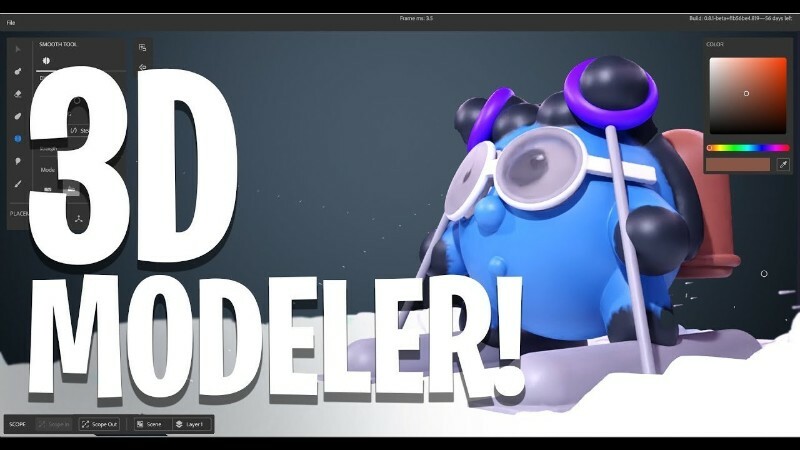
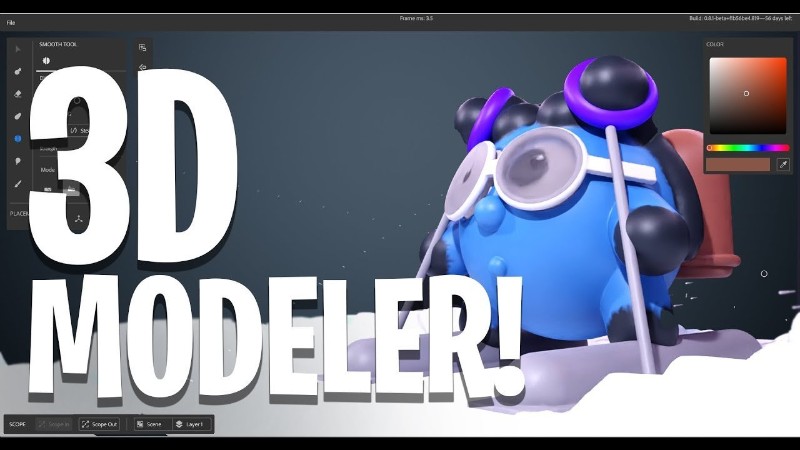
Adobe Substance 3D Modeler is visual 3D modeling software designed for 3D experts, visual effects developers, and graphic designers alike. Adobe Substance 3D Modeler utilizes spatial data from the physical world, allowing you to create models just like in a real workshop. Regardless of your preferences and current conditions, Adobe Substance 3D Modeler adapts to your needs.

Use natural, fluid gestures throughout your creative process. Switch between working on your desktop and in VR. Adobe Substance 3D Modeler helps you at every stage of your project: from concept art, sketches, and prototypes to blocking out game levels, creating detailed characters and props, or constructing an entire scene. Its intuitive approach to 3D modeling frees you from technical limitations and allows you to focus on creativity. With Adobe Substance 3D Modeler’s features , you can work productively on your projects.
Benefits of Adobe Substance 3D Modeler
– Work in "multi-surfaces"
Substance 3D Modeler allows you to quickly switch between VR and PC based on your project needs, the nature of the task, and your preferred work style.

– Assembly tools
Use tools like symmetry, repetition controls, and linked copy options to effectively create and edit complex structures.

– Natural sculpting
Create your own creations and add fine details using a variety of tools and natural basic elements.

– Modeling of solid surfaces
Assemble and shape basic elements to create complex models such as buildings or vehicles.
Close
List of changes made

  • The assembly is based on the standalone Adobe installer version 6.8.0.821, which is not available to the general public.
  • The Adobe Desktop Common module, which was required to be installed by the original installer, has been removed from the installer except for the bare minimum.
  • The Adobe Creative Cloud module, which was required to be installed by the original installer, has been completely removed from the installer.
  • The installer provides a choice of installation path and program interface language, as well as the ability to launch the program immediately after installation is complete.
  • Unlocked the ability to install the program on earlier versions of Windows 10.
  • The Adobe Substance 3D Modeler core module has been updated to version 1.22.7.1239.
  • The Adobe Genuine Service spyware module will be removed if it was previously installed with other Adobe programs.
  • Adobe CrashReport Window and Crashpad Handler spyware modules are disabled.

The program has already been disinfected. You can use it immediately after installation.

FAQ
Question: I can’t click the "Continue" button because the window contents don’t fit within the window itself, and the button is out of sight. What should I do?
Answer: This happens occasionally on poorly configured operating systems. There’s a TAB key on your keyboard. Use it to navigate to the desired menu item.

Question: The installation was not completed due to an unknown error. What should I do?
Answer: Please review Code:Copy to clipboard

https://helpx.adobe.com/ru/creative-cloud/kb/troubleshoot-download-install-logs.html

the error code breakdown . I also recommend reviewing the installation log. It’s located at C:\Program Files (x86)\Common Files\Adobe\Installers\Install.log. You may find more detailed information about the problem and how to resolve it there.

Question: If I select German during installation, for example, the program still installs in En? What should I do?
Answer: This program was brought to Adobe from outside the company and is not yet fully integrated with the Adobe installer. Specifically, you can’t manually select the interface language for the installed application. The language is automatically selected based on the operating system language (if the system language is not supported, En is selected). However, you can change the program’s interface language in the settings menu immediately after installation.

Question: What about medications for this version of the program?
Answer: The build was patched using the work of uncia & CGP Co. A number of files were patched, which I then integrated into the installer. You don’t need to do anything to patch it! Just in case, the original files are saved with the *.bak extension. If you want to get the original, unpatched product, simply remove this extension from these files and replace the existing patched files with them.

Question: What about disabling spy modules?
Answer: The Adobe CrashReport Window (AdobeCrashReportWindow.exe) and Crashpad Handler (crashpad_handler.exe) spyware modules have been disabled. Their initialization files are saved with the *.bak extension, just in case. If you ever want to restore their functionality, simply remove this extension from these files. The crack included in this build also removes Adobe Genuine Service if this module was previously installed with other Adobe programs (this module is not installed with this build).

Question: When opening the program, I get the error "Adobe Creative Cloud, needed to resolve the problem, is missing or damaged…". What should I do?
Answer: You have some leftovers from previous installations of Adobe Creative Cloud components. These need to be removed. To do this, use the Code:Copy to clipboard

https://swupmf.adobe.com/webfeed/CleanerTool/win/AdobeCreativeCloudCleanerTool.exe

Adobe Creative Cloud Cleaner Tool . Select "All" as the component to remove, then "Adobe Creative Cloud Desktop." Then, reinstall the offending program. This cleanup and reinstallation will not damage any previously installed programs.

Question: Is there a 3D material library for Substance 3D programs?
Answer: Yes, there are. And more than one! The official Adobe library is located Code:Copy to clipboard

https://substance3d.adobe.com/community-assets

.

โ‹†๐Ÿ•ท- – – – -โ˜ฝโ”€โ”€โ”€โ›ง โคโ–โคž โ›งโ”€โ”€โ”€โ˜พ – – – -๐Ÿ•ทโ‹†โ€‹

Adobe Substance 3D Modeler v1.22.7 Multilingual PreActivated by m0nkrus (1.15 GB)
DDownload
Code:Copy to clipboard

https://ddownload.com/twyils4pvzro/Adobe.Substance.3D.Modeler.v1.22.7.Multilingual.rar

RapidGator
Code:Copy to clipboard

https://rapidgator.net/file/4429f29e2d52a4439a7f48bd22e069ae/Adobe.Substance.3D.Modeler.v1.22.7.Multilingual.rar

Freedl.ink
Code:Copy to clipboard

https://frdl.io/tnek4i7pt567/Adobe.Substance.3D.Modeler.v1.22.7.Multilingual.rar
Adobe Substance 3D Modeler v1.22.6 Multilingual PreActivated by m0nkrus

Year of release : 2026
Version : 1.22.6.1229
Platform : Windows x64
Interface language : En / Spanish / Italian / Chinese / Korean / German / Portuguese / French / Japanese
Medicine : Cured

System requirements:
64-bit version of Microsoft Windows 10/11 (version 22H2 or later) ; 64-bit version of Microsoft Windows 10/11
Intel Core i5 or AMD Ryzen 5 processor (Intel Core i7 or AMD Ryzen 7 processor recommended)
16 GB RAM (32 GB recommended)
Nvidia GeForce RTX 2060 Super, NVIDIA Quadro RTX 4000, AMD Radeon RX 5700 XT, or AMD Radeon Pro W5700 with 8GB of VRAM (Nvidia GeForce RTX 3080, NVIDIA Quadro RTX A4000, AMD Radeon RX 6800 XT, or AMD Radeon Pro W7700 with 16GB recommended)
30 GB of free SSD space (50 GB recommended)

Description:
Adobe Substance 3D Modeler is visual 3D modeling software designed for 3D experts, visual effects developers, and graphic designers alike. Adobe Substance 3D Modeler utilizes spatial data from the physical world, allowing you to create models just like in a real workshop. Regardless of your preferences and current conditions, Adobe Substance 3D Modeler adapts to your needs.

Use natural, fluid gestures throughout your creative process. Switch between working on your desktop and in VR. Adobe Substance 3D Modeler helps you at every stage of your project: from concept art, sketches, and prototypes to blocking out game levels, creating detailed characters and props, or constructing an entire scene. Its intuitive approach to 3D modeling frees you from technical limitations and allows you to focus on creativity. With Adobe Substance 3D Modeler’s features , you can work productively on your projects.
Benefits of Adobe Substance 3D Modeler
– Work in "multi-surfaces"
Substance 3D Modeler allows you to quickly switch between VR and PC based on your project needs, the nature of the task, and your preferred work style.

– Assembly tools
Use tools like symmetry, repetition controls, and linked copy options to effectively create and edit complex structures.

– Natural sculpting
Create your own creations and add fine details using a variety of tools and natural basic elements.

– Modeling of solid surfaces
Assemble and shape basic elements to create complex models such as buildings or vehicles.

List of changes made

  • The assembly is based on the standalone Adobe installer version 6.8.0.821, which is not available to the general public.
  • The Adobe Desktop Common module, which was required to be installed by the original installer, has been removed from the installer except for the bare minimum.
  • The Adobe Creative Cloud module, which was required to be installed by the original installer, has been completely removed from the installer.
  • The installer provides a choice of installation path and program interface language, as well as the ability to launch the program immediately after installation is complete.
  • Unlocked the ability to install the program on earlier versions of Windows 10.
  • The Adobe Substance 3D Modeler core module has been updated to version 1.22.6.1229.
  • The Adobe Genuine Service spyware module will be removed if it was previously installed with other Adobe programs.
  • Adobe CrashReport Window and Crashpad Handler spyware modules are disabled.

The program has already been disinfected. You can use it immediately after installation.

FAQ
Question: I can’t click the "Continue" button because the window contents don’t fit within the window itself, and the button is out of sight. What should I do?
Answer: This happens occasionally on poorly configured operating systems. There’s a TAB key on your keyboard. Use it to navigate to the desired menu item.

Question: The installation was not completed due to an unknown error. What should I do?
Answer: Please review Code:Copy to clipboard

https://helpx.adobe.com/ru/creative-cloud/kb/troubleshoot-download-install-logs.html

the error code breakdown . I also recommend reviewing the installation log. It’s located at C:\Program Files (x86)\Common Files\Adobe\Installers\Install.log. You may find more detailed information about the problem and how to resolve it there.

Question: If I select German during installation, for example, the program still installs in En? What should I do?
Answer: This program was brought to Adobe from outside the company and is not yet fully integrated with the Adobe installer. Specifically, you can’t manually select the interface language for the installed application. The language is automatically selected based on the operating system language (if the system language is not supported, En is selected). However, you can change the program’s interface language in the settings menu immediately after installation.

Question: What about medications for this version of the program?
Answer: The build was patched using the work of uncia & CGP Co. A number of files were patched, which I then integrated into the installer. You don’t need to do anything to patch it! Just in case, the original files are saved with the *.bak extension. If you want to get the original, unpatched product, simply remove this extension from these files and replace the existing patched files with them.

Question: What about disabling spy modules?
Answer: The Adobe CrashReport Window (AdobeCrashReportWindow.exe) and Crashpad Handler (crashpad_handler.exe) spyware modules have been disabled. Their initialization files are saved with the *.bak extension, just in case. If you ever want to restore their functionality, simply remove this extension from these files. The crack included in this build also removes Adobe Genuine Service if this module was previously installed with other Adobe programs (this module is not installed with this build).

Question: When opening the program, I get the error "Adobe Creative Cloud, needed to resolve the problem, is missing or damaged…". What should I do?
Answer: You have some leftovers from previous installations of Adobe Creative Cloud components. These need to be removed. To do this, use the Code:Copy to clipboard

https://swupmf.adobe.com/webfeed/CleanerTool/win/AdobeCreativeCloudCleanerTool.exe

Adobe Creative Cloud Cleaner Tool . Select "All" as the component to remove, then "Adobe Creative Cloud Desktop." Then, reinstall the offending program. This cleanup and reinstallation will not damage any previously installed programs.

Question: Is there a 3D material library for Substance 3D programs?
Answer: Yes, there are. And more than one! The official Adobe library is located Code:Copy to clipboard

https://substance3d.adobe.com/community-assets

.

โ‹†๐Ÿ•ท- – – – -โ˜ฝโ”€โ”€โ”€โ›ง โคโ–โคž โ›งโ”€โ”€โ”€โ˜พ – – – -๐Ÿ•ทโ‹†โ€‹

๏ธ Adobe Substance 3D Modeler v1.22.6 Multilingual PreActivated by m0nkrus

RapidGator Link(s)
Code:Copy to clipboard

https://rapidgator.net/file/df85d2772477c7ae77ab1794b099a36c/Adobe.Substance.3D.Modeler.v1.22.6.Multilingual.rar

Freedl.ink Link(s)
Code:Copy to clipboard

https://frdl.io/60y9tpdw8f9l/Adobe.Substance.3D.Modeler.v1.22.6.Multilingual.rar

Adobe Substance 3D Modeler 1.22.7 (x64) Multilingual

QUICK INFO: File size: 933.2 MB

DESCRIPTION: Modeler is a 3D modeling and sculpting application that helps you create across both desktop and VR.Modeler aims to make working in 3D as intuitive as working with clay in real life. To help achieve this, with Modeler you don’t have to worry about tweaking vertexes or managing UVs, instead you can focus on the creative process.

Modeler is a 3D modeling and sculpting application that helps you create across both desktop and VR.
Modeler aims to make working in 3D as intuitive as working with clay in real life. To help achieve this, with Modeler you don’t have to worry about tweaking vertexes or managing UVs, instead you can focus on the creative process.

Liberate 3D modeling from technical constraints.
With an intuitive design, Modeler frees you from the technical constraints of traditional 3D modeling. Focus purely on the creative process and create simple 3D models or complex, fully conceived 3D scenes.

From concepting in 3D to sculpting an entire scene.
Modeler is a flexible tool for creating concept art, sketching and prototyping, blocking out game levels, crafting detailed characters or props, or sculpting an entire scene. All in one app.

Switch seamlessly between desktop and VR.
The powerful tools in Modeler work seamlessly across both desktop and VR. Create with the hardware that empowers you best at each step of your creative workflow.

The features in Substance 3D Modeler let you interact naturally with your art.

Multisurface support
Modeler allows you to switch at any time between VR and desktop, depending on the needs of your project, the task at hand, or your own preferred style of working.

Symmetry and repetition tools
Harness powerful symmetry and repetition capabilities to quickly assemble complex structures and craft with incredible detail.

Hard-surface sculpting
Create clear and decisive forms with a range of parametric primitive shapes, and easily add and cut them into more complex models.

Code:Copy to clipboard

https://helpx.adobe.com/substance-3d-modeler/release-notes.html

โ‹†๐Ÿ•ท- – – – -โ˜ฝโ”€โ”€โ”€โ›ง โคโ–โคž โ›งโ”€โ”€โ”€โ˜พ – – – -๐Ÿ•ทโ‹†โ€‹

Adobe Substance 3D Modeler 1.22.7 (x64) Multilingual (934 MB)
DDownload
Code:Copy to clipboard

https://ddownload.com/drq2vuur6nhp/Adobe.Substance.3D.Modeler.1.22.7.X64.Multilingual.rar

RapidGator
Code:Copy to clipboard

https://rapidgator.net/file/6b99d2bc9db280f76496209995b55d28/Adobe.Substance.3D.Modeler.1.22.7.X64.Multilingual.rar

UsersDrive
Code:Copy to clipboard

https://usersdrive.com/rk7mij5zhgxc.html

Adobe Substance 3D Modeler 1.22.6.1229 Repack by Pooshock – (1.1 GB)

Adobe Substance 3D Modeler 1.22.6.1229โ€‹

Overview of Adobe Substance 3D Modeler
It is a 3D modeling and sculpting application that helps you create across both desktop and VR. Modeler aims to make working in 3D as intuitive as working with clay in real life. To help achieve this, with Modeler, you don’t have to worry about tweaking vertexes or managing UVs. Instead, you can focus on the creative process.

Features of Adobe Substance 3D Modeler

โœ”Multisurface support
โœ”Symmetry and repetition tools
โœ”Organic sculpting
โœ”Hard-surface sculpting

Technical Details and System Requirements

โœ”Supported OS: Windows 11 / Windows 10
โœ”Processor: Multicore Intel Series or above, Xeon or AMD equivalent
โœ”RAM: 4GB (8GB or more recommended)
โœ”Free Hard Disk Space: 8GB or more recommended

โ‹†๐Ÿ•ท- – – – -โ˜ฝโ”€โ”€โ”€โ›ง โคโ–โคž โ›งโ”€โ”€โ”€โ˜พ – – – -๐Ÿ•ทโ‹†โ€‹

๏ธ Adobe Substance 3D Modeler 1.22.6.1229 Repack by Pooshock – (1.1 GB)

RapidGator Link(s)
Code:Copy to clipboard

https://rapidgator.net/file/5409cb0bfd5b957245af03624655f8c5/Adobe.Substance.3D.Modeler.1.22.6.1229.rar

Freedl.ink Link(s)
Code:Copy to clipboard

https://frdl.io/vsfez1ijtfvf/Adobe.Substance.3D.Modeler.1.22.6.1229.rar

Adobe Substance 3D Designer v16.0.1 Multilingual PreActivated by m0nkrus

Year of release : 2026
Version : 16.0.1.10989
Platform : Windows x64
Interface language : En / Spanish / Italian / Chinese / Korean / German / Portuguese / French / Japanese
Medicine : Cured

System requirements:
64-bit version of Microsoft Windows 10/11 (version 23H2 or later) ; 64-bit version of Microsoft Windows 10/11
Intel Core i5 or AMD Ryzen 5 processor (Intel Core i7 or AMD Ryzen 7 processor recommended)
16 GB RAM (32 GB recommended)
Nvidia Geforce RTX 2060, Quadro RTX 4000, AMD Radeon RX 570 XT, or AMD Radeon Pro W5700 with 8GB of VRAM (Nvidia Geforce RTX 3080, Quadro RTX A4000, AMD Radeon RX 6800 XT, or AMD Radeon Pro W7700 with 16GB recommended)
30 GB of free SSD space (50 GB recommended)

Description:
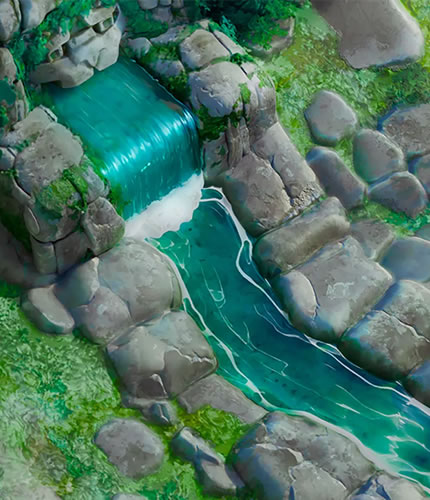
Adobe Substance 3D Designer is the industry standard for creating unique materials, giving you complete control over the creative process. Create 3D materials, models, tileable textures and patterns, and lighting environments. Build content from scratch in a reversible, node-based environment or take advantage of Adobe Substance 3D Designer’s ever-expanding scripting capabilities . Design precisely according to your vision. Adobe Substance 3D Designer is used across many industries and forms the foundation of most video game and visual effects pipelines. Substance materials are supported in most 3D creation tools and integrate seamlessly into any workflow.
Benefits of Adobe Substance 3D Designer
– Constantly expanding content library
Access hundreds of nodes and filters. Create any surface with unique and randomized noise and patterns.

– Creating HDR lighting
Create parametrically lit scenes using procedural lights or spherical panoramic photos.

– Color management
Take advantage of Pantone and OpenColorIO support.

– MDL support
Create MDL materials using a dedicated shader map.

– Sending materials
Send materials and filters to other Substance 3D applications to sync your project work with Designer.

– Parametric modeling
This map allows you to create customizable and dynamic 3D models.
Close
List of changes made

  • The assembly is based on the standalone installer of Adobe version 6.8.1.865, which is not available to the general public.
  • The Adobe Desktop Common module, which was required to be installed by the original installer, has been removed from the installer except for the bare minimum.
  • The Adobe Creative Cloud module, which was required to be installed by the original installer, has been completely removed from the installer.
  • The installer provides a choice of installation path, as well as the ability to launch the program immediately after installation is complete.
  • Unlocked the ability to install the program on earlier versions of Windows 10.
  • The main module of Adobe Substance 3D Designer has been updated to version 16.0.1.10989.
  • The Adobe Genuine Service spyware module will be removed if it was previously installed with other Adobe programs.
  • Adobe CrashReport Window and Crashpad Handler spyware modules are disabled.

The program has already been disinfected. You can use it immediately after installation.

FAQ
Question: I can’t click the "Continue" button because the window contents don’t fit within the window itself, and the button is out of sight. What should I do?
Answer: This happens occasionally on poorly configured operating systems. There’s a TAB key on your keyboard. Use it to navigate to the desired menu item.

Question: The installation was not completed due to an unknown error. What should I do?
Answer: Please review Code:Copy to clipboard

https://helpx.adobe.com/ru/creative-cloud/kb/troubleshoot-download-install-logs.html

the error code breakdown . I also recommend reviewing the installation log. It’s located at C:\Program Files (x86)\Common Files\Adobe\Installers\Install.log. You may find more detailed information about the problem and how to resolve it there.

Question: If I select German during installation, for example, the program still installs in En? What should I do?
Answer: This program was brought to Adobe from outside the company and is not yet fully integrated with the Adobe installer. Specifically, you can’t manually select the interface language for the installed application. The language is automatically selected based on the operating system language (if the system language is not supported, En is selected). However, you can change the program’s interface language in the settings menu immediately after installation.

Question: What about medications for this version of the program?
Answer: The build was patched using the work of uncia & CGP Co. A number of files were patched, which I then integrated into the installer. You don’t need to do anything to patch it! Just in case, the original files are saved with the *.bak extension. If you want to get the original, unpatched product, simply remove this extension from these files and replace the existing patched files with them.

Question: What about disabling spy modules?
Answer: The Adobe CrashReport Window (AdobeCrashReportWindow.exe) and Crashpad Handler (crashpad_handler.exe) spyware modules have been disabled. Their initialization files are saved with the *.bak extension, just in case. If you ever want to restore their functionality, simply remove this extension from these files. The crack included in this build also removes Adobe Genuine Service if this module was previously installed with other Adobe programs (this module is not installed with this build).

Question: When opening the program, I get the error "Adobe Creative Cloud, needed to resolve the problem, is missing or damaged…". What should I do?
Answer: You have some leftovers from previous installations of Adobe Creative Cloud components. These need to be removed. To do this, use the Code:Copy to clipboard

https://swupmf.adobe.com/webfeed/CleanerTool/win/AdobeCreativeCloudCleanerTool.exe

Adobe Creative Cloud Cleaner Tool . Select "All" as the component to remove, then "Adobe Creative Cloud Desktop." Then, reinstall the offending program. This cleanup and reinstallation will not damage any previously installed programs.

Question: Is there a 3D material library for Substance 3D programs?
Answer: Yes, there are. And more than one! The official Adobe library is located Code:Copy to clipboard

https://substance3d.adobe.com/community-assets

.

โ‹†๐Ÿ•ท- – – – -โ˜ฝโ”€โ”€โ”€โ›ง โคโ–โคž โ›งโ”€โ”€โ”€โ˜พ – – – -๐Ÿ•ทโ‹†โ€‹

Adobe Substance 3D Designer v16.0.1 Multilingual PreActivated by m0nkrus (937 MB)

RapidGator
Code:Copy to clipboard

https://rapidgator.net/file/1a00620a25cc7ae7adcc860827e1cbb7/Adobe.Substance.3D.Designer.v16.0.1.Multilingual.rar

Freedl.ink
Code:Copy to clipboard

https://frdl.io/2vp2bzsmkk9j/Adobe.Substance.3D.Designer.v16.0.1.Multilingual.rar

Adobe Substance 3D Designer v16.0.0 Multilingual PreActivated by m0nkrus

Year of release : 2026
Version : 16.0.0.10849
Platform : Windows x64
Interface language : En / Spanish / Italian / Chinese / Korean / German / Portuguese / French / Japanese
Medicine : Cured

System requirements:
64-bit version of Microsoft Windows 10/11 (version 23H2 or later) ; 64-bit version of Microsoft Windows 10/11
Intel Core i5 or AMD Ryzen 5 processor (Intel Core i7 or AMD Ryzen 7 processor recommended)
16 GB RAM (32 GB recommended)
Nvidia Geforce RTX 2060, Quadro RTX 4000, AMD Radeon RX 570 XT, or AMD Radeon Pro W5700 with 8GB of VRAM (Nvidia Geforce RTX 3080, Quadro RTX A4000, AMD Radeon RX 6800 XT, or AMD Radeon Pro W7700 with 16GB recommended)
30 GB of free SSD space (50 GB recommended)

Description:
Adobe Substance 3D Designer is the industry standard for creating unique materials, giving you complete control over the creative process. Create 3D materials, models, tileable textures and patterns, and lighting environments. Build content from scratch in a reversible, node-based environment or take advantage of Adobe Substance 3D Designer’s ever-expanding scripting capabilities . Design precisely according to your vision. Adobe Substance 3D Designer is used across many industries and forms the foundation of most video game and visual effects pipelines. Substance materials are supported in most 3D creation tools and integrate seamlessly into any workflow.
Benefits of Adobe Substance 3D Designer
– Constantly expanding content library
Access hundreds of nodes and filters. Create any surface with unique and randomized noise and patterns.

– Creating HDR lighting
Create parametrically lit scenes using procedural lights or spherical panoramic photos.

– Color management
Take advantage of Pantone and OpenColorIO support.

– MDL support
Create MDL materials using a dedicated shader map.

– Sending materials
Send materials and filters to other Substance 3D applications to sync your project work with Designer.

– Parametric modeling
This map allows you to create customizable and dynamic 3D models.
Close
List of changes made

  • The assembly is based on the standalone Adobe installer version 6.8.0.821, which is not available to the general public.
  • The Adobe Desktop Common module, which was required to be installed by the original installer, has been removed from the installer except for the bare minimum.
  • The Adobe Creative Cloud module, which was required to be installed by the original installer, has been completely removed from the installer.
  • The installer provides a choice of installation path, as well as the ability to launch the program immediately after installation is complete.
  • Unlocked the ability to install the program on earlier versions of Windows 10.
  • The main module of Adobe Substance 3D Designer has been updated to version 16.0.0.10849.
  • The Adobe Genuine Service spyware module will be removed if it was previously installed with other Adobe programs.
  • Adobe CrashReport Window and Crashpad Handler spyware modules are disabled.

The program has already been disinfected. You can use it immediately after installation.

FAQ
Question: I can’t click the "Continue" button because the window contents don’t fit within the window itself, and the button is out of sight. What should I do?
Answer: This happens occasionally on poorly configured operating systems. There’s a TAB key on your keyboard. Use it to navigate to the desired menu item.

Question: The installation was not completed due to an unknown error. What should I do?
Answer: Please review Code:Copy to clipboard

https://helpx.adobe.com/ru/creative-cloud/kb/troubleshoot-download-install-logs.html

the error code breakdown . I also recommend reviewing the installation log. It’s located at C:\Program Files (x86)\Common Files\Adobe\Installers\Install.log. You may find more detailed information about the problem and how to resolve it there.

Question: If I select German during installation, for example, the program still installs in En? What should I do?
Answer: This program was brought to Adobe from outside the company and is not yet fully integrated with the Adobe installer. Specifically, you can’t manually select the interface language for the installed application. The language is automatically selected based on the operating system language (if the system language is not supported, En is selected). However, you can change the program’s interface language in the settings menu immediately after installation.

Question: What about medications for this version of the program?
Answer: The build was patched using the work of uncia & CGP Co. A number of files were patched, which I then integrated into the installer. You don’t need to do anything to patch it! Just in case, the original files are saved with the *.bak extension. If you want to get the original, unpatched product, simply remove this extension from these files and replace the existing patched files with them.

Question: What about disabling spy modules?
Answer: The Adobe CrashReport Window (AdobeCrashReportWindow.exe) and Crashpad Handler (crashpad_handler.exe) spyware modules have been disabled. Their initialization files are saved with the *.bak extension, just in case. If you ever want to restore their functionality, simply remove this extension from these files. The crack included in this build also removes Adobe Genuine Service if this module was previously installed with other Adobe programs (this module is not installed with this build).

Question: When opening the program, I get the error "Adobe Creative Cloud, needed to resolve the problem, is missing or damaged…". What should I do?
Answer: You have some leftovers from previous installations of Adobe Creative Cloud components. These need to be removed. To do this, use the Code:Copy to clipboard

https://swupmf.adobe.com/webfeed/CleanerTool/win/AdobeCreativeCloudCleanerTool.exe

Adobe Creative Cloud Cleaner Tool . Select "All" as the component to remove, then "Adobe Creative Cloud Desktop." Then, reinstall the offending program. This cleanup and reinstallation will not damage any previously installed programs.

Question: Is there a 3D material library for Substance 3D programs?
Answer: Yes, there are. And more than one! The official Adobe library is located Code:Copy to clipboard

https://substance3d.adobe.com/community-assets

.

โ‹†๐Ÿ•ท- – – – -โ˜ฝโ”€โ”€โ”€โ›ง โคโ–โคž โ›งโ”€โ”€โ”€โ˜พ – – – -๐Ÿ•ทโ‹†โ€‹

Adobe Substance 3D Designer v16.0.0 Multilingual PreActivated by m0nkrus (938 MB)
DDownload
Code:Copy to clipboard

https://ddownload.com/jf185ir4mflg/Adobe.Substance.3D.Designer.v16.0.0.Multilingual.rar

RapidGator
Code:Copy to clipboard

https://rapidgator.net/file/0de615b5a910529786a6945f8ea96a52/Adobe.Substance.3D.Designer.v16.0.0.Multilingual.rar

Freedl.ink
Code:Copy to clipboard

https://frdl.io/y0tq72964wrr/Adobe.Substance.3D.Designer.v16.0.0.Multilingual.rar

Adobe Substance 3D Designer v15.1.3 Multilingual PreActivated by m0nkrus

Year of release : 2026
Version : 15.1.3.10606
Platform : Windows x64
Interface language : En / Spanish / Italian / Chinese / Korean / German / Portuguese / French / Japanese
Medicine : Cured

System requirements:
64-bit version of Microsoft Windows 10/11 (version 21H2 or later) ; 64-bit version of Microsoft Windows 10/11
Intel Core i5 or AMD Ryzen 5 processor (Intel Core i7 or AMD Ryzen 7 processor recommended)
16 GB RAM (32 GB recommended)
Nvidia Geforce RTX 2060, Quadro RTX 4000, AMD Radeon RX 570 XT, or AMD Radeon Pro W5700 with 8GB of VRAM (Nvidia Geforce RTX 3080, Quadro RTX A4000, AMD Radeon RX 6800 XT, or AMD Radeon Pro W7700 with 16GB recommended)
30 GB of free SSD space (50 GB recommended)

Description:
Adobe Substance 3D Designer is the industry standard for creating unique materials, giving you complete control over the creative process. Create 3D materials, models, tileable textures and patterns, and lighting environments. Build content from scratch in a reversible, node-based environment or take advantage of Adobe Substance 3D Designer’s ever-expanding scripting capabilities . Design precisely according to your vision. Adobe Substance 3D Designer is used across many industries and forms the foundation of most video game and visual effects pipelines. Substance materials are supported in most 3D creation tools and integrate seamlessly into any workflow.
Benefits of Adobe Substance 3D Designer
– Constantly expanding content library
Access hundreds of nodes and filters. Create any surface with unique and randomized noise and patterns.

– Creating HDR lighting
Create parametrically lit scenes using procedural lights or spherical panoramic photos.

– Color management
Take advantage of Pantone and OpenColorIO support.

– MDL support
Create MDL materials using a dedicated shader map.

– Sending materials
Send materials and filters to other Substance 3D applications to sync your project work with Designer.

– Parametric modeling
This map allows you to create customizable and dynamic 3D models.
Close
List of changes made

  • The assembly is based on the standalone Adobe installer version 6.8.0.821, which is not available to the general public.
  • The Adobe Desktop Common module, which was required to be installed by the original installer, has been removed from the installer except for the bare minimum.
  • The Adobe Creative Cloud module, which was required to be installed by the original installer, has been completely removed from the installer.
  • The installer provides a choice of installation path, as well as the ability to launch the program immediately after installation is complete.
  • Unlocked the ability to install the program on earlier versions of Windows 10.
  • The main module of Adobe Substance 3D Designer has been updated to version 15.1.3.10606.
  • The Adobe Genuine Service spyware module will be removed if it was previously installed with other Adobe programs.
  • Adobe CrashReport Window and Crashpad Handler spyware modules are disabled.

The program has already been disinfected. You can use it immediately after installation.

FAQ
Question: I can’t click the "Continue" button because the window contents don’t fit within the window itself, and the button is out of sight. What should I do?
Answer: This happens occasionally on poorly configured operating systems. There’s a TAB key on your keyboard. Use it to navigate to the desired menu item.

Question: The installation was not completed due to an unknown error. What should I do?
Answer: Please review Code:Copy to clipboard

https://helpx.adobe.com/ru/creative-cloud/kb/troubleshoot-download-install-logs.html

the error code breakdown . I also recommend reviewing the installation log. It’s located at C:\Program Files (x86)\Common Files\Adobe\Installers\Install.log. You may find more detailed information about the problem and how to resolve it there.

Question: If I select German during installation, for example, the program still installs in En? What should I do?
Answer: This program was brought to Adobe from outside the company and is not yet fully integrated with the Adobe installer. Specifically, you can’t manually select the interface language for the installed application. The language is automatically selected based on the operating system language (if the system language is not supported, En is selected). However, you can change the program’s interface language in the settings menu immediately after installation.

Question: What about medications for this version of the program?
Answer: The build was patched using the work of uncia & CGP Co. A number of files were patched, which I then integrated into the installer. You don’t need to do anything to patch it! Just in case, the original files are saved with the *.bak extension. If you want to get the original, unpatched product, simply remove this extension from these files and replace the existing patched files with them.

Question: What about disabling spy modules?
Answer: The Adobe CrashReport Window (AdobeCrashReportWindow.exe) and Crashpad Handler (crashpad_handler.exe) spyware modules have been disabled. Their initialization files are saved with the *.bak extension, just in case. If you ever want to restore their functionality, simply remove this extension from these files. The crack included in this build also removes Adobe Genuine Service if this module was previously installed with other Adobe programs (this module is not installed with this build).

Question: When opening the program, I get the error "Adobe Creative Cloud, needed to resolve the problem, is missing or damaged…". What should I do?
Answer: You have some leftovers from previous installations of Adobe Creative Cloud components. These need to be removed. To do this, use the Code:Copy to clipboard

https://swupmf.adobe.com/webfeed/CleanerTool/win/AdobeCreativeCloudCleanerTool.exe

Adobe Creative Cloud Cleaner Tool . Select "All" as the component to remove, then "Adobe Creative Cloud Desktop." Then, reinstall the offending program. This cleanup and reinstallation will not damage any previously installed programs.

Question: Is there a 3D material library for Substance 3D programs?
Answer: Yes, there are. And more than one! The official Adobe library is located Code:Copy to clipboard

https://substance3d.adobe.com/community-assets

.

โ‹†๐Ÿ•ท- – – – -โ˜ฝโ”€โ”€โ”€โ›ง โคโ–โคž โ›งโ”€โ”€โ”€โ˜พ – – – -๐Ÿ•ทโ‹†โ€‹

๏ธ Adobe Substance 3D Designer v15.1.3 Multilingual PreActivated by m0nkrus

RapidGator Link(s)
Code:Copy to clipboard

https://rapidgator.net/file/d10764d0ac02125cf4e7f7086d8e517a/Adobe.Substance.3D.Designer.v15.1.3.Multilingual.rar

Freedl.ink Link(s)
Code:Copy to clipboard

https://frdl.io/am1glg12aw29/Adobe.Substance.3D.Designer.v15.1.3.Multilingual.rar

Adobe Substance 3D Designer v15.1.2 Multilingual PreActivated by m0nkrus

Year of release : 2026
Version : 15.1.2.10338
Platform : Windows x64
Interface language : En / Spanish / Italian / Chinese / Korean / German / Portuguese / French / Japanese
Medicine : Cured

System requirements:
64-bit version of Microsoft Windows 10/11 (version 21H2 or later) ; 64-bit version of Microsoft Windows 10/11
Intel Core i5 or AMD Ryzen 5 processor (Intel Core i7 or AMD Ryzen 7 processor recommended)
16 GB RAM (32 GB recommended)
Nvidia Geforce RTX 2060, Quadro RTX 4000, AMD Radeon RX 570 XT, or AMD Radeon Pro W5700 with 8GB of VRAM (Nvidia Geforce RTX 3080, Quadro RTX A4000, AMD Radeon RX 6800 XT, or AMD Radeon Pro W7700 with 16GB recommended)
30 GB of free SSD space (50 GB recommended)

Description:
Adobe Substance 3D Designer is the industry standard for creating unique materials, giving you complete control over the creative process. Create 3D materials, models, tileable textures and patterns, and lighting environments. Build content from scratch in a reversible, node-based environment or take advantage of Adobe Substance 3D Designer’s ever-expanding scripting capabilities . Design precisely according to your vision. Adobe Substance 3D Designer is used across many industries and forms the foundation of most video game and visual effects pipelines. Substance materials are supported in most 3D creation tools and integrate seamlessly into any workflow.
Benefits of Adobe Substance 3D Designer
– Constantly expanding content library
Access hundreds of nodes and filters. Create any surface with unique and randomized noise and patterns.

– Creating HDR lighting
Create parametrically lit scenes using procedural lights or spherical panoramic photos.

– Color management
Take advantage of Pantone and OpenColorIO support.

– MDL support
Create MDL materials using a dedicated shader map.

– Sending materials
Send materials and filters to other Substance 3D applications to sync your project work with Designer.

– Parametric modeling
This map allows you to create customizable and dynamic 3D models.
Close
List of changes made

  • The assembly is based on the standalone Adobe installer version 6.8.0.821, which is not available to the general public.
  • The Adobe Desktop Common module, which was required to be installed by the original installer, has been removed from the installer except for the bare minimum.
  • The Adobe Creative Cloud module, which was required to be installed by the original installer, has been completely removed from the installer.
  • The installer provides a choice of installation path, as well as the ability to launch the program immediately after installation is complete.
  • Unlocked the ability to install the program on earlier versions of Windows 10.
  • The main module of Adobe Substance 3D Designer has been updated to version 15.1.2.10338.
  • The Adobe Genuine Service spyware module will be removed if it was previously installed with other Adobe programs.
  • Adobe CrashReport Window and Crashpad Handler spyware modules are disabled.

The program has already been disinfected. You can use it immediately after installation.

FAQ
Question: I can’t click the "Continue" button because the window contents don’t fit within the window itself, and the button is out of sight. What should I do?
Answer: This happens occasionally on poorly configured operating systems. There’s a TAB key on your keyboard. Use it to navigate to the desired menu item.

Question: The installation was not completed due to an unknown error. What should I do?
Answer: Please review Code:Copy to clipboard

https://helpx.adobe.com/ru/creative-cloud/kb/troubleshoot-download-install-logs.html

the error code breakdown . I also recommend reviewing the installation log. It’s located at C:\Program Files (x86)\Common Files\Adobe\Installers\Install.log. You may find more detailed information about the problem and how to resolve it there.

Question: If I select German during installation, for example, the program still installs in En? What should I do?
Answer: This program was brought to Adobe from outside the company and is not yet fully integrated with the Adobe installer. Specifically, you can’t manually select the interface language for the installed application. The language is automatically selected based on the operating system language (if the system language is not supported, En is selected). However, you can change the program’s interface language in the settings menu immediately after installation.

Question: What about medications for this version of the program?
Answer: The build was patched using the work of uncia & CGP Co. A number of files were patched, which I then integrated into the installer. You don’t need to do anything to patch it! Just in case, the original files are saved with the *.bak extension. If you want to get the original, unpatched product, simply remove this extension from these files and replace the existing patched files with them.

Question: What about disabling spy modules?
Answer: The Adobe CrashReport Window (AdobeCrashReportWindow.exe) and Crashpad Handler (crashpad_handler.exe) spyware modules have been disabled. Their initialization files are saved with the *.bak extension, just in case. If you ever want to restore their functionality, simply remove this extension from these files. The crack included in this build also removes Adobe Genuine Service if this module was previously installed with other Adobe programs (this module is not installed with this build).

Question: When opening the program, I get the error "Adobe Creative Cloud, needed to resolve the problem, is missing or damaged…". What should I do?
Answer: You have some leftovers from previous installations of Adobe Creative Cloud components. These need to be removed. To do this, use the Code:Copy to clipboard

https://swupmf.adobe.com/webfeed/CleanerTool/win/AdobeCreativeCloudCleanerTool.exe

Adobe Creative Cloud Cleaner Tool . Select "All" as the component to remove, then "Adobe Creative Cloud Desktop." Then, reinstall the offending program. This cleanup and reinstallation will not damage any previously installed programs.

Question: Is there a 3D material library for Substance 3D programs?
Answer: Yes, there are. And more than one! The official Adobe library is located Code:Copy to clipboard

https://substance3d.adobe.com/community-assets

.

โ‹†๐Ÿ•ท- – – – -โ˜ฝโ”€โ”€โ”€โ›ง โคโ–โคž โ›งโ”€โ”€โ”€โ˜พ – – – -๐Ÿ•ทโ‹†โ€‹

๏ธ Adobe Substance 3D Designer v15.1.2 Multilingual PreActivated by m0nkrus

RapidGator Link(s)
Code:Copy to clipboard

https://rapidgator.net/file/50c14357186d93312650b05a2142293e/Adobe.Substance.3D.Designer.v15.1.2.Multilingual.rar

Freedl.ink Link(s)
Code:Copy to clipboard

https://frdl.io/rwm14glom1g2/Adobe.Substance.3D.Designer.v15.1.2.Multilingual.rar

Adobe Substance 3D Designer 16.0.1 x64 Multi-En Portable by 7997

DESCRIPTION: Adobe Substance Designer Overview
This program allows you to create materials with complete control and unlimited variations. Further, you can edit complete texture sets instantly and produce substance textures and MDL materials that will directly handle your renderer or game engine.
This program also has many great filters and tools for adapting to photogrammetry workflow. Substance Designer features a complete set of tools and filters, including the Crop Tool, Color Equalizer Tool, Extract Channels filters (Multi-angle to Albedo, Multi-angle to Normal, Normal to Height), Smart Patch Clone Tool, and Smart Auto Tile Tool.
Using this software, you can import procedural SBS and sbsar files, hand-painted images, photographs, scans, and geometry (.fbx & .obj). No need to worry about tiling, either – Substance Designer handles it automatically.
Substance Designer features four graph types: tiling textures, MDL materials, Math Functions, and Noise Editor. With the procedural node-based non-linear workflow, you can edit complete texture sets instantly. Want to change something while you’re working? You can make changes to any previous step while keeping your current work intact.

Features of Allegorithmic Substance Designer

โœ”Create Substance files tweakable in-context
โœ”Produce tileable textures up to 8K size with 32 bits floating
โœ”Produce MDL materials for Iray, V-Ray, and Adobe Felix
โœ”Find physically based, high-resolution, and tweakable assets for texturing.
โœ”Download and share community-created content under Creative Commons 4.0 "Public License."
โœ”Real-time physically based viewport with iray path tracing
โœ”Node-based non-destructive workflow
โœ”Powerful generators, tools, and filters
โœ”Integrated full-featured bakers

System Requirements and Technical Details
Minimum

โœ”OS: Windows 7 / 8 / 10 / 11 – (64 bit)
โœ”Memory: 2 GB RAM
โœ”Graphics: VRAM 2GB
โœ”DirectX: Version 10

Recommended

โœ”OS: Windows 7 / 8 / 10 / 11 – (64 bit)
โœ”Memory: 4 GB RAM
โœ”Graphics: VRAM 4GB
โœ”DirectX: Version 10

โ‹†๐Ÿ•ท- – – – -โ˜ฝโ”€โ”€โ”€โ›ง โคโ–โคž โ›งโ”€โ”€โ”€โ˜พ – – – -๐Ÿ•ทโ‹†โ€‹

Adobe Substance 3D Designer 16.0.1 x64 Multi-En Portable by 7997 (511 MB)

RapidGator
Code:Copy to clipboard

https://rapidgator.net/file/19d2f0cefede5eb5e02b7ce795137f78/Adobe.Substance.3D.Designer.16.0.1.x64.Multi-En.Portable.by.7997.rar

Freedl.ink
Code:Copy to clipboard

https://frdl.io/g9dqvvd3rysu/Adobe.Substance.3D.Designer.16.0.1.x64.Multi-En.Portable.by.7997.rar

Adobe Substance 3D Designer 16.0.1 (x64) Multilingual

QUICK INFO: File size: 820.8 MB / 1 GB

DESCRIPTION: 3D Assets Creation. Limitless. Create, iterate. Substance Designer is the Ultimate 3D Material Authoring and Scan Processing Tool. It has become the standard in the entertainment industry for PBR material authoring.

Discover the power of procedural creation.
With Substance 3D Designer, create seamless materials and patterns, image filters, environment lights, or even 3D models. Each asset can output infinite variations.
The industry standard for material authoring.
Substance 3D Designer is used across many industries and is at the center of most video game and visual effects material pipelines. Substance parametric materials are supported in most 3D creation tools and will integrate seamlessly into any workflow. Send your materials directly to Substance 3D Painter and Stager.
The industry standard for material authoring.
Substance 3D Designer is used across many industries and is at the center of most video game and visual effects material pipelines. Substance parametric materials are supported in most 3D creation tools and will integrate seamlessly into any workflow. Send your materials directly to Substance 3D Painter and Stager.
Nondestructive, nonlinear.
The node-based workflow allows you to use a wide range of approaches. Any step of the process can always be modified later. Try everything, adjust anytime.
Endless possibilities, infinite combinations.
Designer comes with a rich node library to create your assets from scratch. Build upon and learn from thousands of materials from Substance 3D Assets and Substance 3D Community Assets.
Go beyond materials.
Generate dynamic 3D models, or combine existing elements like curves and kitbash models. Create parametric environment lights to use in any app supported by Substance 3D.
Integrates into any workflow.
Designer comes with an extensive scripting API so you can tailor the app to your needs. Build and share powerful plugins with the integrated Python scripting interface. Create tools and utility graphs to supercharge your pipeline.
An ever-growing library of content
Access hundreds of nodes and filters. Create any surface with unique and randomizable noises and patterns.
HDR lighting creation
Create parametric lighting stages using procedural lights or 360ยฐ photos.
Color management
Take advantage of Pantone and OpenColorIO support.
MDL support
Create MDL materials with the dedicated shader graph.
Send-to
Send materials and filters to other Substance 3D applications, allowing you to iterate in context with Designer.
Parametric modeling (beta)
This graph lets you generate customizable and dynamic 3D models.

Code:Copy to clipboard

https://helpx.adobe.com/substance-3d-designer/release-notes/all-changes.html

System Requirements: Windows 10, 11

โ‹†๐Ÿ•ท- – – – -โ˜ฝโ”€โ”€โ”€โ›ง โคโ–โคž โ›งโ”€โ”€โ”€โ˜พ – – – -๐Ÿ•ทโ‹†โ€‹

Adobe Substance 3D Designer 16.0.1 (x64) Multilingual (753 MB)

RapidGator
Code:Copy to clipboard

https://rapidgator.net/file/c2a83032227c01ca94a4cee4fb55562d/Adobe.Substance.3D.Designer.16.0.1.X64.Multilingual.rar

Freedl.ink
Code:Copy to clipboard

https://frdl.io/vlwmfudjx4o9/Adobe.Substance.3D.Designer.16.0.1.X64.Multilingual.rar